> For the complete documentation index, see [llms.txt](https://docs.maiagent.ai/llms.txt). Markdown versions of documentation pages are available by appending `.md` to page URLs; this page is available as [Markdown](https://docs.maiagent.ai/tech/authorization-integration/contacts.md).
# 聯絡人 (Contact) 介紹及串接
## 聯絡人是什麼?
聯絡人(Contact)代表「跟 AI 助理對話的**終端使用者**」。企業把自家系統的使用者對應到 MaiAgent 聯絡人後,AI 就能認得「誰在問」:正確回溯**這個人**的對話歷史與權限設定,而不是別人的。
聯絡人不需要 MaiAgent 帳號(這是它與[成員/角色](/tech/authorization-integration/role-vs-contact.md)最大的差別),使用者也不會感知到它的存在——它是您的系統與 MaiAgent 之間的身份對應。
{% tabs %}
{% tab title="企業串接予外部消費者使用" %}
{% endtab %}
{% tab title="企業串接予內部員工使用" %}
{% endtab %}
{% endtabs %}
### 聯絡人上可以掛什麼
| 資料 | 用途 | 詳細說明 |
| ----------------------------- | ---------------------------- | ----------------------------------------------------------------------------------------------------------------------------------- |
| 基本資料(`name`、`email`、`avatar`) | 顯示在後台聯絡人列表與對話記錄 | 本頁下方 API 說明 |
| 自訂屬性(`metadata`) | 部門、會員等級等背景資料,**AI 會讀取並帶入回答** | [聯絡人身份同步與 Token 更新](/tech/authorization-integration/contact-credentials-sync.md#sync-contact-profile) |
| 查詢元資料(`query_metadata`) | 限制該使用者可檢索的知識庫/文件/標籤範圍 | [知識管理權限(Query Metadata)](/tech/authorization-integration/zhi-shi-guan-li-quan-xian-query-metadata-cha-xun-yuan-zi-liao-zong-lan.md) |
| MCP/API 工具憑證 | 讓 AI 以**該使用者的身份與權限**呼叫外部工具 | [聯絡人身份同步與 Token 更新](/tech/authorization-integration/contact-credentials-sync.md) |
| 對話歷史 | 跨裝置延續對話 | 前端帶 `contactId` 即生效 |
## 建立與同步聯絡人的三條路
| 方式 | 適合 | 說明 |
| ----------------------------------------- | -------------------------------------- | ---------------------------------------------------------------------------------------------------------------------------------------------------------------- |
| **身份同步 API**(`setup-contact-credentials`) | 使用者登入時同步、要綁工具憑證、既有系統批次補建 | 冪等(同 `sourceId` 不重複建立)、免 API Key。含 Web Chat 前端 `auth` 自動呼叫的版本。**多數串接場景建議走這條**,詳見[聯絡人身份同步與 Token 更新](/tech/authorization-integration/contact-credentials-sync.md) |
| **聯絡人 API**(`POST /api/v1/contacts/`) | 後端完全掌控聯絡人生命週期、需要建立時就設定 query\_metadata | 需要 API Key;更新用 `PATCH /api/v1/contacts/{contact_id}/`(只更新有傳入的欄位)。schema 見 [API 文件-聯絡人](https://docs.maiagent.ai/api/lian-luo-ren) |
| **批次匯入**(Excel) | 既有系統首次串接,一次補建大量使用者 | 上限 10,000 列,可同時帶 query\_metadata 與 API 工具憑證,見[下方說明](#bulk-import) |
| **後台圖形化介面** | 少量、手動管理的場景 | 見[下方操作說明](#tu-xing-hua-jie-mian-jian-li-lian-luo-ren) |
四條路建立的是同一種聯絡人,可混用(例如首次串接用批次匯入、日常登入走身份同步)。
## 串接流程
```mermaid
sequenceDiagram
participant CU as 使用者
participant ES as 企業系統
participant MA as MaiAgent
CU ->> ES: 開啟網站並登入(具備企業系統的 user ID)
ES ->> ES: 查會員資料:已有對應的 Contact ID?
alt 尚無對應
ES ->> MA: 建立聯絡人(身份同步 API 或 POST /api/v1/contacts/)
MA -->> ES: 回傳 contactId
ES ->> ES: contactId 存入會員資料表
end
ES ->> CU: 載入 Web Chat 嵌入碼(config 帶 contactId)
CU ->> MA: Web Chat 以該聯絡人身份初始化
MA -->> CU: 顯示該使用者的對話歷史與對應權限
```
三個步驟:
1. **檢查對應**:以企業系統的 user ID 查會員資料,確認是否已有 MaiAgent `contact_id`
2. **建立或更新**:沒有就建立(存回 `contact_id`);使用者改了姓名/Email、或權限異動時,同步更新聯絡人(`PATCH /api/v1/contacts/{contact_id}/`),確保後續對話的個人化內容與權限正確
3. **初始化 Web Chat**:前端 config 帶 `contactId`,見 [Web Chat 嵌入與 SDK](/tech/api-integration/web-chat-sdk.md#identify-users)
{% hint style="info" %}
若您的場景是「使用者登入企業系統時,同步建立聯絡人並更新 Token 憑證」(例如讓 AI 以使用者權限呼叫 MCP 工具),請參考[聯絡人身份同步與 Token 更新](/tech/authorization-integration/contact-credentials-sync.md),一次呼叫即可完成聯絡人建立與憑證綁定。
{% endhint %}
## 聯絡人批次匯入(Excel)
既有系統首次串接時,用 Excel 一次補建(或更新)大量聯絡人:
{% stepper %}
{% step %}
### 下載模板
`GET /api/v1/contacts/bulk-import-template/` 下載 Excel 模板(含標題列與範例列)。
{% endstep %}
{% step %}
### 填入資料
| 欄位 | 必填 | 說明 |
| --------------------- | -- | ------------------------------------------------------------------------------------------------------------------------------------------------------------------------------- |
| `Name(required)` | ✅ | 聯絡人顯示名稱 |
| `Email(required)` | ✅ | 比對鍵之一(不分大小寫) |
| `Phone Number` | | 電話 |
| `Source ID(required)` | ✅ | 企業系統的使用者識別碼,比對鍵之一;請使用不可猜測的值(同[身份同步 API 的安全提醒](/tech/authorization-integration/contact-credentials-sync.md#request-body)) |
| `Query Metadata` | | JSON 物件,寫入聯絡人的知識查詢範圍;**空白儲存格=保留既有值**。格式見 [JSON 格式指南](/tech/authorization-integration/zhi-shi-guan-li-quan-xian-query-metadata-cha-xun-yuan-zi-liao-zong-lan/json-interfaces.md) |
| `API Credentials` | | JSON 陣列 `[{"tool": "<工具 ID>", "headers": {...}}]`,綁定 API 工具憑證;空白=保留既有憑證 |
| {% endstep %} | | |
{% step %}
### 上傳匯入
`POST /api/v1/contacts/bulk-import/`(`multipart/form-data`,`Authorization: Api-Key` 認證,與聯絡人 API 相同):
* `file`:填好的 `.xlsx`(上限 10 MB、10,000 列)
* `inboxes`:收件匣 UUID 清單——**每個匯入的聯絡人的收件匣集合會被整份取代為這份清單**;之後要走 Web Chat 登入同步,請確認包含對應的 Web Chat 收件匣
回應:`{ "created": N, "updated": M }`
{% endstep %}
{% endstepper %}
匯入的比對與更新規則:
* 以(`Source ID`、`Email`)為鍵做 upsert:命中既有聯絡人時更新姓名/電話/Query Metadata(空白儲存格不動),未命中則建立
* `API Credentials` 以(聯絡人、工具)為鍵 upsert;檔案中未提及的工具憑證不會被動到
* 整批在同一交易內完成:任一列格式錯誤(如欄位名不符、JSON 不合法)整批不寫入,錯誤訊息會標明列號
{% hint style="info" %}
匯入只建立對應與屬性;使用者的 Token 憑證仍由登入流程的[身份同步 API](/tech/authorization-integration/contact-credentials-sync.md) 在每次登入時更新。
{% endhint %}
## 圖形化介面建立聯絡人
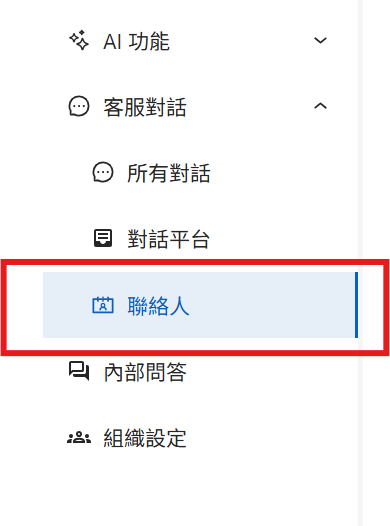
1. 進入聯絡人管理介面
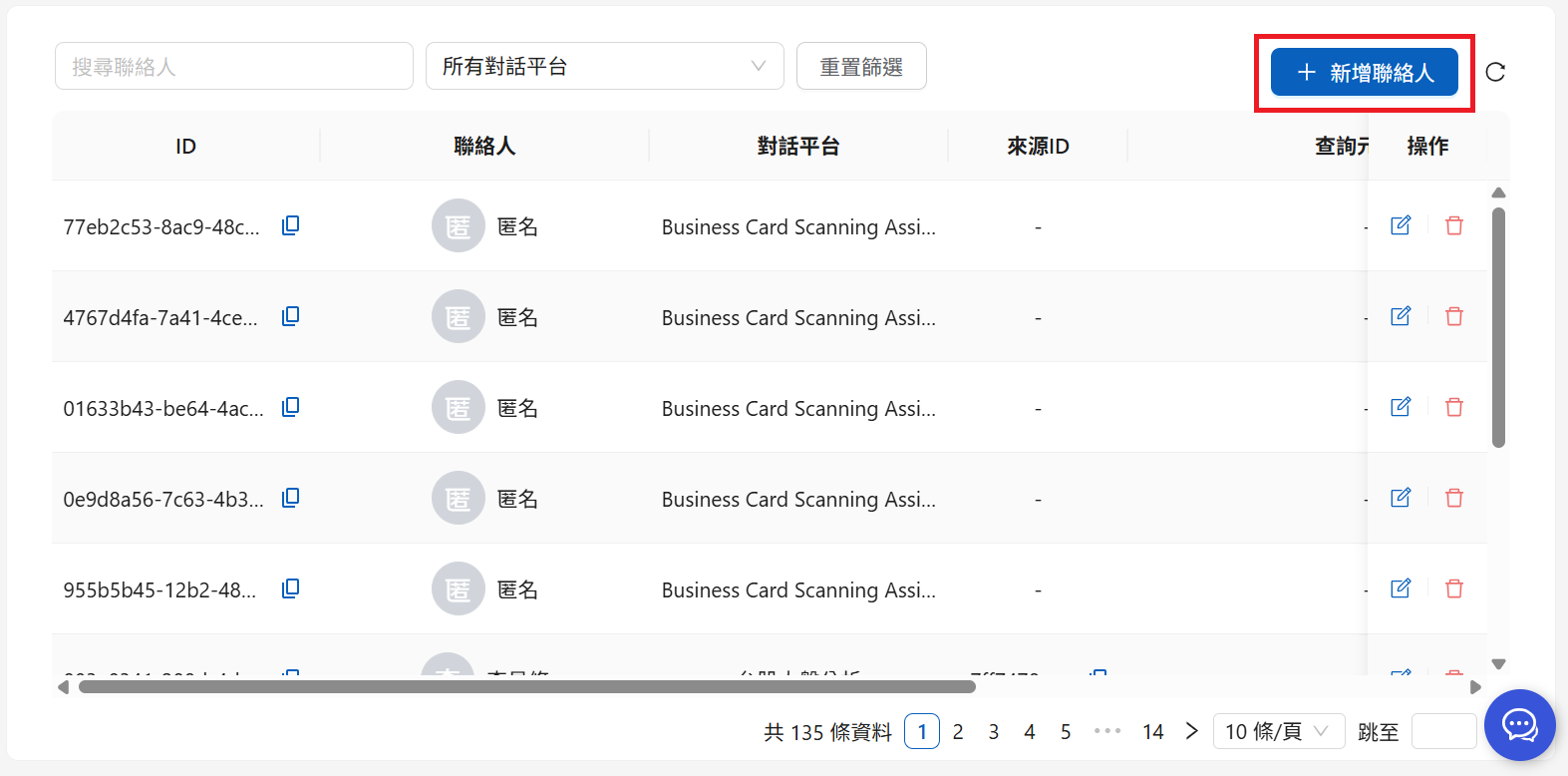
2. 點擊新增聯絡人
聯絡人頁面
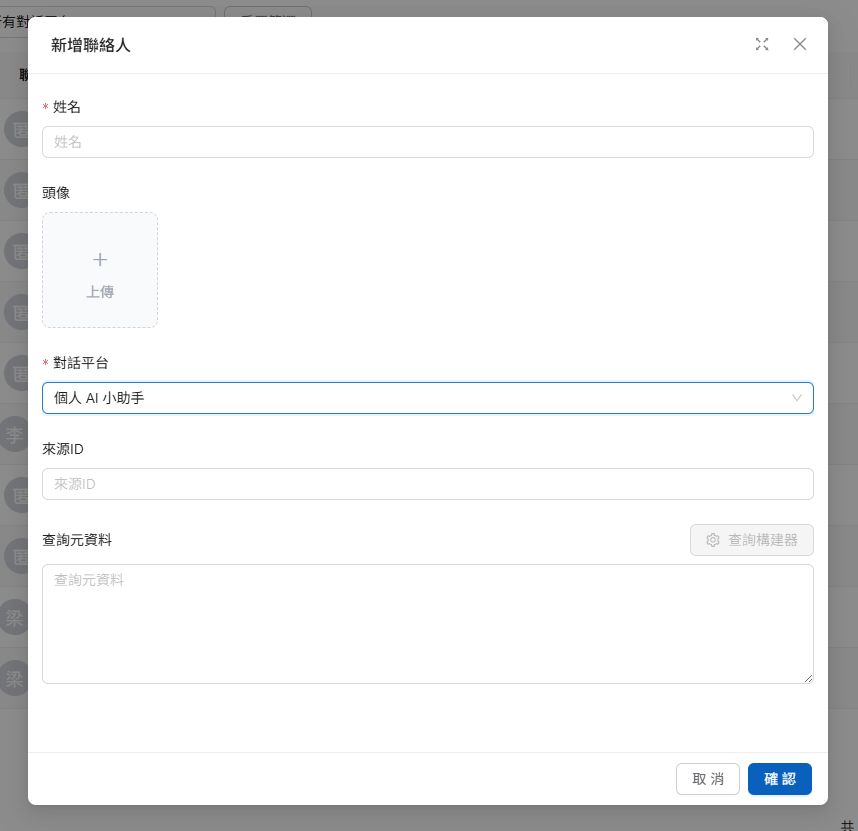
點擊後會出現以下頁面:
聯絡人編輯頁面
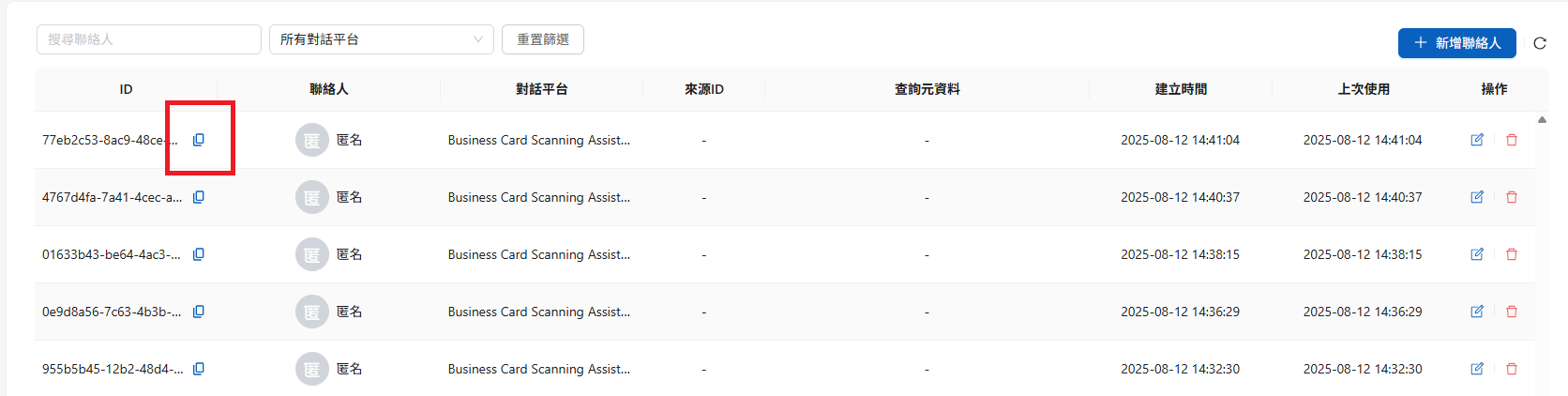
輸入聯絡人姓名、指定對話平台後即可建立。建立後可點擊複製按鈕取得聯絡人 ID(即 Web Chat 初始化參數 `contactId`)。
***
{% hint style="info" %}
聯絡人上設定的身份資訊,將用於查詢時產生對應的 `query_metadata` 條件組合。
[**👉 了解 Query Metadata**](/tech/authorization-integration/zhi-shi-guan-li-quan-xian-query-metadata-cha-xun-yuan-zi-liao-zong-lan.md)
{% endhint %}
## 實作建議
1. **會員資料表加一個對應欄位**(如 `maiagent_contact_id`,UUID、nullable),連同建立/更新時間一起記錄,確保企業 user ID ↔ Contact ID 的對應可追溯
2. **實作冪等**:建立前先查對應,或直接走身份同步 API(`sourceId` 冪等,重跑不會產生重複聯絡人)
3. **記錄 API 呼叫 log**,方便追查對應異常
4. **非同步呼叫**:聯絡人相關 API 與登入流程其他請求平行執行,失敗不阻擋使用者登入、下次登入重試
---
# Agent Instructions
This documentation is published with GitBook. GitBook is the documentation platform designed so that both humans and AI agents can read, navigate, and reason over technical content effectively. Learn more at gitbook.com.
## Querying This Documentation
If you need additional information that is not directly available in this page, you can query the documentation dynamically by asking a question.
Perform an HTTP GET request on the current page URL with the `ask` query parameter, and the optional `goal` query parameter:
```
GET https://docs.maiagent.ai/tech/authorization-integration/contacts.md?ask=&goal=
```
`ask` is the immediate question: it should be specific, self-contained, and written in natural language.
`goal` is optional and describes the broader end goal you are ultimately trying to accomplish on behalf of the user. GitBook uses it to tailor the answer towards what is most useful for that goal.
The response will contain a direct answer to the question and relevant excerpts and sources from the documentation.
Use this mechanism when the answer is not explicitly present in the current page, you need clarification or additional context, or you want to retrieve related documentation sections.
.png?alt=media)
.png?alt=media)