# Parser 解析工具

### 什麼是 RAG Parser？

RAG Parser 是 Retrieval-Augmented Generation (RAG) 系統中的關鍵步驟，負責解析與拆解原始資料，作為 Embedding 向量化處理的前置步驟，為後續的向量化與語意檢索提供基礎，對整體資料品質與檢索效果有決定性影響。

<figure><img src="/files/Ris446FUAngQrS4rubh3" alt=""><figcaption><p>RAG 流程</p></figcaption></figure>

***

### 一、文件解析類 Parser

MaiAgent 提供四種文件解析器，適用於 PDF、Word、Excel、圖片等多種文檔格式：

| 功能特性     | MaiAgent Parser（預設） | MaiAgent Parser（Online） | MaiAgent Parser（Offline）     | Vision Parser          |
| -------- | ------------------- | ----------------------- | ---------------------------- | ---------------------- |
| 價格成本     | 低                   | 高                       | 中                            | 高                      |
| 圖片內容解析效果 | 無法解析圖片中的文字          | 僅 OCR 可解析圖片中的文字         | OCR + AI 理解圖片語意              | AI 視覺理解，效果最佳           |
| 使用 LLM   | 否                   | 是                       | 是                            | 是                      |
| 文字解析效果   | 標準                  | 好                       | 好（結構保留佳）                     | 好                      |
| 表格解析     | 原生提取                | AI 智慧提取圖片裡面的文字          | 原生結構保留（最佳），除了視覺理解外還包含圖片的靜態資源 | AI 視覺辨識將圖片產生視覺理解後的文字內容 |
| 解析時間     | 快                   | 中                       | 慢                            | 慢                      |
| 落地（無網路）  | 可以                  | 不行                      | 可以，但需部署 VLM                  | 不行                     |
| 支援格式數    | 22 種                | 20 種                    | 20 種（僅 PDF 支援 OCR）           | 7 種                    |

***

### 二、語音轉文字類 Parser

MaiAgent 提供四種語音轉文字解析器，可將音訊檔案轉錄為文字後納入知識庫：

| 功能特性     | Azure Speech | Whisper（Groq） | Whisper（OpenAI） | Whisper（Offline） |
| -------- | ------------ | ------------- | --------------- | ---------------- |
| 價格成本     | 高            | 低             | 中               | 免費               |
| 轉錄準確度    | 高            | 高（large-v3）   | 高（whisper-1）    | 高（視本地模型）         |
| 使用 LLM   | 否            | 否             | 否               | 否                |
| 解析速度     | 即時           | 最快            | 中               | 視硬體而定            |
| 落地（無網路）  | 不行           | 不行            | 不行              | 可以               |
| 多語言支援    | 是            | 是（自動偵測）       | 是（自動偵測）         | 是（自動偵測）          |
| 自訂提示詞    | 否            | 是             | 是               | 是                |
| VAD 語音偵測 | —            | 是             | 是               | 是                |
| 資料隱私     | 雲端（Azure）    | 雲端（Groq）      | 雲端（OpenAI）      | 完全本地             |

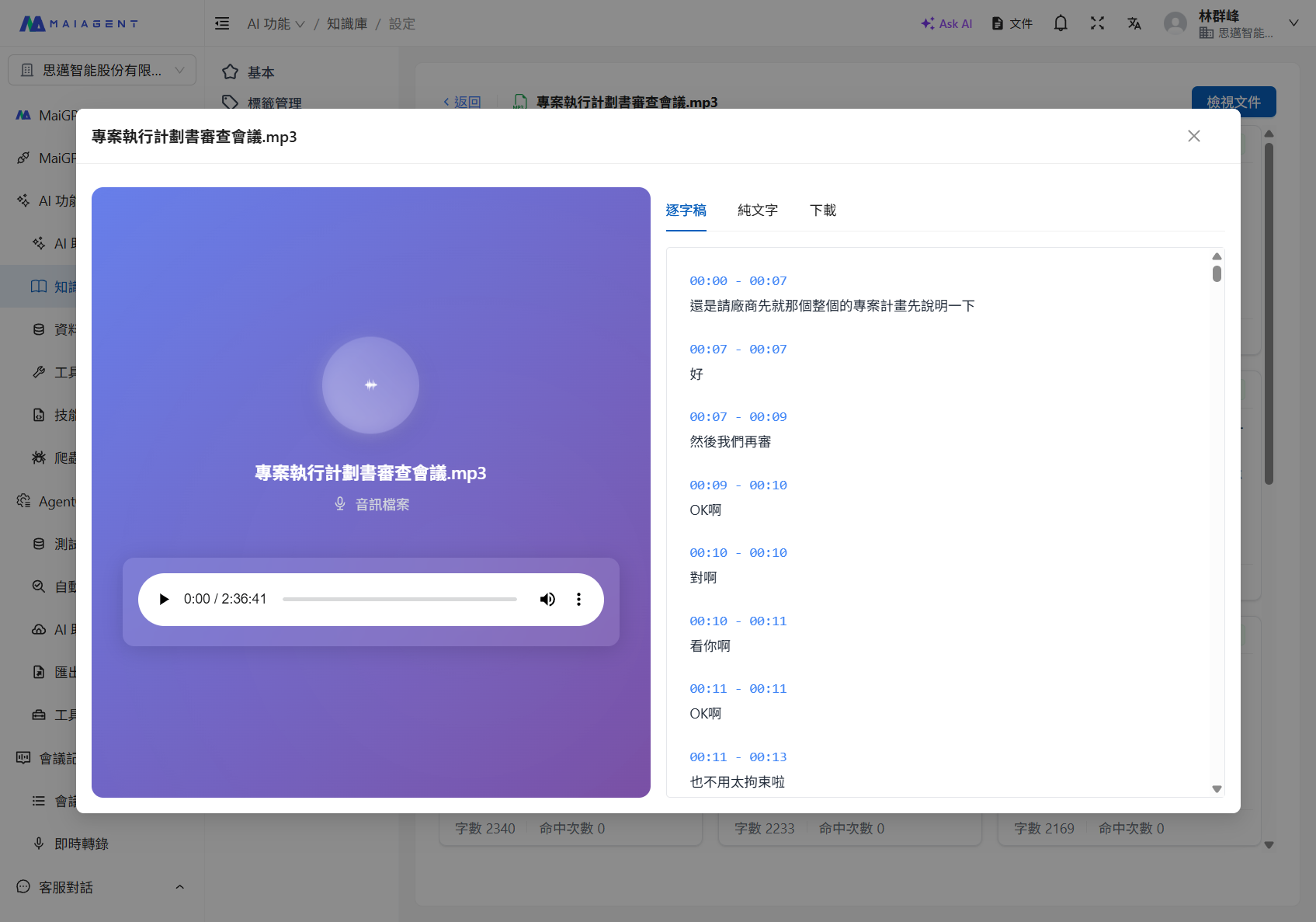
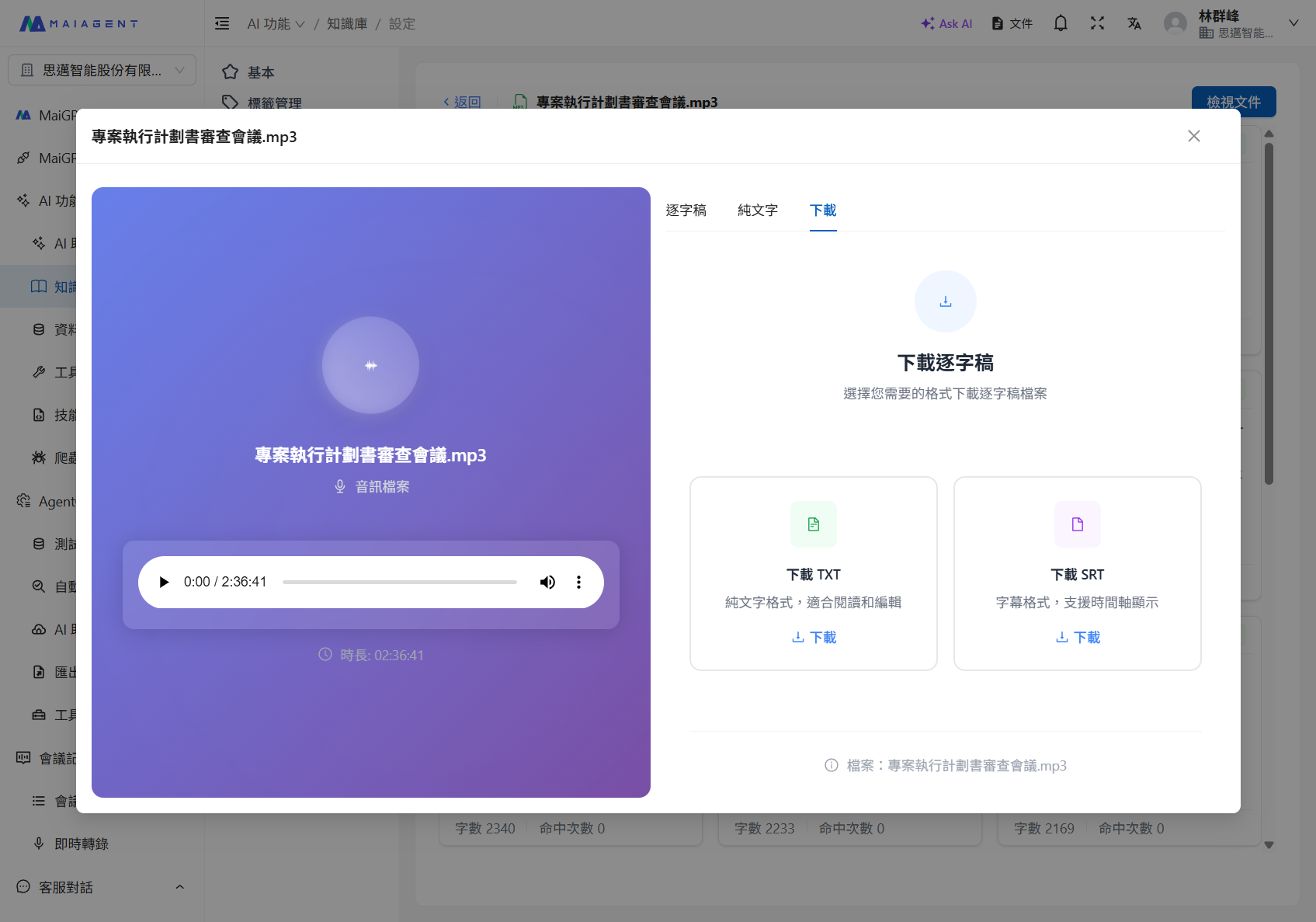
音訊檔案上傳至知識庫後，系統會自動進行語音轉文字解析，並提供逐字稿檢視與下載功能：

<figure><img src="/files/R5JmWO58Ddi4qt2VWe2J" alt=""><figcaption><p>逐字稿檢視：顯示時間戳與對應文字內容</p></figcaption></figure>

<figure><img src="/files/67BWSfr2dzKWR25ULNXN" alt=""><figcaption><p>下載逐字稿：支援 TXT（純文字）與 SRT（字幕格式）兩種格式</p></figcaption></figure>


---

# Agent Instructions: Querying This Documentation

If you need additional information that is not directly available in this page, you can query the documentation dynamically by asking a question.

Perform an HTTP GET request on the current page URL with the `ask` query parameter:

```
GET https://docs.maiagent.ai/tech/quickstart/parser.md?ask=<question>
```

The question should be specific, self-contained, and written in natural language.
The response will contain a direct answer to the question and relevant excerpts and sources from the documentation.

Use this mechanism when the answer is not explicitly present in the current page, you need clarification or additional context, or you want to retrieve related documentation sections.