> For the complete documentation index, see [llms.txt](https://docs.maiagent.ai/llms.txt). Markdown versions of documentation pages are available by appending `.md` to page URLs; this page is available as [Markdown](https://docs.maiagent.ai/maiagent-user-guide/en/readme.md).

# Overview

Entry point for the MaiAgent user guide, covering the enterprise AI Agent platform's three product lines (Build, Serve, Work), use cases, and where to start reading.

MaiAgent is an enterprise AI Agent platform. **Make AI part of everyday business—built on company assets and governed by security controls.**

The platform holds **both ISO 27001 and ISO 27701 certifications**, achieves **95–99.5%** accuracy in RAG knowledge Q\&A, and supports **switching freely between models**, including Claude, GPT, Gemini, and Gemma. It can be deployed as SaaS, in the cloud, on premises, or in a hybrid cloud. **100+ enterprises and public sector organizations** have adopted the platform, with **20,000+ AI Agents built** to date.

***

## Three Product Lines <a href="#product-lines" id="product-lines"></a>

MaiAgent offers three product lines for different use cases. Use them individually or together. All three share the same knowledge bases, permissions, and usage management.

<table data-view="cards"><thead><tr><th></th><th></th><th data-hidden data-card-target data-type="content-ref"></th></tr></thead><tbody><tr><td><strong>MaiAgent Work｜Employee Productivity</strong></td><td>Help everyone focus on more valuable work. Employees can start using MaiGPT, the Agent Marketplace, and AI meeting notes right away.</td><td><a href="/maiagent-user-guide/en/work/overview.md">MaiAgent Work Overview</a></td></tr><tr><td><strong>MaiAgent Serve｜Customer Service</strong></td><td>Make every conversation an opportunity for better service. Three solutions—text support, voice support, and a customer service Copilot—let you use the same Agent across websites, LINE, Messenger, and phone calls.</td><td><a href="/maiagent-user-guide/en/serve/overview.md">MaiAgent Serve Overview</a></td></tr><tr><td><strong>MaiAgent Build｜Agent Development</strong></td><td>Turn your ideas into enterprise Agents. Agent Builder defines roles, knowledge, tools, and permissions. AI Gateway provides unified model access, while AgentOps supports testing before launch and monitoring afterward.</td><td><a href="/maiagent-user-guide/en/build/overview.md">MaiAgent Build Overview</a></td></tr></tbody></table>

For settings shared across all three lines, including organizations, members, role permissions, SSO, and Credits, see [Organization Management and Governance](/maiagent-user-guide/en/org/overview/organization-overview.md).

***

## Why Choose MaiAgent

| Advantage                                     | Description                                                                                                                                    |
| --------------------------------------------- | ---------------------------------------------------------------------------------------------------------------------------------------------- |
| **95–99.5% RAG Accuracy**                     | Patented semantic chunking + Rerank reranking + hybrid retrieval significantly reduce AI hallucinations                                        |
| **Model Freedom**                             | Switch freely between Claude, GPT, Gemini, Gemma, Grok, DeepSeek, Qwen, and other models without being tied to a single provider               |
| **Data Sovereignty**                          | Deploy as SaaS, in the cloud, on premises, or in a hybrid cloud, keeping data under your organization's control                                |
| **Enterprise Security**                       | Both ISO 27001 and ISO 27701 certifications, RBAC access controls, and comprehensive audit logs                                                |
| **One Platform, Three Product Lines**         | Employee productivity, customer service, and Agent development share the same knowledge and governance, so you can reuse them across use cases |
| **Integration Across Conversation Platforms** | Supports Web Chat, LINE, Facebook Messenger, Instagram, Telegram, Teams, WhatsApp, Email, and Slack                                            |

***

## Where Should You Start?

Choose the best starting point for your role or needs:

| You are...                                                | Start here                                                                                                                                                                   |
| --------------------------------------------------------- | ---------------------------------------------------------------------------------------------------------------------------------------------------------------------------- |
| **Using the platform for the first time at your company** | [Apply for an Account](/maiagent-user-guide/en/start/apply.md) — Register and get started quickly                                                                            |
| **An employee who received an invitation**                | [Received an Invitation? Join Your Organization](/maiagent-user-guide/en/start/invitation.md) — Register or log in to join your company's organization                       |
| **An employee or MaiGPT user**                            | [MaiAgent Work Overview](/maiagent-user-guide/en/work/overview.md) — MaiGPT, the Agent Marketplace, and AI meeting notes                                                     |
| **A customer service manager or representative**          | [MaiAgent Serve Overview](/maiagent-user-guide/en/serve/overview.md) — Launching customer service solutions, daily tasks for representatives, and service quality management |
| **An Agent builder**                                      | [MaiAgent Build Overview](/maiagent-user-guide/en/build/overview.md) — Create Agents, publish them to conversation platforms, and configure conversations and human handoff  |
| **An IT or organization administrator**                   | [Organization and Member Management](/maiagent-user-guide/en/org/overview.md) — Configure organizations, role permissions, and SSO                                           |
| **A developer**                                           | [Technical Manual](https://docs.maiagent.ai/tech) — APIs, the Web Chat SDK, and system integration                                                                           |

{% hint style="info" %}
A basic private cloud or on-premises deployment requires at least **32 GB of RAM and 60 GB of available disk space** reserved for MaiAgent. Additional space for models, documents, backups, and upgrades is required separately. For host specifications and capacity planning for each deployment type, see [System Requirements](https://docs.maiagent.ai/tech/platform-development/system-requirements) in the technical manual.
{% endhint %}

***

## Use Cases

Real deployments across industries, grouped by product line:

* **MaiAgent Work**: [Internal Knowledge Management](/maiagent-user-guide/en/work/km.md) (specialized knowledge bases, meeting management, financial analysis, credit analysis), [Image Recognition](/maiagent-user-guide/en/work/image-vision.md) (invoices, official documents, business cards, identity documents), [Writing and Content Creation](/maiagent-user-guide/en/work/writing-assistants.md) (translation, official documents, copywriting, conversation practice)
* **MaiAgent Serve**: [Text Support](/maiagent-user-guide/en/serve/text.md) (regulatory queries, product information assistants), [Voice Support](/maiagent-user-guide/en/serve/voicecs.md) (IVR intent recognition, call summaries, and quality assurance)
* **MaiAgent Build**: [External Data Integration](/maiagent-user-guide/en/build/integrate.md) (external API integrations, such as agricultural data), [Agent Optimization Consultant](/maiagent-user-guide/en/build/optimizer-assistant.md)

***

## Scan the QR Code to Ask an Agent <a href="#scan-qr-code-live-interaction" id="scan-qr-code-live-interaction"></a>

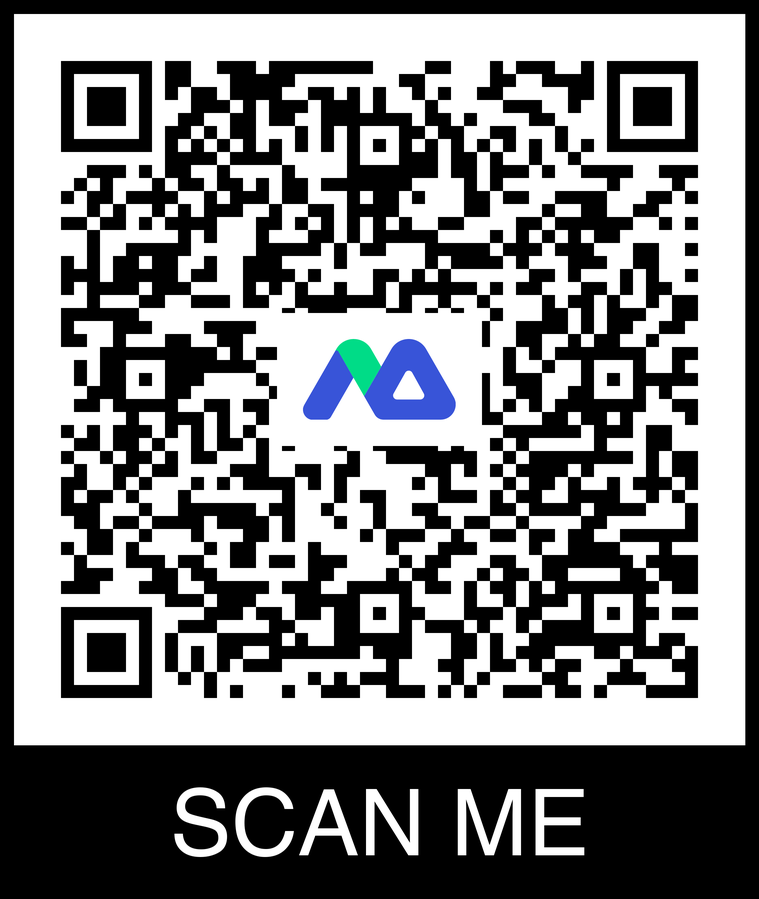
You can also ask MaiAgent's Agent directly if you have questions about using the platform. Scan the QR code below with your phone to open the chat window, or [open the chat window](https://chat.maiagent.ai/web-chats/11cc1d28-09ba-4923-af1c-f66a87e6a48d) directly on your computer.

<figure><img src="https://1360999650-files.gitbook.io/~/files/v0/b/gitbook-x-prod.appspot.com/o/spaces%2F6v6TNkkOQVfRYfcNirHL%2Fuploads%2Fgit-blob-9ec81e03be13084f70761c9ca41fc2be45fb2b2b%2Fdocs-agent-qr-code.png?alt=media" alt="QR code to open the chat window for MaiAgent&#x27;s Agent" width="375"><figcaption><p>Scan the QR code to start a conversation</p></figcaption></figure>

***

{% hint style="info" %}
Need more help? [Contact us](https://maiagent.ai/pricing#contact-form) to have a specialist plan the best deployment for your needs.
{% endhint %}


---

# Agent Instructions
This documentation is published with GitBook. GitBook is the documentation platform designed so that both humans and AI agents can read, navigate, and reason over technical content effectively. Learn more at gitbook.com.

## Querying This Documentation
If you need additional information that is not directly available in this page, you can query the documentation by asking a question.

Perform an HTTP GET request on the following URL with the `ask` and `goal` query parameters:

```
GET https://docs.maiagent.ai/maiagent-user-guide/en/readme.md?ask=<question>&goal=<user_goal>
```

`ask` is the immediate question: it should be specific, self-contained, and written in natural language.
`goal` is what the user is ultimately trying to achieve, the reason they need the answer. Sharing it helps GitBook give you a better, more relevant answer. A goal is most helpful when it describes the outcome the user wants rather than restating the question. For example, with `ask=how do I create an API token`, a goal like `automate deployments from our CI pipeline` lets GitBook tailor the answer to that use case.

The response will contain a direct answer to the question and relevant excerpts and sources from the documentation.

Use this mechanism when the answer is not explicitly present in the current page, you need clarification or additional context, or you want to retrieve related documentation sections.
