> For the complete documentation index, see [llms.txt](https://docs.maiagent.ai/llms.txt). Markdown versions of documentation pages are available by appending `.md` to page URLs; this page is available as [Markdown](https://docs.maiagent.ai/tech/en/quickstart/parser.md).

# Parser Tools

### What is a RAG Parser?

A RAG Parser is a key step in a Retrieval-Augmented Generation (RAG) system. It parses and breaks down source data before embedding, laying the foundation for vectorization and semantic retrieval. It has a decisive impact on data quality and retrieval results.

<figure><img src="https://3415477754-files.gitbook.io/~/files/v0/b/gitbook-x-prod.appspot.com/o/spaces%2FNBTi475lqozGpB7xObpE%2Fuploads%2Fgit-blob-0ce05108866ecded0daa5a9fb3cd8b9137ffef26%2F2%20(1).png?alt=media" alt=""><figcaption><p>RAG workflow</p></figcaption></figure>

***

### 1. Document Parsers

MaiAgent provides four document parsers for formats such as PDF, Word, Excel, and images:

| Feature               | MaiAgent Parser (default)       | MaiAgent Parser (Online)           | MaiAgent Parser (Offline)                                                                       | Vision Parser                                            |
| --------------------- | ------------------------------- | ---------------------------------- | ----------------------------------------------------------------------------------------------- | -------------------------------------------------------- |
| Cost                  | Low                             | High                               | Medium                                                                                          | High                                                     |
| Image content parsing | Cannot extract text from images | OCR extracts text from images only | OCR + AI understands image meaning                                                              | AI visual understanding; best results                    |
| Uses an LLM           | No                              | Yes                                | Yes                                                                                             | Yes                                                      |
| Text parsing quality  | Standard                        | Good                               | Good (preserves structure well)                                                                 | Good                                                     |
| Table parsing         | Native extraction               | AI extracts text from images       | Preserves native structure (best); includes static image assets as well as visual understanding | AI visual recognition turns images into descriptive text |
| Parsing time          | Fast                            | Medium                             | Slow                                                                                            | Slow                                                     |
| On-premises (offline) | Yes                             | No                                 | Yes, with a deployed VLM                                                                        | No                                                       |
| Supported formats     | 22                              | 20                                 | 20 (OCR supports PDF only)                                                                      | 7                                                        |

#### Auto Detect (Default) and Parsing Charges <a href="#auto-detect-and-billing" id="auto-detect-and-billing"></a>

When you upload PDF, Word (.docx), or PowerPoint (.pptx) files to a knowledge base, the parser dropdown beside each file defaults to <mark style="color:blue;">Auto Detect (Default)</mark>. This does not mean the file will always use MaiAgent Parser. After upload, the system examines the file structure and selects a parser:

* Files containing only text, with no significant image content → Use the default parser for that file type (usually MaiAgent Parser).
* Scanned files (without a text layer), files containing image content (such as engineering drawings or scans), and PowerPoint files → The system chooses among parsers that support OCR or visual understanding (MaiAgent Parser (Online), MaiAgent Parser (Offline), or Vision Parser). If none is suitable, it uses the default parser.

The decision depends on file structure—whether there is a text layer and how many pages contain images or tables—rather than the number of images. A Word file with any embedded image counts as containing image content. Even a document with only a few images may therefore use one of the parsers above. Check the <mark style="color:blue;">Parser</mark> column in the knowledge base document list for the parser actually used. Credits are charged according to **the parser that actually completed parsing**:

| Parser                    | Billing method                                                        | <mark style="color:blue;">Transaction history</mark> shows          |
| ------------------------- | --------------------------------------------------------------------- | ------------------------------------------------------------------- |
| MaiAgent Parser           | Based on the number of parsed chunks                                  | `Document parsing (maiagent): filename`                             |
| MaiAgent Parser (Online)  | Based on the number of billable pages; charged for each parsing run   | `Document parsing (llama): filename`                                |
| MaiAgent Parser (Offline) | Based on the number of parsed chunks                                  | `Document parsing (docling): filename`                              |
| Vision Parser             | Based on input/output tokens for the model configured for that parser | `Vision parsing input: filename`, `Vision parsing output: filename` |

{% hint style="warning" %}

* Credits are deducted only after file processing completes. Failed processing is not charged.
* For the same file, each parser type is charged at most once (all Vision Parsers count as one type). Switching to a parser that the file has not used before in the document list triggers parsing again and charges according to the new parser. Switching back to a previously used parser, rerunning the same parser, or switching between different Vision Parsers does not deduct credits again.
* Exception: MaiAgent Parser (Online) charges by actual billable pages for every parsing run, including switching back to it or rerunning it. No credits are deducted when the parsing service hits its cache and incurs no charge.
* Credits deducted for earlier parsing are never refunded, so the transaction history for one file may show several parsing items.
* Changing a parser in the document list (including <mark style="color:blue;">Bulk Change Parser</mark>) immediately starts parsing again, without a confirmation dialog. To keep parsing costs predictable and prevent automatic switching to another parser, select MaiAgent Parser (or another specific parser) when uploading instead of <mark style="color:blue;">Auto Detect (Default)</mark>.
  {% endhint %}

***

### 2. Speech-to-Text Parsers

MaiAgent provides four speech-to-text parsers that transcribe audio files for inclusion in a knowledge base:

| Feature                | Azure Speech  | Whisper (Groq)    | Whisper (OpenAI)  | Whisper (Offline)             |
| ---------------------- | ------------- | ----------------- | ----------------- | ----------------------------- |
| Cost                   | High          | Low               | Medium            | Free                          |
| Transcription accuracy | High          | High (large-v3)   | High (whisper-1)  | High (depends on local model) |
| Uses an LLM            | No            | No                | No                | No                            |
| Parsing speed          | Real-time     | Fastest           | Medium            | Depends on hardware           |
| On-premises (offline)  | No            | No                | No                | Yes                           |
| Multilingual support   | Yes           | Yes (auto-detect) | Yes (auto-detect) | Yes (auto-detect)             |
| Custom prompts         | No            | Yes               | Yes               | Yes                           |
| VAD speech detection   | —             | Yes               | Yes               | Yes                           |
| Data privacy           | Cloud (Azure) | Cloud (Groq)      | Cloud (OpenAI)    | Fully local                   |

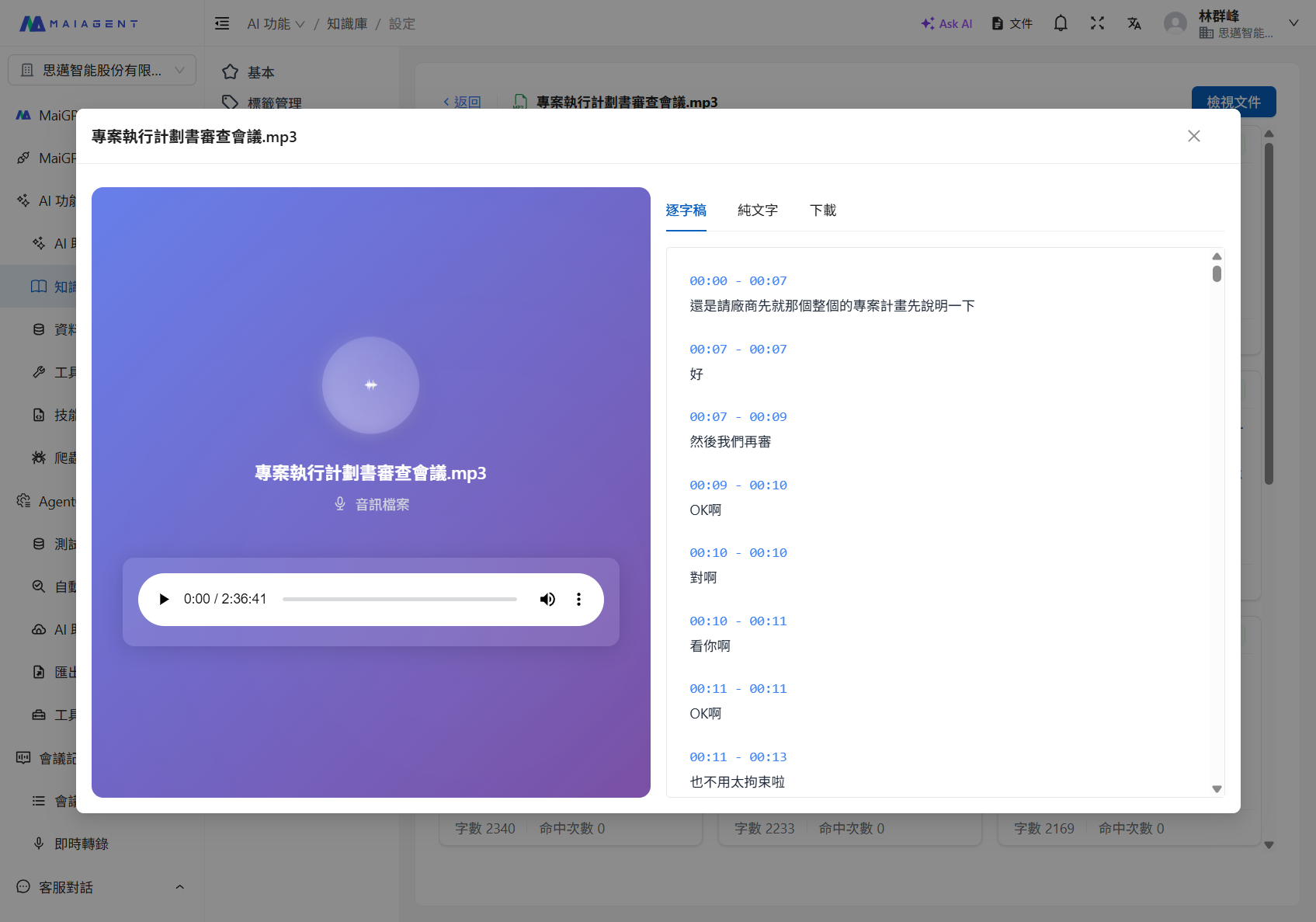
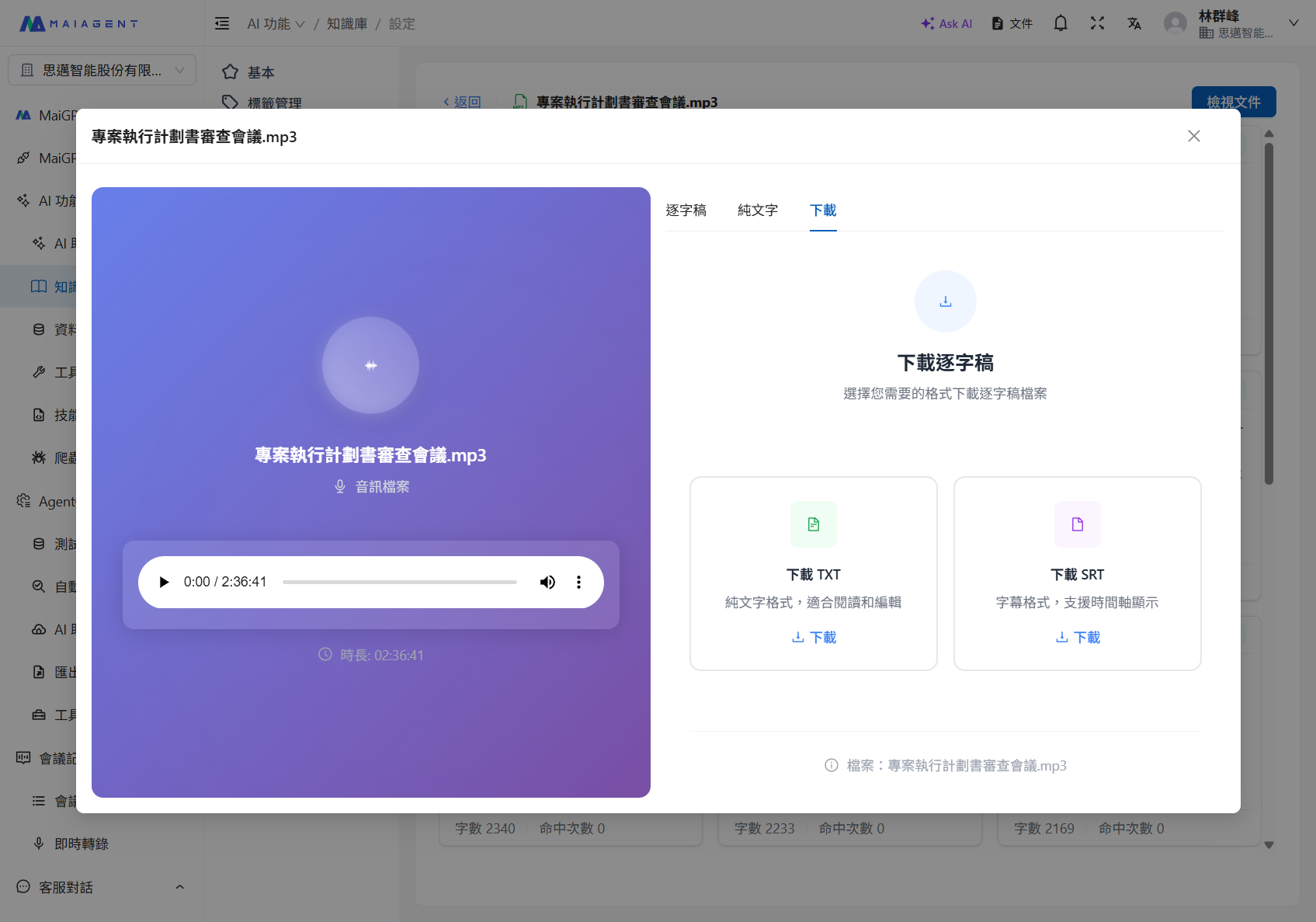
After an audio file is uploaded to a knowledge base, the system automatically transcribes it and lets you view and download the transcript:


---

# Agent Instructions
This documentation is published with GitBook. GitBook is the documentation platform designed so that both humans and AI agents can read, navigate, and reason over technical content effectively. Learn more at gitbook.com.

## Querying This Documentation
If you need additional information that is not directly available in this page, you can query the documentation dynamically by asking a question.

Perform an HTTP GET request on the following URL with the `ask` and `goal` query parameters:

```
GET https://docs.maiagent.ai/tech/en/quickstart/parser.md?ask=<question>&goal=<user_goal>
```

`ask` is the immediate question: it should be specific, self-contained, and written in natural language.
`goal` is what the user is ultimately trying to achieve, the reason they need the answer. Sharing it helps GitBook give you a better, more relevant answer. A goal is most helpful when it describes the outcome the user wants rather than restating the question. For example, with `ask=how do I create an API token`, a goal like `build a script that syncs our docs to a CMS` lets GitBook tailor the answer to that use case.

The response will contain a direct answer to the question and relevant excerpts and sources from the documentation.

Use this mechanism when the answer is not explicitly present in the current page, you need clarification or additional context, or you want to retrieve related documentation sections.