Start Building—Using JSON
To create more complex filter conditions, use JSON to specify IDs directly at each level, such as a knowledge base or individual document
Query Metadata Controls
Knowledge base
knowledge_base
The knowledge base that the AI assistant references when generating conversations
Pass knowledge base IDs in the Array→[...] named knowledge_bases to allow multiple knowledge bases
Knowledge base file
Chatbot_file
Files that may be referenced within the knowledge base specified by knowledge_base
Define them in the object→{...} passed within knowledge_base
FAQ dataset
FAQ
FAQs that may be referenced within the knowledge base specified by knowledge_base
Same as above
Knowledge base file label
label
Labels on files. You can specify a label even without specifying Chatbot_file, restricting references to documents that match the label and enabling more granular document permissions
Pass an object named label_relations, use "OR"/"AND" to define applicable document label conditions, and define them in the Array→[...] named conditions
Structure Example and Explanation
{
"query_metadata": {
"knowledge_bases": [
{
"knowledge_base_id": "123e4567-e89b-12d3-a456-426614174000",
"chatbot_file_ids": ["9f7a9f7b-2b2b-4c4c-9d9d-8e8e8e8e8e8e"],
"faq_ids": ["a1b2c3d4-e5f6-7890-abcd-1234567890ab"],
"has_user_selected_all": false
},
{
"knowledge_base_id": "223e4567-e89b-12d3-a456-426614174001",
"has_user_selected_all": true
}
],
"label_relations": {
"operator": "OR",
"conditions": [
{ "label_id": "11111111-2222-3333-4444-555555555555" },
{
"operator": "AND",
"conditions": [
{ "label_id": "66666666-7777-8888-9999-000000000000" },
{ "label_id": "aaaaaaa1-bbbb-cccc-dddd-eeeeeeeeeeee" }
]
}
]
}
}
}Example explanation:
knowledge_basescan accept multiple objects, configuring the referenceable documents and FAQs in multiple knowledge bases at once.For the first knowledge base,
has_user_selected_all: falseallows only the explicitly listed documents and FAQs. For the second,has_user_selected_all: trueallows all content in that knowledge base.label_relations.operatorcombines conditions with"OR"(match any label) or"AND"(match all labels), and supports nested definitions for complex conditions.The example above is valid JSON that can be copied and used directly (JSON does not support
//comments).
Semantics of Empty Collections and Unset Values (Important)
An "empty collection" and an "unset value" have different meanings. Incorrect settings may grant access to everything or deny all access:
Omitted or null
Unset → continue searching at the next level; if all three levels are unset, no restrictions apply and all knowledge bases attached to the AI assistant can be queried
{} (empty object)
Treated as unrestricted (select all), and because a setting is present, lookup at lower levels stops. To configure "no access," always use "knowledge_bases": []
"knowledge_bases": [] (empty array)
No knowledge bases can be queried—use this setting for "no access"
"label_relations": {"operator": "OR", "conditions": []} (empty conditions)
No label filtering—all content in the selected knowledge bases can be queried; this does not mean no access
Has a value
Filter by the conditions, narrowing the scope at each level: knowledge base → file/FAQ → label
label_relations must be provided together with knowledge_bases. If label_relations is provided alone (without knowledge_bases), label filtering is not applied to knowledge base retrieval (equivalent to no restriction).
Field Names Must Be Exact
Each condition in
conditionsaccepts only one of two forms:{"label_id": "..."}or a nested group{"operator": ..., "conditions": [...]}. If you use another key name such aslabelorlabelid, the API returns 400 and identifies the invalid field name.Objects in
knowledge_basesaccept only these five fields:knowledge_base_id,chatbot_file_ids,knowledge_base_file_ids,faq_ids, andhas_user_selected_all. The API likewise returns 400 if any other field is present.At the top level of
query_metadata, you may add your own identifying fields (such as_user_id). These fields are ignored and do not affect the query scope.
Level Precedence
query_metadata can be configured at the Message, Conversation, or Contact level. The first configured level is used from top to bottom: Message > Conversation > Contact. A higher-level setting overrides a lower-level setting.
How Do I Get the ID for Each Level?
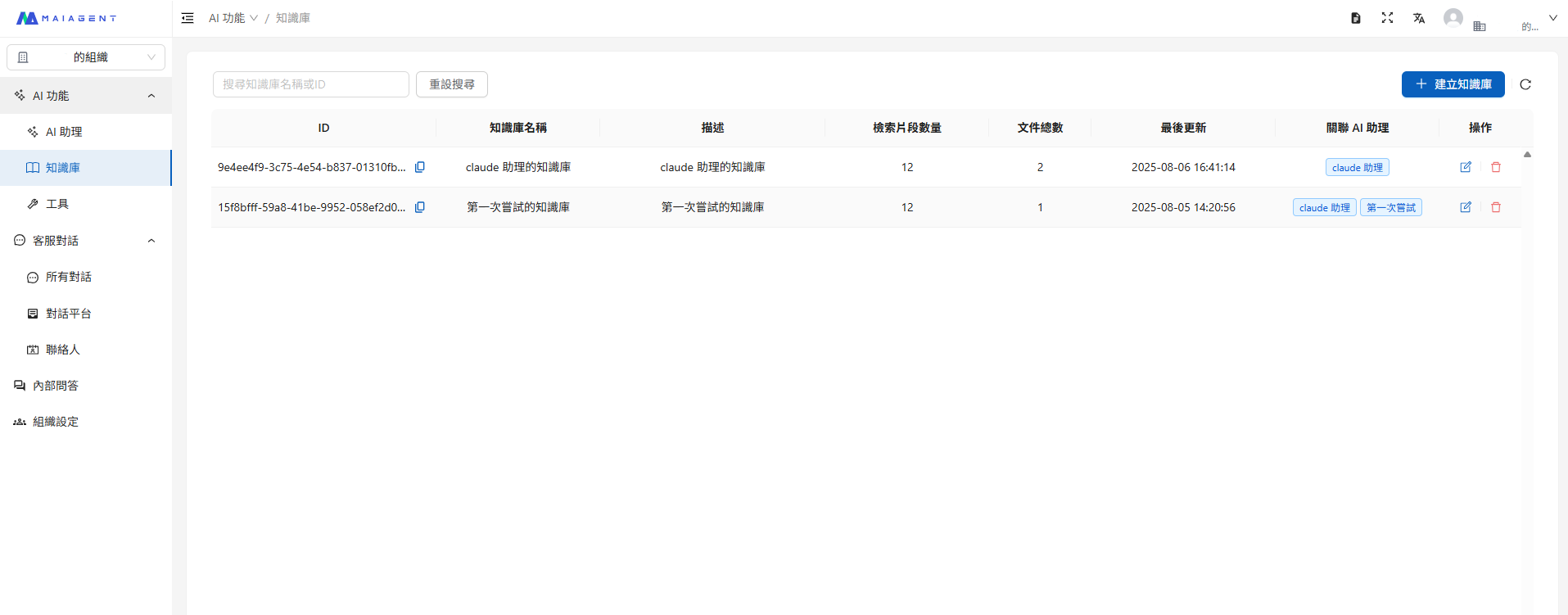
Open the content for each level from the menu on the left to view its ID field. For example, in a knowledge base, click the copy icon to copy the entire ID.

Key Logic
1. label_relations Logic
ORoperation: access is allowed when any label matchesANDoperation: all labels must match for access to be allowedNested logic: supports multilevel, nested permission combinations
2. knowledge_bases Settings
has_user_selected_all = true: allows access to all content in the knowledge base (excluding items listed in the exclusion list)has_user_selected_all = false: allows access only to the specified documents and FAQsWe recommend using JSON booleans (
true/false). The strings"True"/"False"are also accepted by the system for compatibility with existing integrations.
Contact Settings
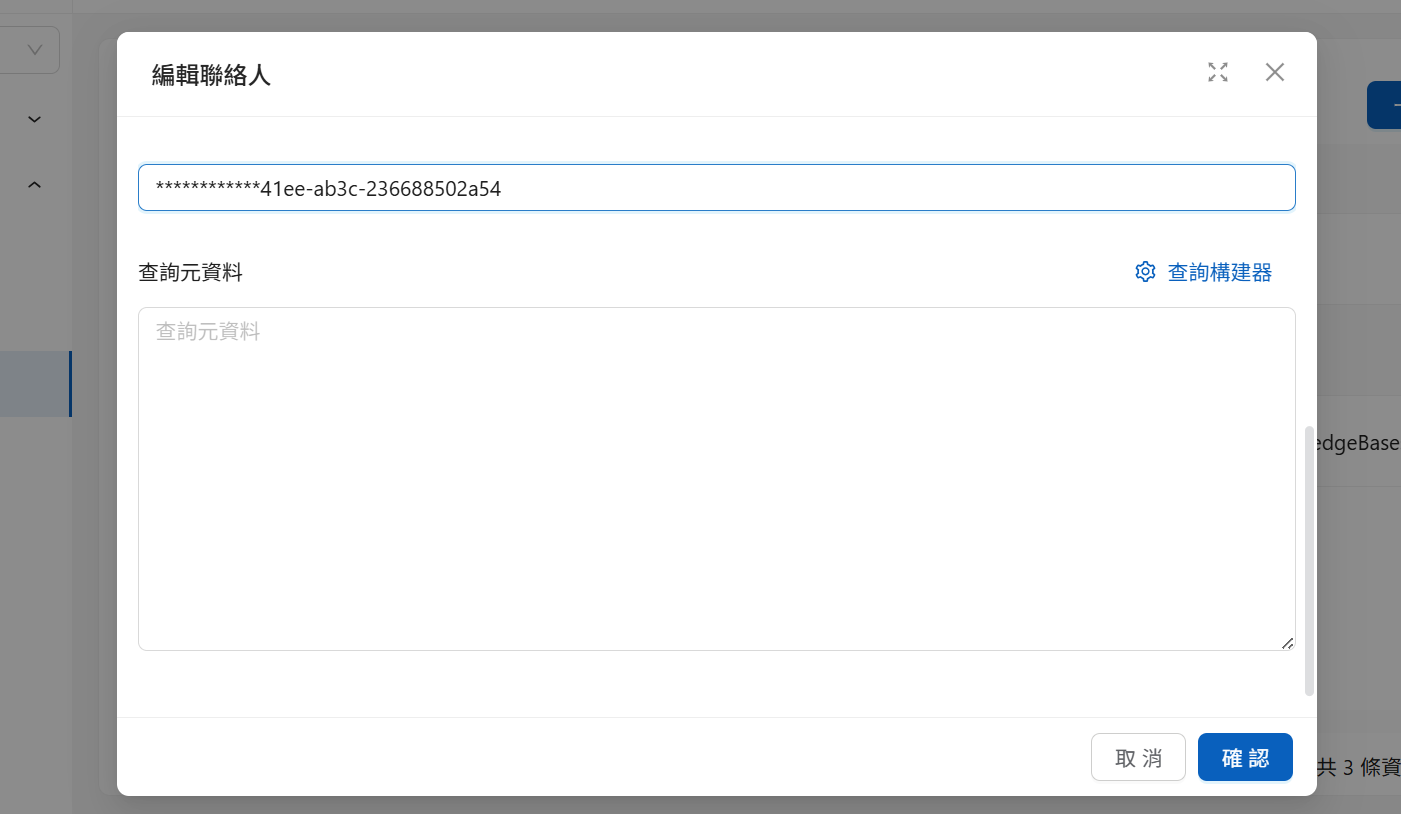
You can enter query_metadata settings directly in JSON format when editing a contact:

The system automatically validates the format and applies the permission settings.
Web Chat Initialization Settings
To restrict conversation content before a contact is available (for example, when providing Web Chat to customers without registered contact accounts), provide Query Metadata when embedding. The system enables message-level knowledge base document filtering by default.
Code Example
hasUserSelectedAll Parameter
This parameter controls whether to exclude or use a small number of items within a single knowledge base. Label filters are applied only after the document scope has been established.
true
The system selects all content in the knowledge base except the items listed in chatbotFileIds and faqIds
Use 98 out of 100 documents; list the 2 documents to exclude in the parameters
false
The system selects the items explicitly listed in chatbotFileIds and faqIds
Use only 2 out of 100 documents
Code Example
Precedence of queryMetadata and contactId
When neither queryMetadata nor contactId is configured: The system searches all knowledge bases without exclusions
You can configure queryMetadata or contactId independently
When both are configured: The system uses only the Query Metadata settings for the contact identified by contactId
Passing Query Metadata with Each Conversation API (completions) Call
In addition to contact and Web Chat embedding settings, you can pass Query Metadata with each Conversation API call so the same AI assistant applies a different knowledge scope to different requests. This is suitable for integrations where the backend assembles conditions in real time based on the current user's identity, for example:
Financial services/securities: Determine which plan documents can be referenced based on membership level, so regular members and VIP customers receive responses drawn from different scopes when asking the same question
Technology/electronics manufacturing: Limit references to specifications and technical documents for the customer's product line
Educational institutions: Provide different levels of admissions and administrative information to current students, alumni, and general visitors
Healthcare: Limit the scope of educational materials by specialty to prevent content from different specialties from interfering with one another
Endpoint: POST https://api.maiagent.ai/api/v1/chatbots/{chatbotId}/completions/
Place queryMetadata inside the message object, not at the top level of the request body. An incorrect location does not produce an error, but the conditions do not take effect, making the result equivalent to having no filters configured.
Complete Example
The example means: within the 123e4567… knowledge base, reference only documents and FAQs that also match the 186a3012… label (for example, "regular member"). For a VIP customer, the backend only needs to pass the corresponding label ID instead; there is no need to duplicate the AI assistant.
Nested conditions use the same format as Web Chat, so you can reuse the labelRelations structure from the previous section directly:
Differences Between the Three Configuration Locations
Contact
All conversations for that contact
Bind permissions to an identity over the long term
Web Chat embedding
Conversations created from the embedded page
Restrict the scope for visitors without registered contacts
Conversation API (message.queryMetadata)
That request only
Let the backend assemble conditions for each request so the same assistant can serve multiple permission levels
Field Naming: Both camelCase and snake_case Are Supported
The API automatically converts naming styles, so the following two forms are equivalent:
camelCase:
queryMetadata,knowledgeBases,knowledgeBaseId,labelRelations,labelId,hasUserSelectedAllsnake_case:
query_metadata,knowledge_bases,knowledge_base_id,label_relations,label_id,has_user_selected_all
We recommend using one consistent style throughout the request to avoid confusion during maintenance.
Default Value When hasUserSelectedAll Is Omitted
When hasUserSelectedAll is omitted, it defaults to true, meaning all content in that knowledge base, after which label conditions are applied.
Therefore, when you only want to restrict an entire knowledge base by label, knowledgeBases only needs a knowledgeBaseId:
Scope of Label Filtering
Label conditions apply to both knowledge base files and FAQs.
Attachments uploaded directly by a user in that conversation are not restricted by label conditions and can still be referenced. Labels constrain only content within knowledge bases.
Labels are created independently for each knowledge base. A
label_idmust belong to the knowledge base in question and cannot be reused from another knowledge base.A label takes effect only when it is actually attached to a file/FAQ. Merely creating a label option in Label Management without attaching it to content has no filtering effect.
Requests for a specific file by name are still subject to label conditions. If the file does not match the conditions, the AI assistant responds that the file could not be found in the knowledge base.
Last updated
Was this helpful?