> For the complete documentation index, see [llms.txt](https://docs.maiagent.ai/llms.txt). Markdown versions of documentation pages are available by appending `.md` to page URLs; this page is available as [Markdown](https://docs.maiagent.ai/tech/en/authorization-integration/contacts.md).
# Contact Overview and Integration
## What is a contact?
A contact represents an **end user** who interacts with an AI assistant. After an organization maps users in its own system to MaiAgent contacts, the AI can identify who is asking and correctly retrieve **that person's** conversation history and permission settings instead of someone else's.
Contacts do not need MaiAgent accounts (this is the key difference between contacts and [members/roles](/tech/en/authorization-integration/role-vs-contact.md)), and users are not aware of their existence. A contact maps an identity between your system and MaiAgent.
{% tabs %}
{% tab title="Enterprise integration for external customers" %}
{% endtab %}
{% tab title="Enterprise integration for internal employees" %}
{% endtab %}
{% endtabs %}
### What can be associated with a contact?
| Data | Purpose | Details |
| --------------------------------------------- | -------------------------------------------------------------------------------------------------------------- | ----------------------------------------------------------------------------------------------------------------------------------------------------------------- |
| Basic information (`name`, `email`, `avatar`) | Displayed in the contact list and conversation records in the admin console | API documentation below |
| Custom attributes (`metadata`) | Background data such as department and membership tier, which **the AI reads and incorporates into responses** | [Contact Identity Synchronization and Token Updates](/tech/en/authorization-integration/contact-credentials-sync.md#sync-contact-profile) |
| Query metadata (`query_metadata`) | Restricts the knowledge bases, documents, and tags that the user can retrieve | [Knowledge Management Permissions (Query Metadata)](/tech/en/authorization-integration/zhi-shi-guan-li-quan-xian-query-metadata-cha-xun-yuan-zi-liao-zong-lan.md) |
| MCP/API tool credentials | Allows the AI to call external tools with **that user's identity and permissions** | [Contact Identity Synchronization and Token Updates](/tech/en/authorization-integration/contact-credentials-sync.md) |
| Conversation history | Continues conversations across devices | Takes effect when the frontend provides `contactId` |
## Four ways to create and synchronize contacts
| Method | Best for | Description |
| -------------------------------------------------------------- | -------------------------------------------------------------------------------------------------------- | -------------------------------------------------------------------------------------------------------------------------------------------------------------------------------------------------------------------------------------------------------------------------------------------------------------------------------------------------------------------- |
| **Identity synchronization API** (`setup-contact-credentials`) | Synchronizing users at login, linking tool credentials, and batch-creating users from an existing system | Idempotent (the same `sourceId` does not create duplicates) and requires no API Key. This includes the version automatically called by the Web Chat frontend through `auth`. **This method is recommended for most integration scenarios.** See [Contact Identity Synchronization and Token Updates](/tech/en/authorization-integration/contact-credentials-sync.md) |
| **Contacts API** (`POST /api/v1/contacts/`) | Full backend control over the contact lifecycle and setting query\_metadata when a contact is created | Requires an API Key. Use `PATCH /api/v1/contacts/{contact_id}/` for updates (only provided fields are updated). See the schema in the [Contacts API documentation](https://docs.maiagent.ai/api/lian-luo-ren) |
| **Bulk import** (Excel) | Initial integration with an existing system and creating many users at once | Supports up to 10,000 rows and can include query\_metadata and API tool credentials. See the [instructions below](#bulk-import) |
| **Admin console UI** | Managing a small number of contacts manually | See the [instructions below](#tu-xing-hua-jie-mian-jian-li-lian-luo-ren) |
All four methods create the same type of contact and can be used together. For example, use bulk import for the initial integration and identity synchronization for routine logins.
## Integration flow
```mermaid
sequenceDiagram
participant CU as User
participant ES as Enterprise system
participant MA as MaiAgent
CU ->> ES: Open the website and sign in (with an enterprise system user ID)
ES ->> ES: Check member data: Is a Contact ID already mapped?
alt No mapping exists
ES ->> MA: Create a contact (identity synchronization API or POST /api/v1/contacts/)
MA -->> ES: Return contactId
ES ->> ES: Save contactId to the member database
end
ES ->> CU: Load the Web Chat embed code (contactId in config)
CU ->> MA: Initialize Web Chat with the contact's identity
MA -->> CU: Display the user's conversation history and applicable permissions
```
The process has three steps:
1. **Check the mapping**: Use the enterprise system's user ID to query member data and confirm whether a MaiAgent `contact_id` already exists
2. **Create or update**: If no contact exists, create one and save the `contact_id`. When the user changes their name/email or their permissions change, synchronize the contact using `PATCH /api/v1/contacts/{contact_id}/` to ensure that personalized content and permissions remain correct in subsequent conversations
3. **Initialize Web Chat**: Include `contactId` in the frontend config. See [Web Chat Embedding and SDK](/tech/en/api-integration/web-chat-sdk.md#identify-users)
{% hint style="info" %}
If your scenario requires creating a contact and updating Token credentials when a user signs in to the enterprise system—for example, to let the AI call MCP tools with the user's permissions—see [Contact Identity Synchronization and Token Updates](/tech/en/authorization-integration/contact-credentials-sync.md). A single call completes both contact creation and credential binding.
{% endhint %}
## Bulk contact import (Excel)
When integrating an existing system for the first time, use Excel to create or update many contacts at once:
{% stepper %}
{% step %}
### Download the template
Download the Excel template (including a header row and example row) from `GET /api/v1/contacts/bulk-import-template/`.
{% endstep %}
{% step %}
### Enter the data
| Field | Required | Description |
| --------------------- | -------- | ---------------------------------------------------------------------------------------------------------------------------------------------------------------------------------------------------------------------------------------------------------------------- |
| `Name(required)` | ✅ | Contact display name |
| `Email(required)` | ✅ | One of the matching keys (case-insensitive) |
| `Phone Number` | | Phone number |
| `Source ID(required)` | ✅ | The user identifier in the enterprise system and one of the matching keys. Use a value that cannot be guessed (see the [identity synchronization API security note](/tech/en/authorization-integration/contact-credentials-sync.md#request-body)) |
| `Query Metadata` | | A JSON object written to the contact's knowledge query scope. **A blank cell preserves the existing value.** See the [JSON Format Guide](/tech/en/authorization-integration/zhi-shi-guan-li-quan-xian-query-metadata-cha-xun-yuan-zi-liao-zong-lan/json-interfaces.md) |
| `API Credentials` | | A JSON array in the format `[{"tool": "", "headers": {...}}]` that binds API tool credentials. A blank cell preserves existing credentials |
| {% endstep %} | | |
{% step %}
### Upload and import
Send `POST /api/v1/contacts/bulk-import/` using `multipart/form-data` and `Authorization: Api-Key` authentication, as with the Contacts API:
* `file`: The completed `.xlsx` file (maximum 10 MB and 10,000 rows)
* `inboxes`: A list of inbox UUIDs. **The complete inbox collection for every imported contact is replaced with this list.** If you will subsequently use Web Chat login synchronization, make sure the corresponding Web Chat inbox is included
Response: `{ "created": N, "updated": M }`
{% endstep %}
{% endstepper %}
Import matching and update rules:
* Upsert using (`Source ID`, `Email`) as the key. If an existing contact matches, its name, phone number, and Query Metadata are updated (blank cells remain unchanged); otherwise, a contact is created
* Upsert `API Credentials` using the contact and tool as the key. Credentials for tools not mentioned in the file are not changed
* The entire batch is completed in a single transaction. If any row has a formatting error, such as an incorrect field name or invalid JSON, nothing is written and the error message identifies the row number
{% hint style="info" %}
Import only creates mappings and attributes. The user's Token credentials are still updated by the [identity synchronization API](/tech/en/authorization-integration/contact-credentials-sync.md) during each login.
{% endhint %}
## Create contacts in the UI
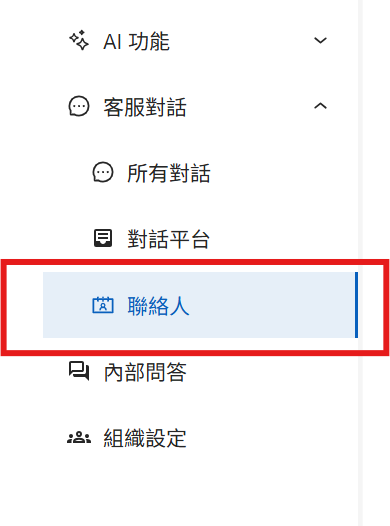
1. Open the contact management page
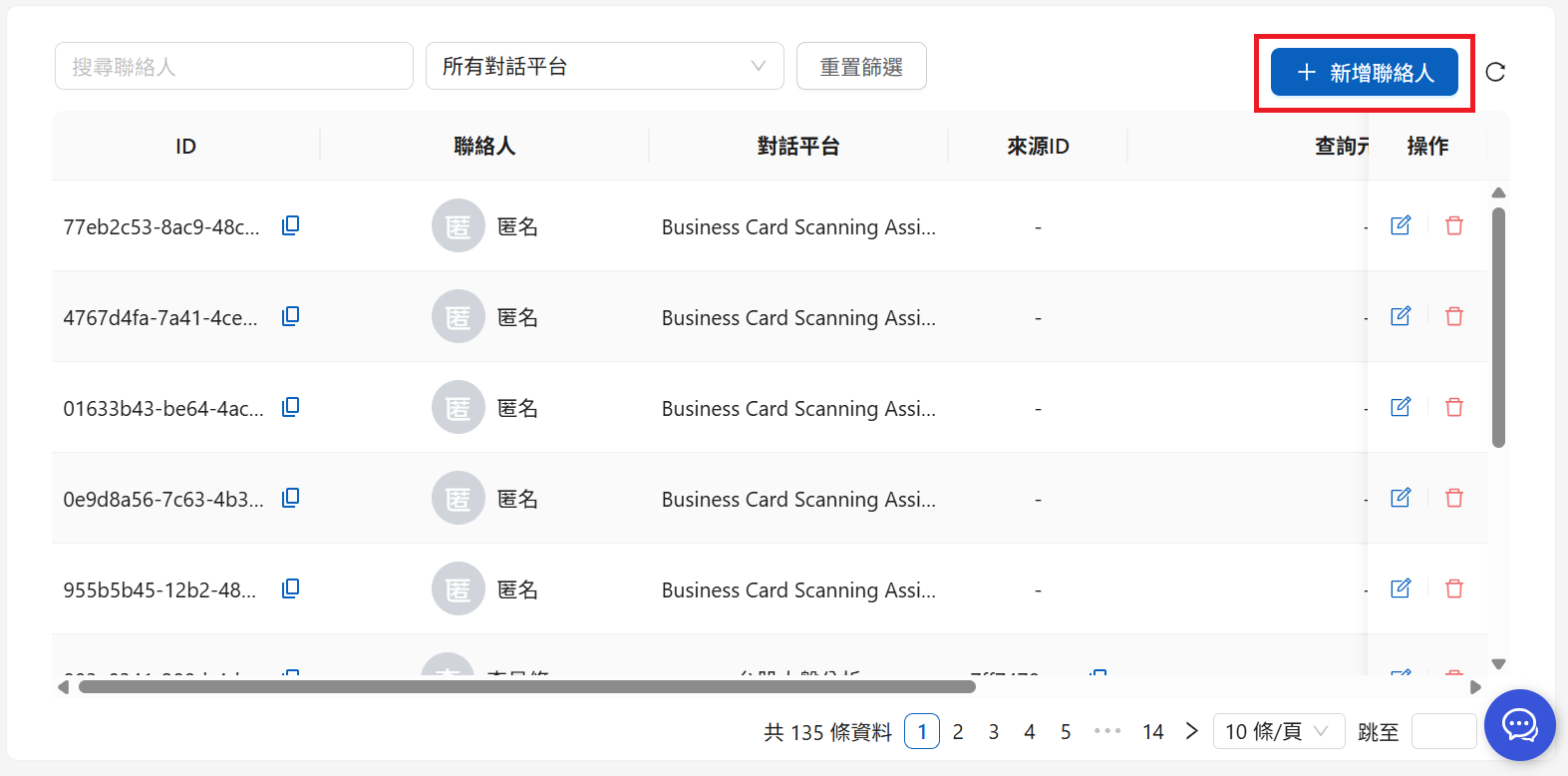
2. Click Add Contact
Contacts page
The following page appears:
Contact editing page
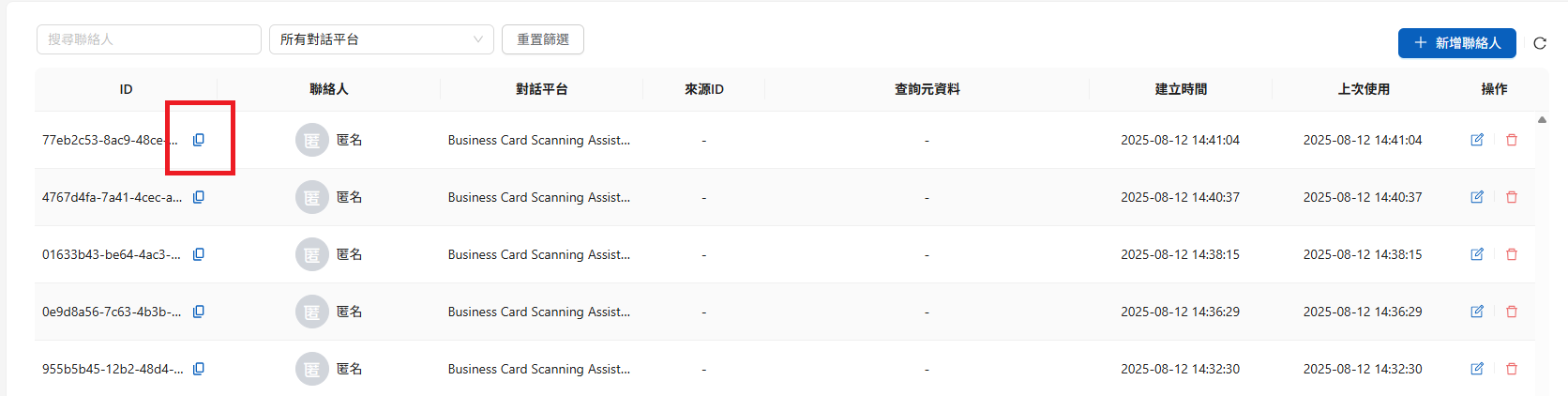
Enter the contact's name and specify a conversation platform to create the contact. After creation, click the copy button to obtain the contact ID (the Web Chat initialization parameter `contactId`).
***
{% hint style="info" %}
The identity information configured for a contact is used to generate the corresponding `query_metadata` condition set during queries.
[**👉 Learn about Query Metadata**](/tech/en/authorization-integration/zhi-shi-guan-li-quan-xian-query-metadata-cha-xun-yuan-zi-liao-zong-lan.md)
{% endhint %}
## Implementation recommendations
1. **Add a mapping field to the member database** (such as `maiagent_contact_id`, a nullable UUID). Record creation and update times with it so the mapping between the enterprise user ID and Contact ID is traceable
2. **Implement idempotency**: Check for an existing mapping before creating a contact, or use the identity synchronization API directly (`sourceId` is idempotent, so retries do not create duplicate contacts)
3. **Log API calls** to make mapping issues easier to investigate
4. **Use asynchronous calls**: Run contact-related API calls in parallel with other login requests. Do not block user login if a call fails; retry at the next login
---
# Agent Instructions
This documentation is published with GitBook. GitBook is the documentation platform designed so that both humans and AI agents can read, navigate, and reason over technical content effectively. Learn more at gitbook.com.
## Querying This Documentation
If you need additional information that is not directly available in this page, you can query the documentation dynamically by asking a question.
Perform an HTTP GET request on the current page URL with the `ask` query parameter, and the optional `goal` query parameter:
```
GET https://docs.maiagent.ai/tech/en/authorization-integration/contacts.md?ask=&goal=
```
`ask` is the immediate question: it should be specific, self-contained, and written in natural language.
`goal` is optional and describes the broader end goal you are ultimately trying to accomplish on behalf of the user. GitBook uses it to tailor the answer towards what is most useful for that goal.
The response will contain a direct answer to the question and relevant excerpts and sources from the documentation.
Use this mechanism when the answer is not explicitly present in the current page, you need clarification or additional context, or you want to retrieve related documentation sections.
.png?alt=media)
.png?alt=media)
.png?alt=media)