> For the complete documentation index, see [llms.txt](https://docs.maiagent.ai/llms.txt). Markdown versions of documentation pages are available by appending `.md` to page URLs; this page is available as [Markdown](https://docs.maiagent.ai/org/organization.md).
# 組織管理
## 什麼是組織?
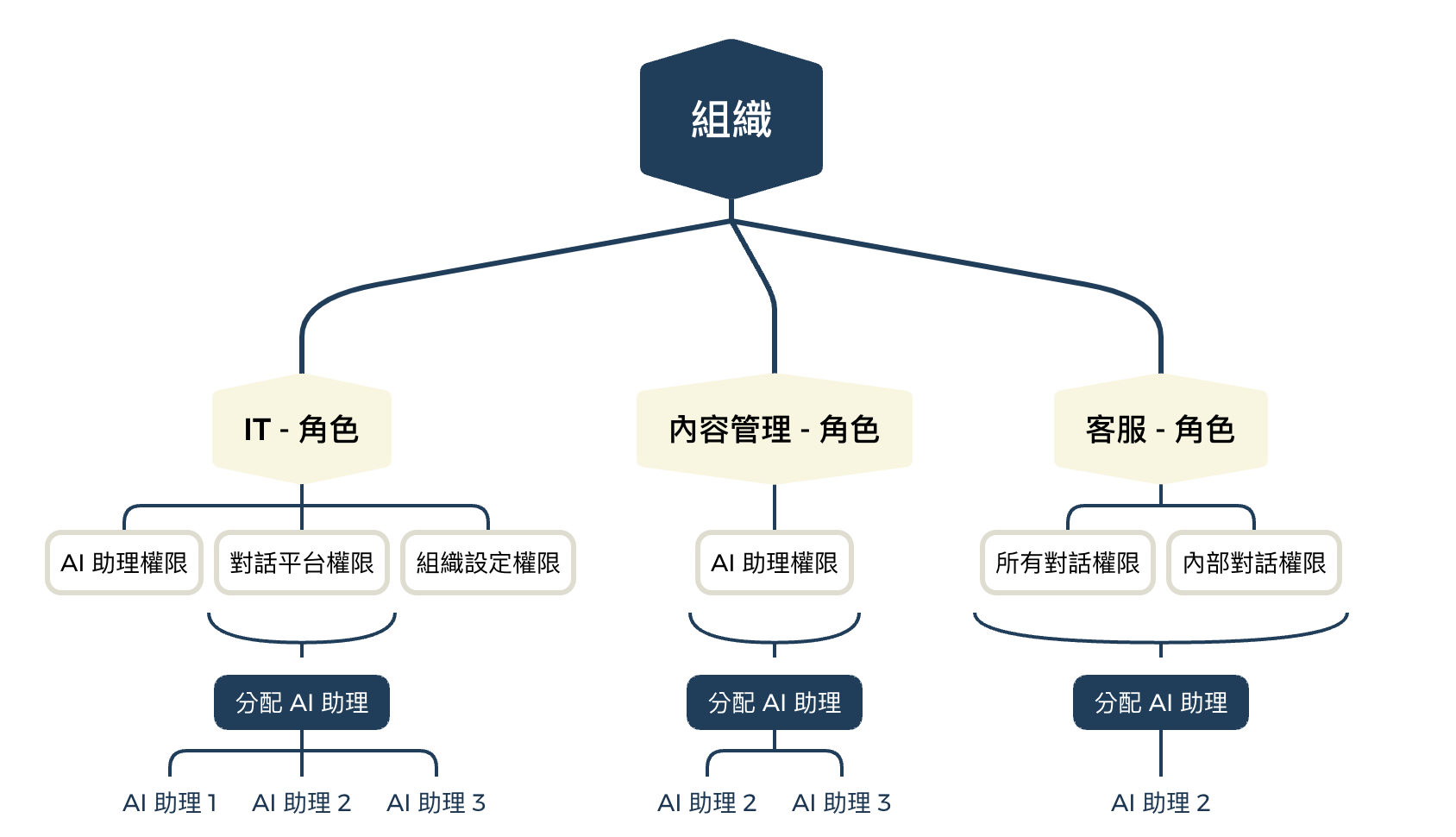
**組織**(Organization)是 MaiAgent 中最上層的管理單位,就像是一個獨立運作的「數位辦公室」。每個組織可以有自己的成員、角色設定、權限配置和資源(AI 助理、知識庫等),各組織之間的資料完全隔離。
{% hint style="info" %}
**實際應用:**
您可以建立多個組織來管理不同的團隊或專案。例如:
* 集團企業:為不同子公司分別建立組織
* 專案管理:為不同專案建立獨立的組織
* 部門區隔:為需要完全獨立運作的部門建立組織
{% endhint %}
***
## 組織概覽
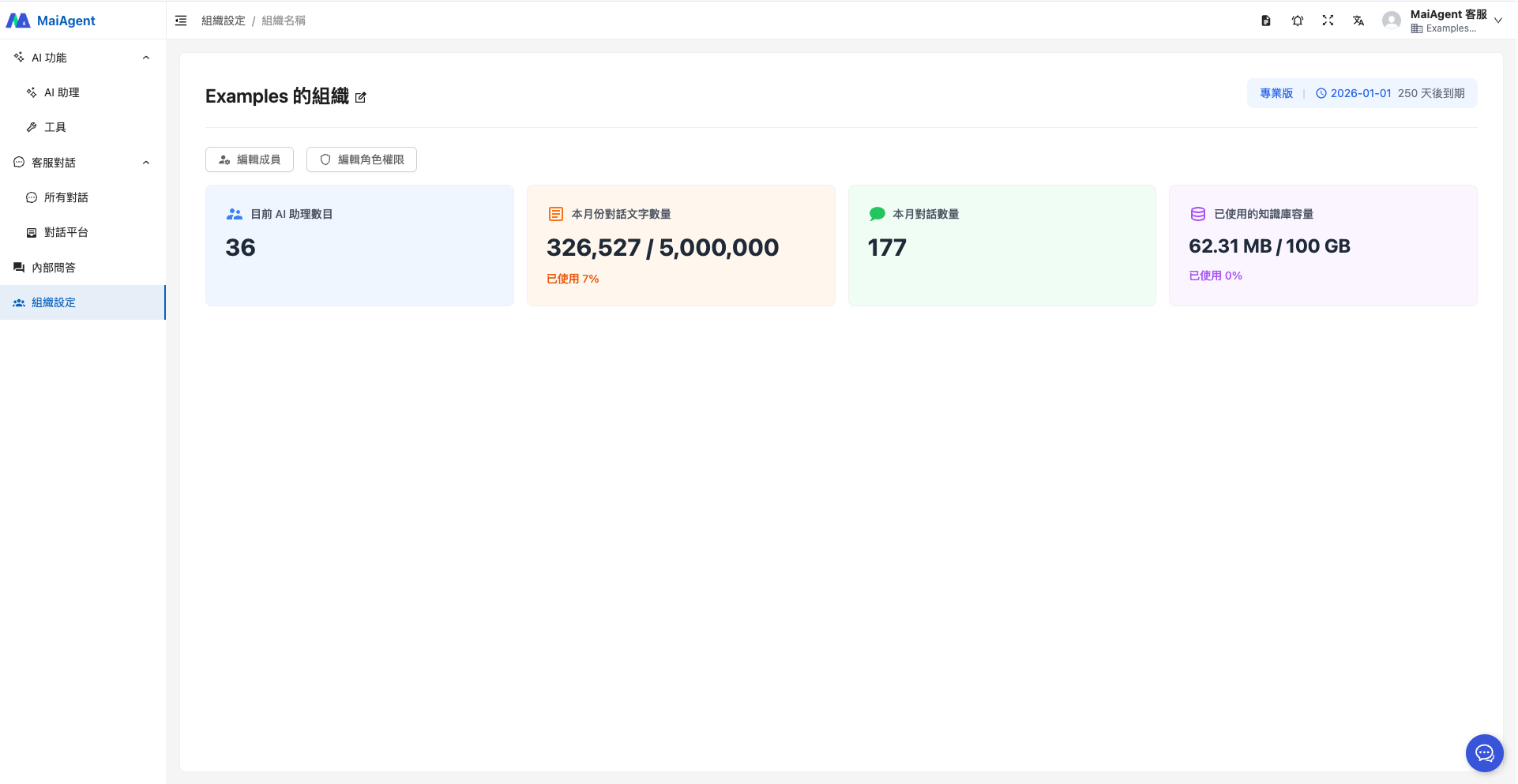
進入到左側功能區塊的 「組織設定」,會看到預設組織的資訊,包含這個組織下的 **「AI 助理數目、本月份對話文字數量、本月對話數量、已使用的知識庫容量」**。
1. AI 助理數目
2. 本月份對話文字數量
3. 本月對話數量
4. 已使用的知識庫容量
***
## 新建組織
* 任何帳號使用者都可以建立新的組織
* 組織建立者自動成為該組織的擁有者
* 每個組織擁有獨立的管理空間
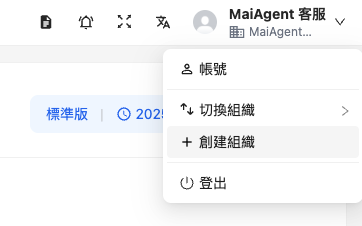
您可以透過右上角帳號的下拉選單,點選 「創建組織」,建立更多其他的組織。
輸入組織名稱後按下 「確認」按鈕即可。
***
## 切換組織
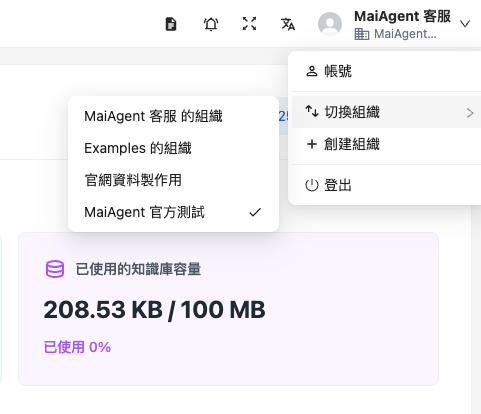
當您有多個組織時,可點選右上角帳號的下拉箭頭,點選 「切換組織」,切換到其他的組織。
***
## 組織擁有者職責
組織擁有者是組織內權限最高的角色,負責管理整個組織的運作。
### 成員管理
* 透過 Email 將新成員加入組織
* 將成員從組織中移除
* 為成員分配至角色
詳細說明請參閱 [成員管理](/org/member.md)。
### 角色管理
* 建立自訂角色(例如:客服部、行銷部)
* 編輯角色權限設定
* 為角色分配資源(AI 助理、知識庫、對話平台)
* 刪除不需要的角色
詳細說明請參閱 [角色權限管理](/org/role-permission.md)。
### 權限管理
MaiAgent 採用**層級式權限架構**,為角色設定以下權限:
{% hint style="info" %}
**什麼是「層級式權限架構」?**
就像資料夾的結構:
* **主權限** = 主資料夾(例如:「AI 功能」)
* **子權限** = 子資料夾(例如:「AI 助理」、「知識庫」、「爬蟲」)
**實際運作:**
* 勾選主權限會自動包含底下所有子權限
* 也可以只勾選部分子權限,實現更精細的控制
{% endhint %}
{% hint style="info" %}
詳細權限設定請參閱 [角色權限管理](/org/role-permission.md)。
{% endhint %}
### 資源分配
除了功能權限外,還可以為角色分配可使用的資源:
* **AI 助理**:指定角色可操作的 AI 助理
* **知識庫**:指定角色可存取的知識庫
* **對話平台**:指定角色可使用的對話平台
---
# Agent Instructions
This documentation is published with GitBook. GitBook is the documentation platform designed so that both humans and AI agents can read, navigate, and reason over technical content effectively. Learn more at gitbook.com.
## Querying This Documentation
If you need additional information that is not directly available in this page, you can query the documentation dynamically by asking a question.
Perform an HTTP GET request on the current page URL with the `ask` query parameter, and the optional `goal` query parameter:
```
GET https://docs.maiagent.ai/org/organization.md?ask=&goal=
```
`ask` is the immediate question: it should be specific, self-contained, and written in natural language.
`goal` is optional and describes the broader end goal you are ultimately trying to accomplish on behalf of the user. GitBook uses it to tailor the answer towards what is most useful for that goal.
The response will contain a direct answer to the question and relevant excerpts and sources from the documentation.
Use this mechanism when the answer is not explicitly present in the current page, you need clarification or additional context, or you want to retrieve related documentation sections.
.png?alt=media)