> For the complete documentation index, see [llms.txt](https://docs.maiagent.ai/llms.txt). Markdown versions of documentation pages are available by appending `.md` to page URLs; this page is available as [Markdown](https://docs.maiagent.ai/maiagent-user-guide/maiagent-user-guide-ja/org/organization.md).
# 組織管理
## 組織とは?
**組織**(Organization)は、MaiAgent における最上位の管理単位であり、独立して運用される「デジタルオフィス」のようなものです。各組織は、それぞれ独自のメンバー、役割設定、権限構成、リソース(AI アシスタント、ナレッジベースなど)を持つことができ、組織間のデータは完全に分離されています。
{% hint style="info" %}
**活用例:**
複数の組織を作成して、異なるチームやプロジェクトを管理できます。例えば:
* グループ企業:子会社ごとに個別の組織を作成する
* プロジェクト管理:プロジェクトごとに独立した組織を作成する
* 部門の区分:完全に独立して運用する必要のある部門ごとに組織を作成する
{% endhint %}
***
## 組織の概要
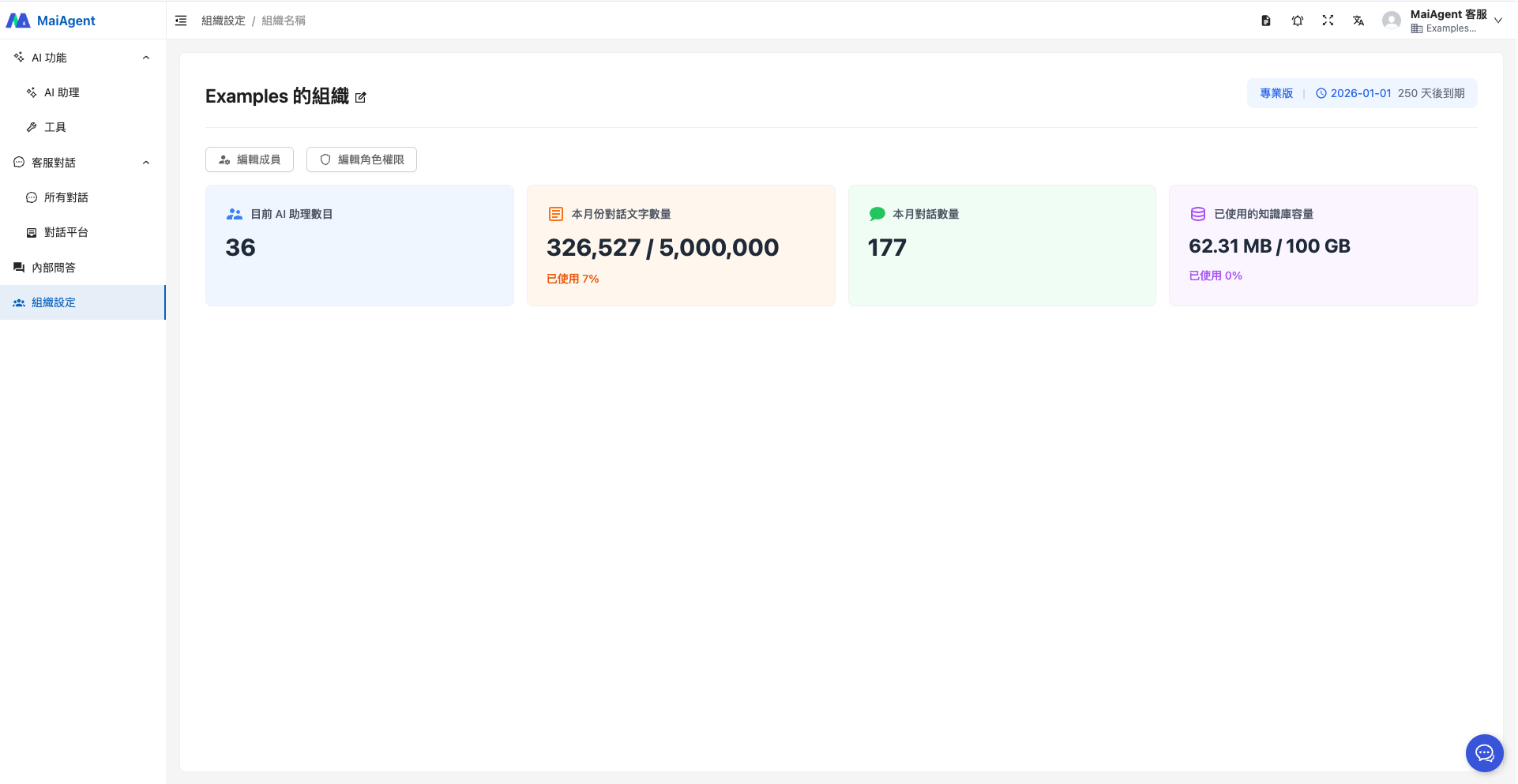
左側の機能エリアにある「組織設定」に入ると、デフォルト組織の情報が表示され、その組織に属する **「AI アシスタント数、今月の対話文字数、今月の対話数、使用済みのナレッジベース容量」** を確認できます。
1. AI アシスタント数
2. 今月の対話文字数
3. 今月の対話数
4. 使用済みのナレッジベース容量
***
## 組織の新規作成
* どのアカウントのユーザーでも、新しい組織を作成できます
* 組織の作成者は、自動的にその組織の所有者になります
* 各組織は独立した管理スペースを持ちます
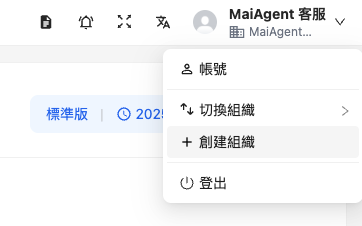
右上のアカウントのドロップダウンメニューから「組織を作成」をクリックすると、さらに別の組織を作成できます。
組織名を入力したら「確認」ボタンを押すだけで完了です。
***
## 組織の切り替え
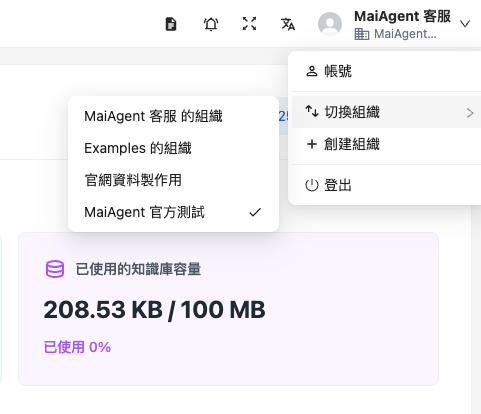
複数の組織がある場合は、右上のアカウントのドロップダウン矢印をクリックし、「組織を切り替え」をクリックすると、他の組織に切り替えることができます。
***
## 組織所有者の責務
組織所有者は、組織内で最も高い権限を持つ役割であり、組織全体の運用を管理する責任を負います。
### メンバー管理
* Email を通じて新しいメンバーを組織に追加する
* メンバーを組織から削除する
* メンバーを役割に割り当てる
詳細については [メンバー管理](/maiagent-user-guide/maiagent-user-guide-ja/org/member.md) をご参照ください。
### 役割管理
* カスタム役割を作成する(例:カスタマーサポート部、マーケティング部)
* 役割の権限設定を編集する
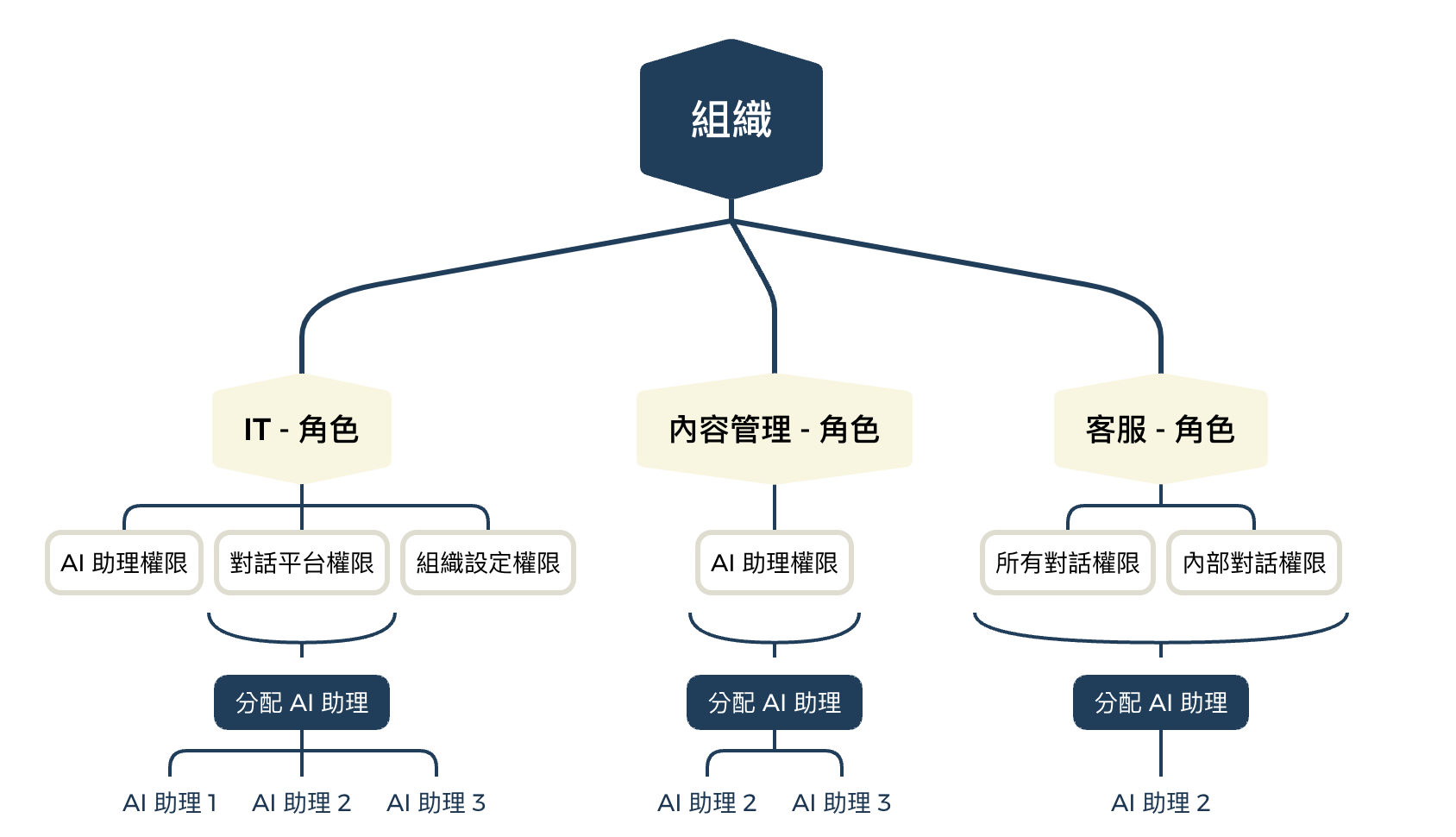
* 役割にリソース(AI アシスタント、ナレッジベース、対話プラットフォーム)を割り当てる
* 不要な役割を削除する
詳細については [役割・権限管理](/maiagent-user-guide/maiagent-user-guide-ja/org/role-permission.md) をご参照ください。
### 権限管理
MaiAgent は**階層型の権限アーキテクチャ**を採用しており、役割に対して以下の権限を設定できます:
{% hint style="info" %}
**「階層型の権限アーキテクチャ」とは?**
フォルダの構造と同じようなものです:
* **主権限** = メインフォルダ(例:「AI 機能」)
* **子権限** = サブフォルダ(例:「AI アシスタント」「ナレッジベース」「クローラー」)
**実際の動作:**
* 主権限にチェックを入れると、その配下にあるすべての子権限が自動的に含まれます
* 一部の子権限のみにチェックを入れて、より細かい制御を行うこともできます
{% endhint %}
{% hint style="info" %}
詳細な権限設定については [役割・権限管理](/maiagent-user-guide/maiagent-user-guide-ja/org/role-permission.md) をご参照ください。
{% endhint %}
### リソースの割り当て
機能権限のほかに、役割に対して使用可能なリソースを割り当てることもできます:
* **AI アシスタント**:役割が操作できる AI アシスタントを指定します
* **ナレッジベース**:役割がアクセスできるナレッジベースを指定します
* **対話プラットフォーム**:役割が使用できる対話プラットフォームを指定します
---
# Agent Instructions
This documentation is published with GitBook. GitBook is the documentation platform designed so that both humans and AI agents can read, navigate, and reason over technical content effectively. Learn more at gitbook.com.
## Querying This Documentation
If you need additional information that is not directly available in this page, you can query the documentation dynamically by asking a question.
Perform an HTTP GET request on the current page URL with the `ask` query parameter, and the optional `goal` query parameter:
```
GET https://docs.maiagent.ai/maiagent-user-guide/maiagent-user-guide-ja/org/organization.md?ask=&goal=
```
`ask` is the immediate question: it should be specific, self-contained, and written in natural language.
`goal` is optional and describes the broader end goal you are ultimately trying to accomplish on behalf of the user. GitBook uses it to tailor the answer towards what is most useful for that goal.
The response will contain a direct answer to the question and relevant excerpts and sources from the documentation.
Use this mechanism when the answer is not explicitly present in the current page, you need clarification or additional context, or you want to retrieve related documentation sections.
.png?alt=media)