> For the complete documentation index, see [llms.txt](https://docs.maiagent.ai/llms.txt). Markdown versions of documentation pages are available by appending `.md` to page URLs; this page is available as [Markdown](https://docs.maiagent.ai/maiagent-user-guide/maiagent-user-guide-en/org/organization.md).
# Organization Management
## What Is an Organization?
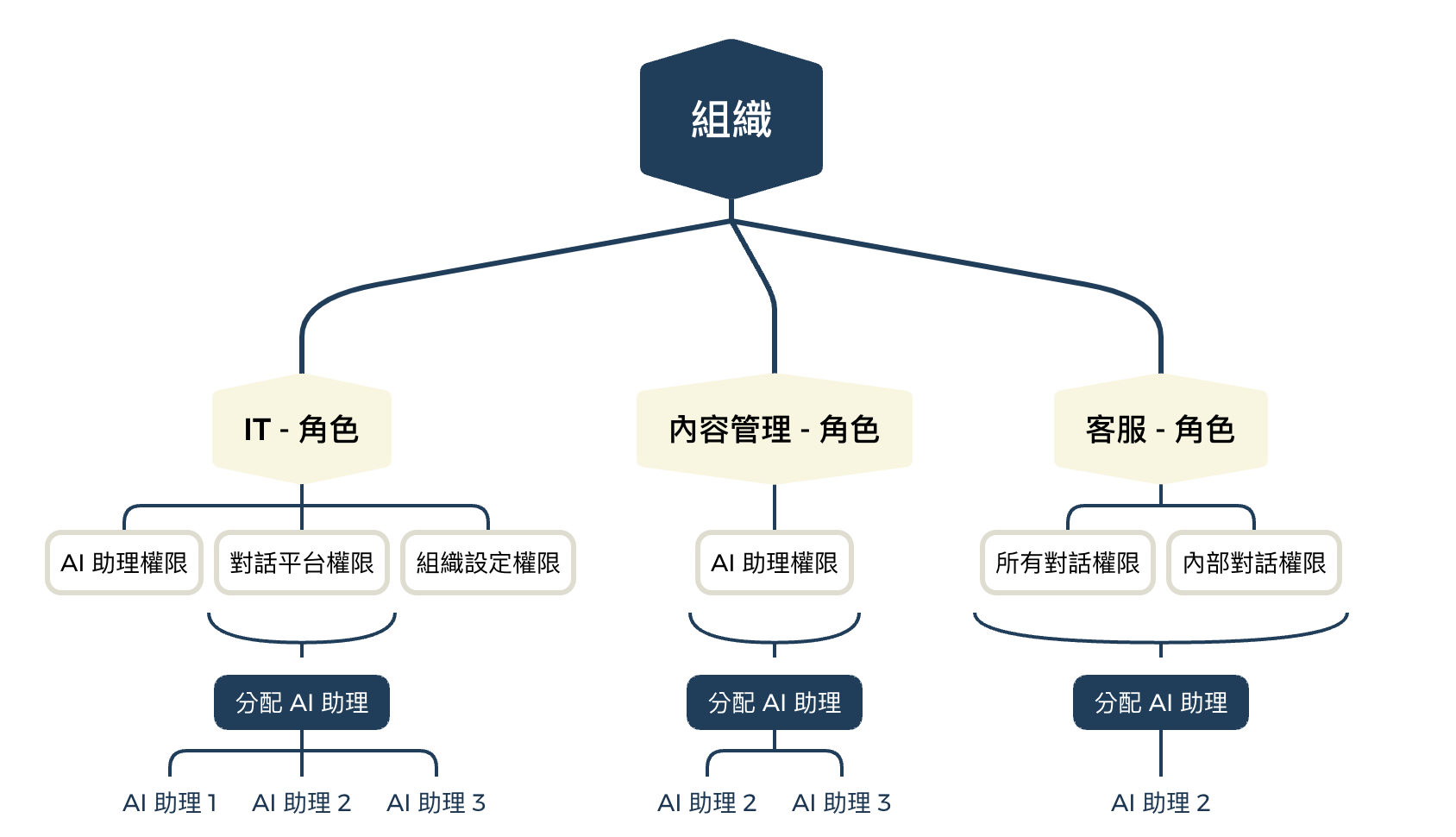
An **Organization** is the top-level management unit in MaiAgent, functioning like an independently operated "digital office." Each organization can have its own members, role settings, permission configurations, and resources (AI assistants, knowledge bases, etc.), with data completely isolated between organizations.
{% hint style="info" %}
**Practical applications:**
You can create multiple organizations to manage different teams or projects. For example:
* Corporate group: Create separate organizations for different subsidiaries
* Project management: Create independent organizations for different projects
* Department isolation: Create organizations for departments that need to operate completely independently
{% endhint %}
***
## Organization Overview
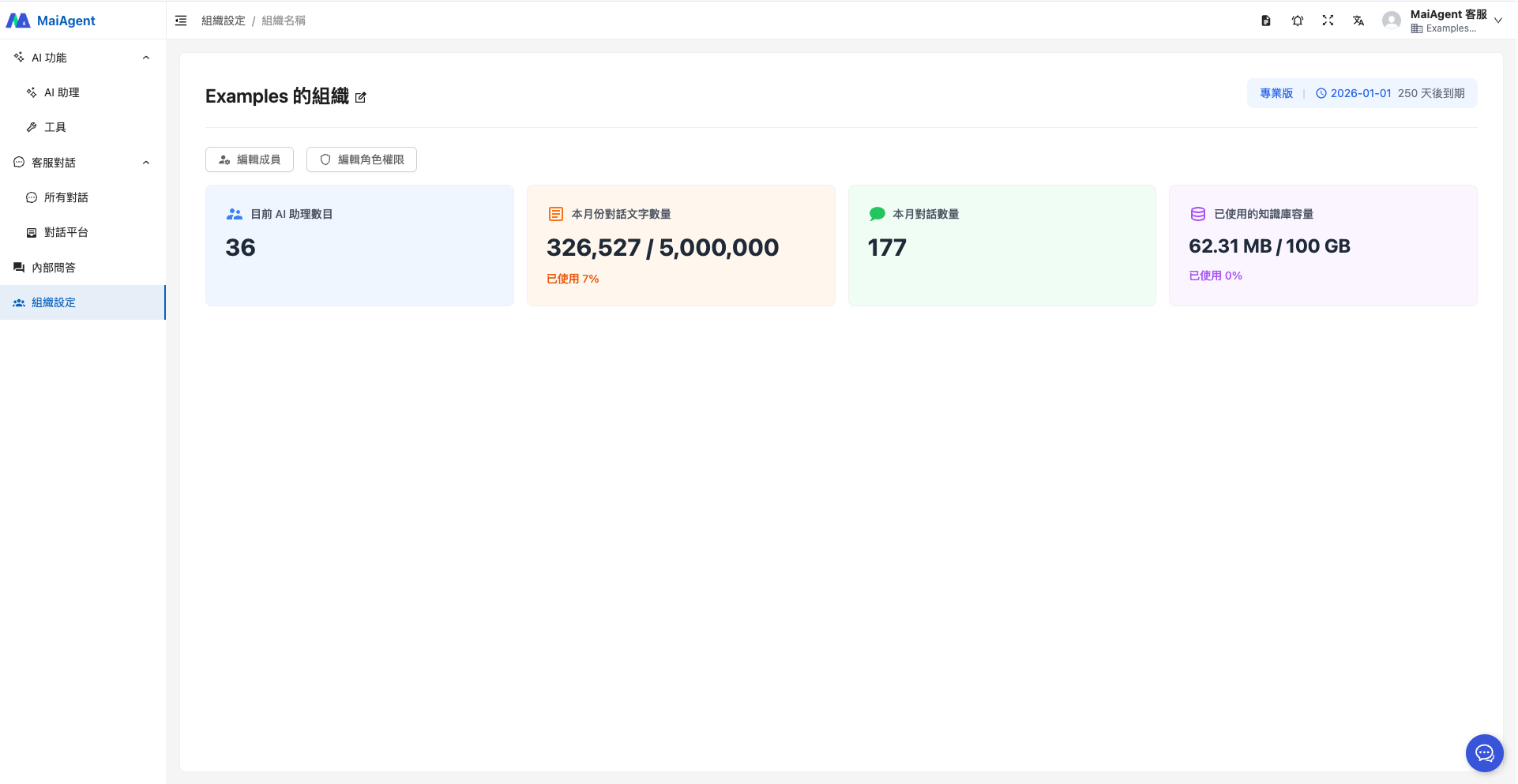
Navigate to "Organization Settings" in the left menu to see the default organization's information, including **"Number of AI Assistants, Monthly Conversation Character Count, Monthly Conversation Count, and Knowledge Base Storage Used"** under this organization.
1. Number of AI Assistants
2. Monthly conversation character count
3. Monthly conversation count
4. Knowledge base storage used
***
## Create an Organization
* Any account user can create a new organization
* The organization creator automatically becomes the organization owner
* Each organization has an independent management space
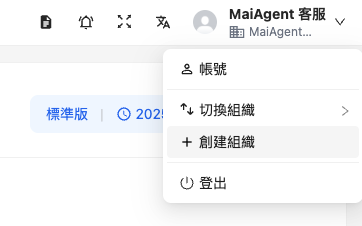
You can create additional organizations by clicking the dropdown menu for your account in the upper right corner and selecting "Create Organization".
Enter the organization name and click the "Confirm" button.
***
## Switch Organization
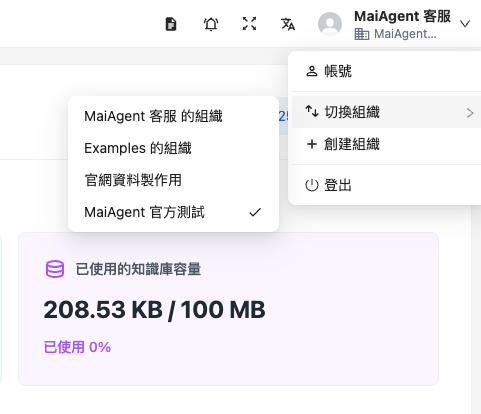
When you have multiple organizations, click the dropdown arrow for your account in the upper right corner and select "Switch Organization" to switch to another organization.
***
## Organization Owner Responsibilities
The organization owner is the highest-permission role within the organization, responsible for managing the entire organization's operations.
### Member Management
* Add new members to the organization via email
* Remove members from the organization
* Assign members to roles
For detailed instructions, see [Member Management](/maiagent-user-guide/maiagent-user-guide-en/org/member.md).
### Role Management
* Create custom roles (e.g., Customer Service, Marketing)
* Edit role permission settings
* Assign resources to roles (AI assistants, knowledge bases, conversation platforms)
* Delete unnecessary roles
For detailed instructions, see [Role Permission Management](/maiagent-user-guide/maiagent-user-guide-en/org/role-permission.md).
### Permission Management
MaiAgent uses a **hierarchical permission architecture** to configure the following permissions for roles:
{% hint style="info" %}
**What is a "hierarchical permission architecture"?**
It is like a folder structure:
* **Main permission** = Main folder (e.g., "AI Features")
* **Sub-permission** = Subfolder (e.g., "AI Assistants," "Knowledge Bases," "Crawlers")
**How it works:**
* Checking a main permission automatically includes all sub-permissions
* You can also check only specific sub-permissions for more granular control
{% endhint %}
{% hint style="info" %}
For detailed permission settings, see [Role Permission Management](/maiagent-user-guide/maiagent-user-guide-en/org/role-permission.md).
{% endhint %}
### Resource Allocation
In addition to feature permissions, you can assign resources to roles:
* **AI Assistants**: Specify which AI assistants a role can operate
* **Knowledge Bases**: Specify which knowledge bases a role can access
* **Conversation Platforms**: Specify which conversation platforms a role can use
---
# Agent Instructions
This documentation is published with GitBook. GitBook is the documentation platform designed so that both humans and AI agents can read, navigate, and reason over technical content effectively. Learn more at gitbook.com.
## Querying This Documentation
If you need additional information that is not directly available in this page, you can query the documentation dynamically by asking a question.
Perform an HTTP GET request on the current page URL with the `ask` query parameter, and the optional `goal` query parameter:
```
GET https://docs.maiagent.ai/maiagent-user-guide/maiagent-user-guide-en/org/organization.md?ask=&goal=
```
`ask` is the immediate question: it should be specific, self-contained, and written in natural language.
`goal` is optional and describes the broader end goal you are ultimately trying to accomplish on behalf of the user. GitBook uses it to tailor the answer towards what is most useful for that goal.
The response will contain a direct answer to the question and relevant excerpts and sources from the documentation.
Use this mechanism when the answer is not explicitly present in the current page, you need clarification or additional context, or you want to retrieve related documentation sections.
.png?alt=media)