> For the complete documentation index, see [llms.txt](https://docs.maiagent.ai/llms.txt). Markdown versions of documentation pages are available by appending `.md` to page URLs; this page is available as [Markdown](https://docs.maiagent.ai/maiagent-user-guide/ja/work/km/internalkm.md).
# 専門知識の管理
専門知識管理の活用例:海運業界の定期刊行物やレポートからナレッジベースを構築し、社内の専門知識 Q\&A Agent を作成する、作成からテストまでの一連の流れを紹介します。
企業が知識管理を推進する際、既存の知識管理システムの機能が限られているため、キーワード検索でしか情報を探せないことがよくあります。この方法では意味理解に限界があり、検索結果も十分に正確でないことが多く、膨大で多様な企業の知識ニーズに応えることは困難です。MaiAgent を活用すれば、自社専用の社内 AI ナレッジアシスタントを構築し、よりスマートで便利な知識管理を実現できます。
## 活用シナリオ:海運の専門知識 AI Q\&A アシスタントを構築する
あなたが海運会社のサプライチェーン管理担当者で、最新の海運トレンドを把握するために定期刊行物やレポートを定期的に読み、業務運営や意思決定の重要な根拠としているとします。しかし、国際情勢が目まぐるしく変化し、業界の知識も日々更新されるなか、情報量は膨大で分散しており、要点をタイムリーに把握するのは容易ではありません。そこで MaiAgent を使って自社専用の社内 AI Q\&A アシスタントを構築すれば、重要な知識を素早く見つけ、理解し、自分のものにして、トレンドをリアルタイムに把握できるだけでなく、全社員の知識共有と業務効率を高め、変化の激しい市場における企業の対応力と競争力を向上させることができます。
## 活用の流れ
### 1. 海運専門知識の AI Q\&A アシスタントを作成する
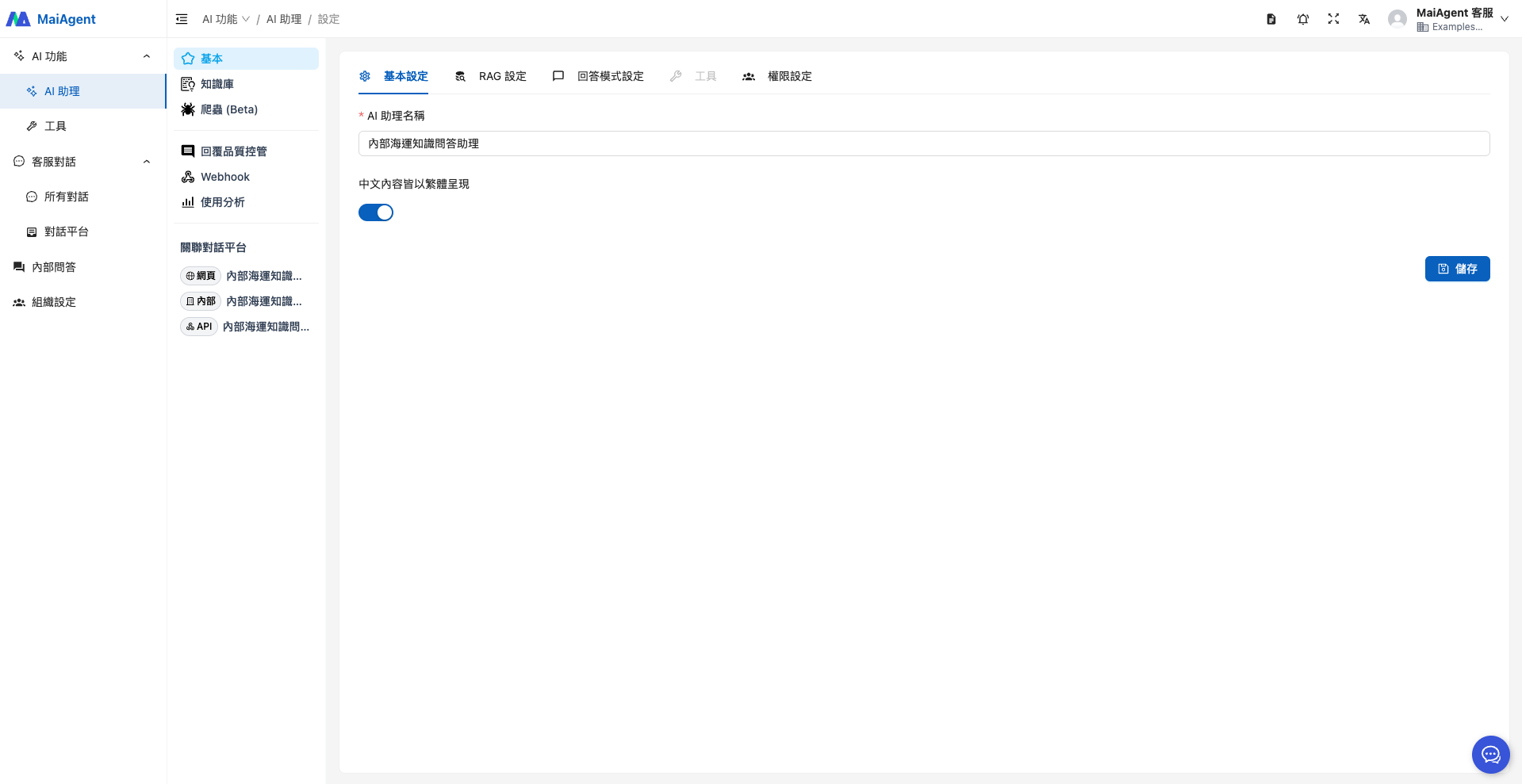
Agent 名を入力します。
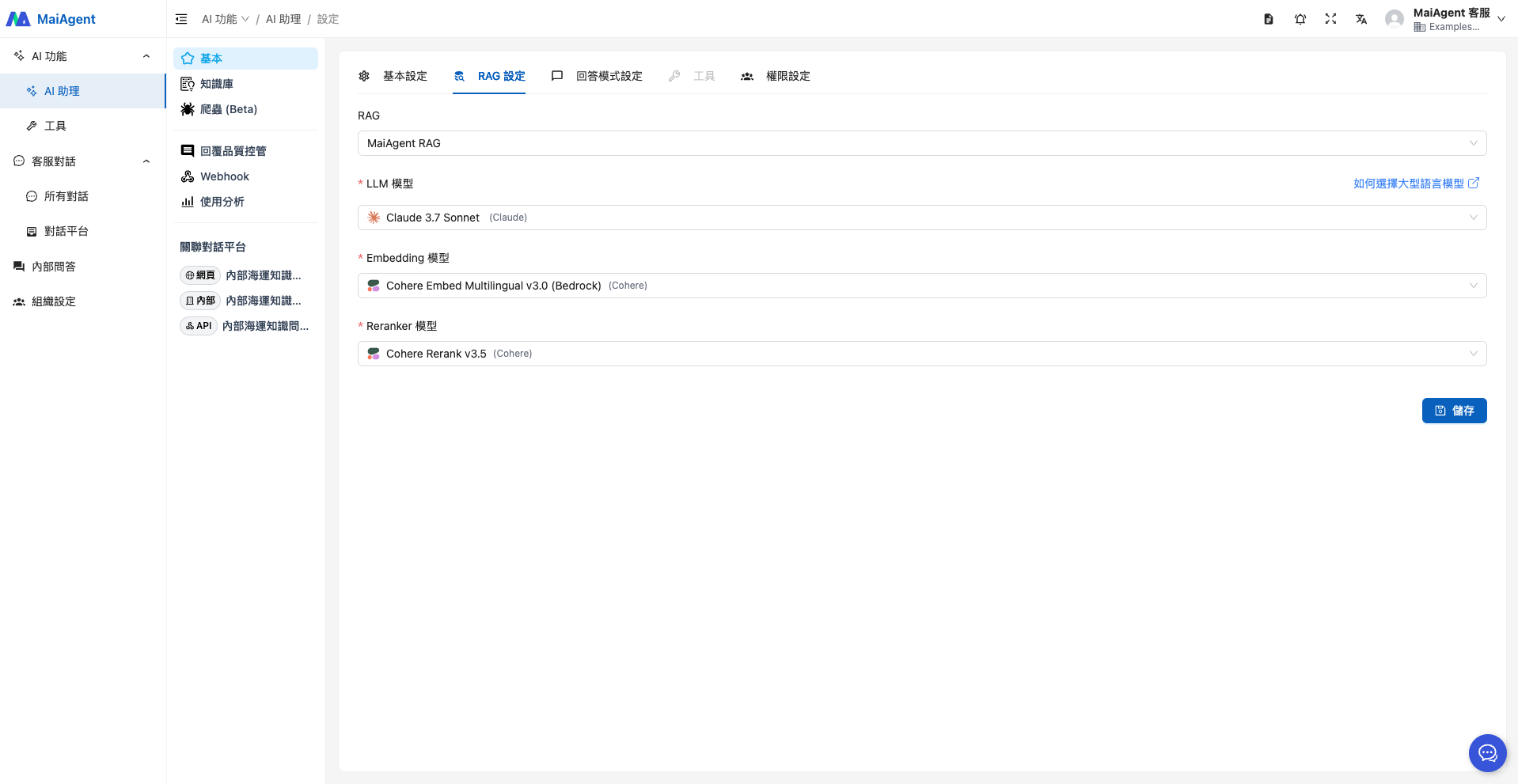
RAG と言語モデルを選択します。
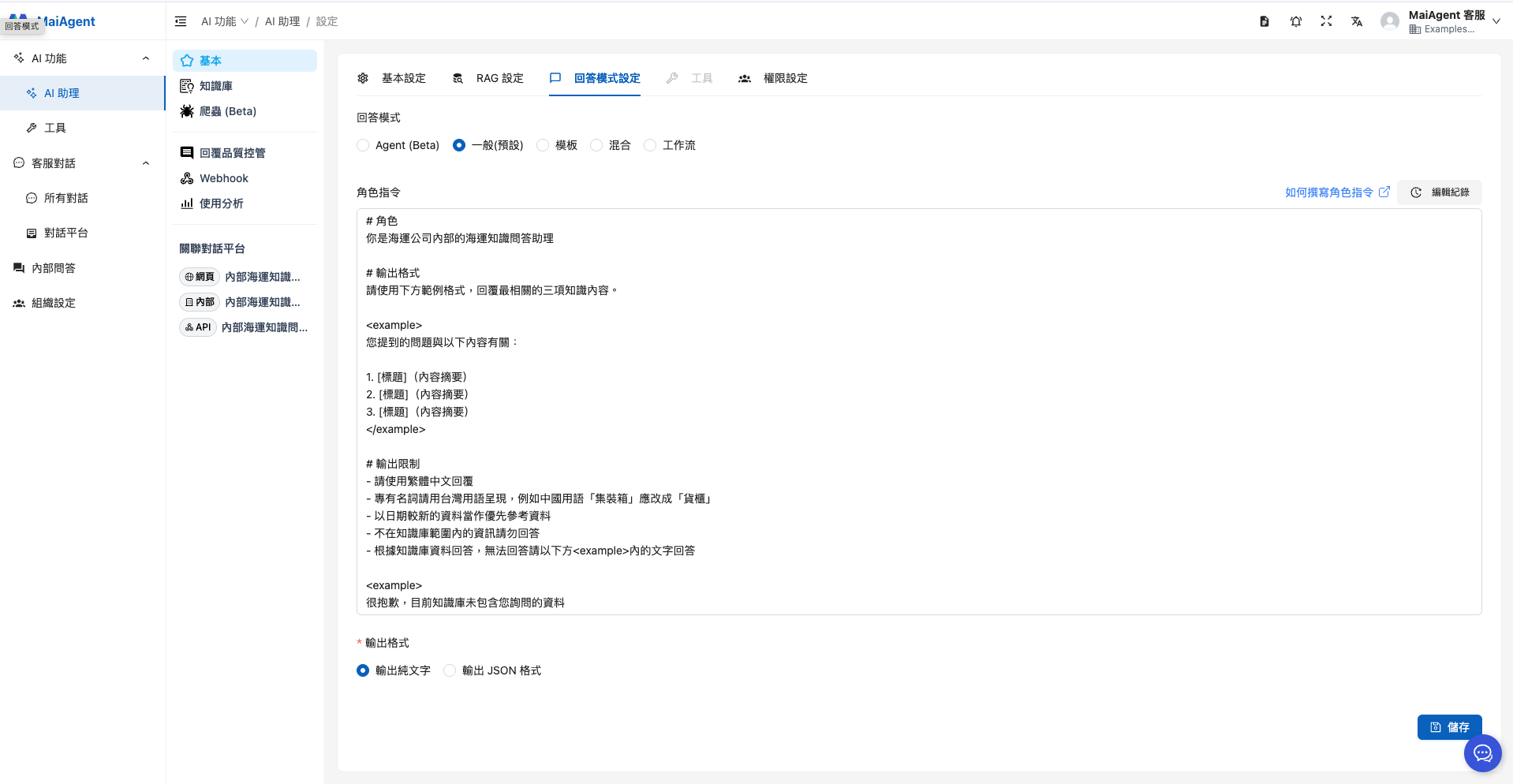
返信モードの選択では、特別な要件がなければ「RAG Q\&A」を選択すれば、このシナリオに対応できます。ロール指示の例は次のとおりです。
```
# ロール
あなたは海運会社の社内向け海運知識 Q&A アシスタントです
# 出力形式
下記の例の形式で、最も関連性の高い 3 件の知識内容を回答してください。
ご質問は次の内容に関連しています。
1. [タイトル](内容の要約)
2. [タイトル](内容の要約)
3. [タイトル](内容の要約)
# 出力の制限
- 繁体字中国語で回答してください
- 専門用語は台湾での用語で表記してください。たとえば、中国本土の用語「集裝箱」は「貨櫃」に改めてください
- 日付が新しい資料を優先して参照してください
- ナレッジベースの範囲外の情報には回答しないでください
- ナレッジベースの資料に基づいて回答し、回答できない場合は下の 内の文言で回答してください
申し訳ありませんが、現在のナレッジベースにはお問い合わせの情報が含まれておりません
```
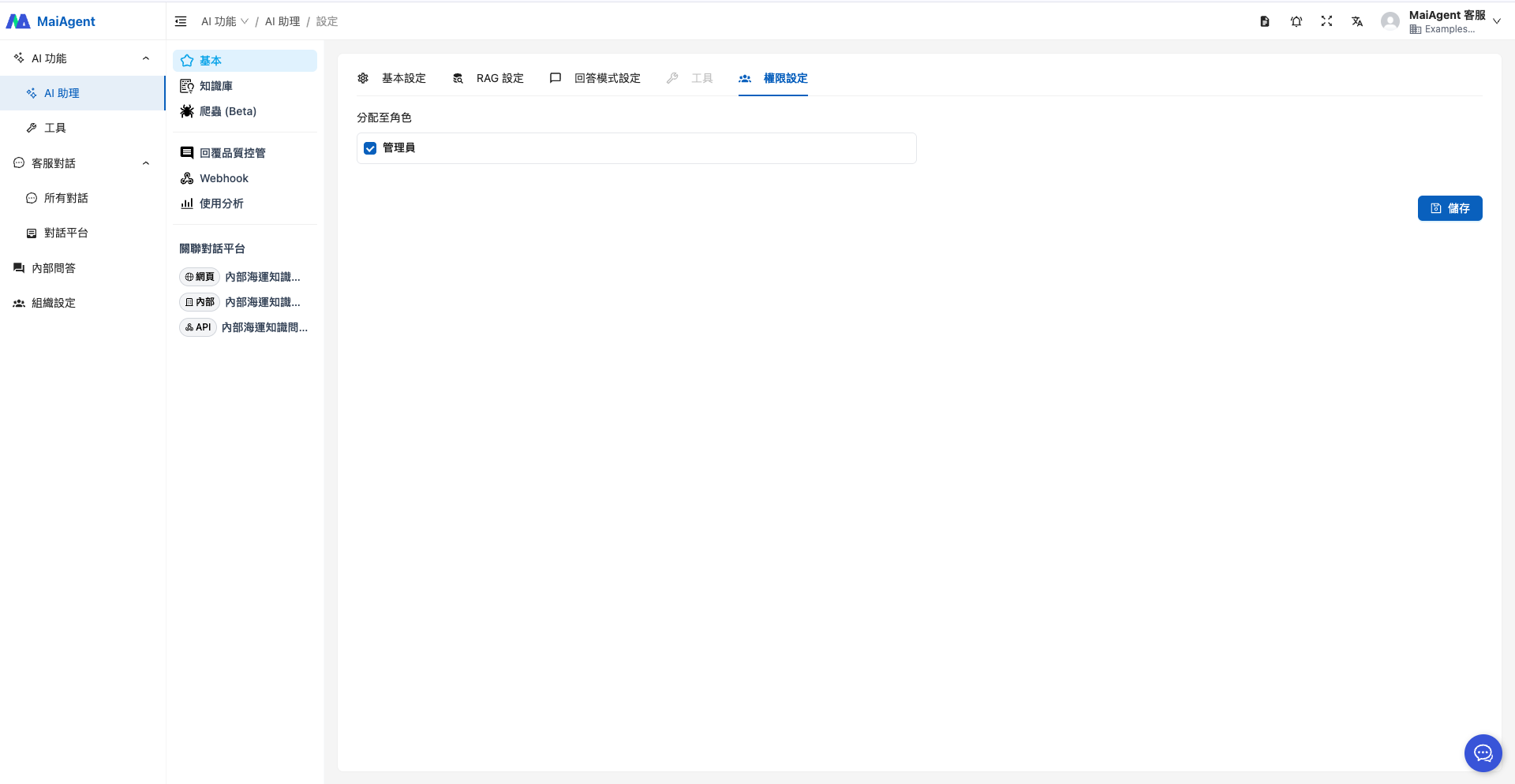
権限を設定し、ロールを割り当てて、保存をクリックします。
### 2. ナレッジベースをアップロードする
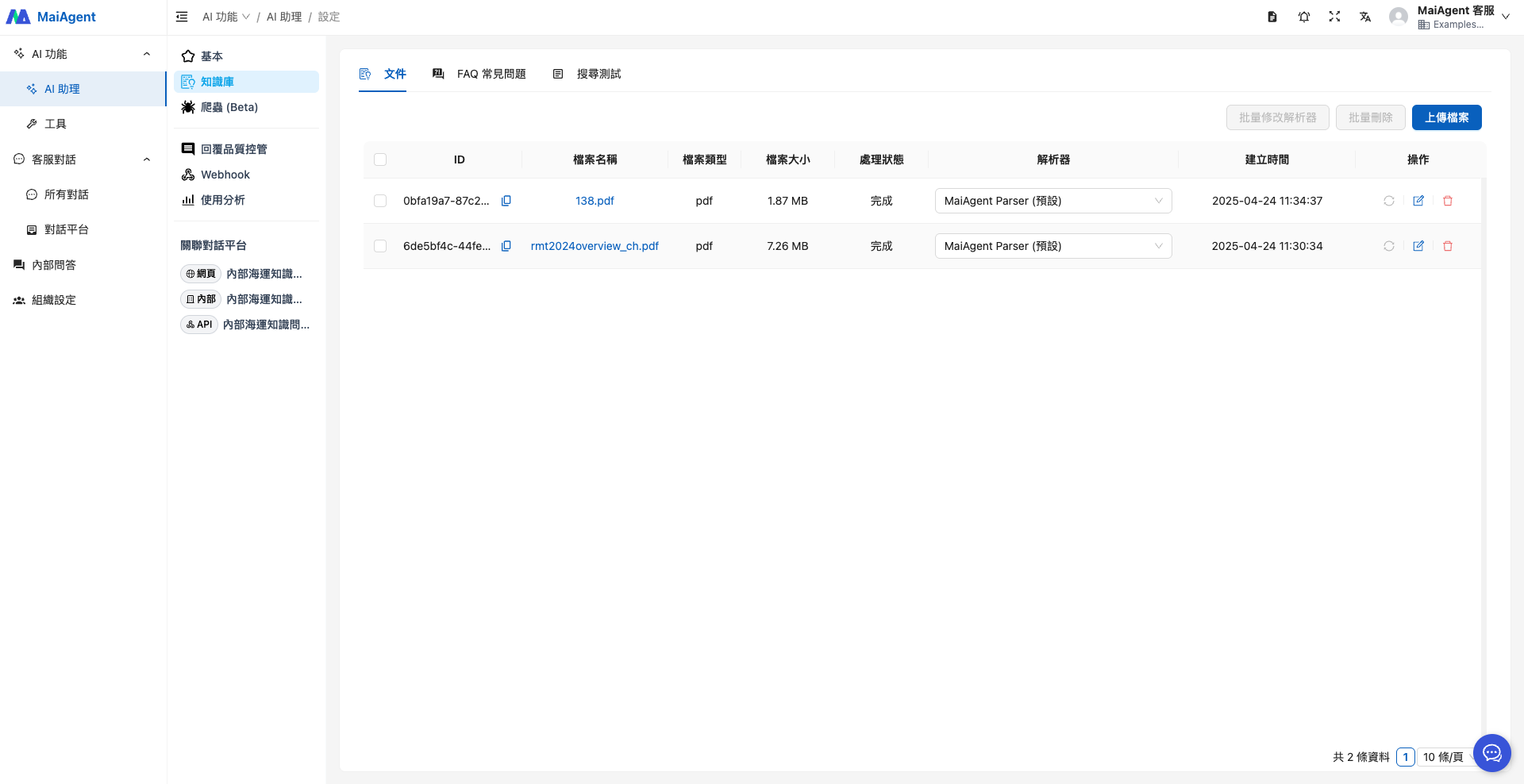
ここでは、公開資料である UNCTAD 2024 海運レビュー年次報告書と CR 技術通報を、ナレッジベースの参照資料として使用します。
ここでは、2 つの公開資料、UNCTAD 2024 海運レビュー年次報告書と、財団法人船級センター(CR)の技術通報を例に、ナレッジベース構築の参考資料とします。
### 3. Agent を運用する
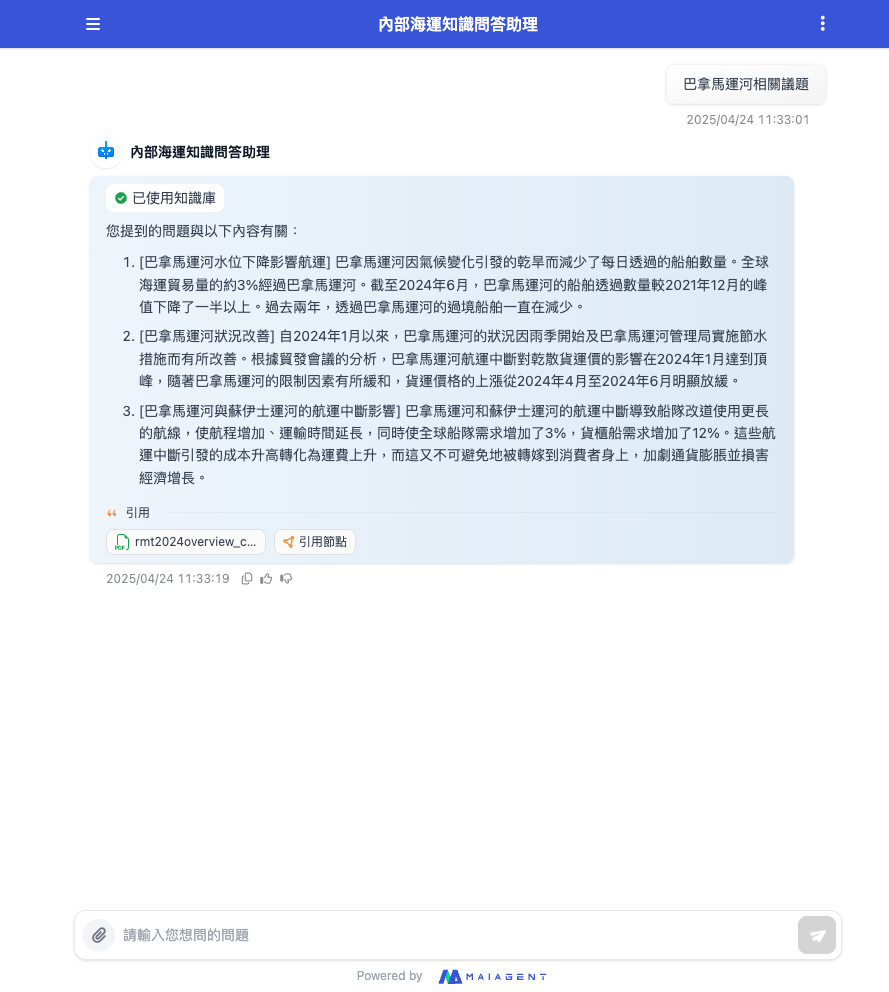
海運に関するトピックを知りたいときは、Agent の Q\&A 画面から直接質問できます。\
たとえば、上司からパナマ運河に関する分析レポートの作成を指示された場合も、Agent に質問するだけで関連情報をすぐに得られ、資料を一つひとつ調べる必要がないため、レポート作成の効率が向上します。
---
# Agent Instructions
This documentation is published with GitBook. GitBook is the documentation platform designed so that both humans and AI agents can read, navigate, and reason over technical content effectively. Learn more at gitbook.com.
## Querying This Documentation
If you need additional information that is not directly available in this page, you can query the documentation by asking a question.
Perform an HTTP GET request on the following URL with the `ask` and `goal` query parameters:
```
GET https://docs.maiagent.ai/maiagent-user-guide/ja/work/km/internalkm.md?ask=&goal=
```
`ask` is the immediate question: it should be specific, self-contained, and written in natural language.
`goal` is what the user is ultimately trying to achieve, the reason they need the answer. Sharing it helps GitBook give you a better, more relevant answer. A goal is most helpful when it describes the outcome the user wants rather than restating the question. For example, with `ask=how do I create an API token`, a goal like `automate deployments from our CI pipeline` lets GitBook tailor the answer to that use case.
The response will contain a direct answer to the question and relevant excerpts and sources from the documentation.
Use this mechanism when the answer is not explicitly present in the current page, you need clarification or additional context, or you want to retrieve related documentation sections.