> For the complete documentation index, see [llms.txt](https://docs.maiagent.ai/llms.txt). Markdown versions of documentation pages are available by appending `.md` to page URLs; this page is available as [Markdown](https://docs.maiagent.ai/maiagent-user-guide/ja/work/km/credit.md).
# 信用調査分析アシスタント
信用調査分析アシスタントの活用例:信用調査データを統合し、Canvas でリスク評価チャートやダッシュボードを生成して、金融機関の与信審査を加速します。
企業の信用調査チームは、複雑な信用調査データを扱う際に、データの分散、リスク評価に時間がかかること、分析レポートの形式が統一されないことといった課題に直面しがちです。従来の信用調査分析ツールは煩雑なデータ確認作業を手動で行う必要があり、効率が低いだけでなく、事業部門からのリアルタイムのリスク評価の要望に素早く応えることも困難でした。今では、MaiAgent の Canvas 可視化技術を活用して、専用の企業向け信用調査 AI 分析アシスタントを構築し、信用調査データのインテリジェントな可視化と分析を実現できます!
## 活用シナリオ:企業信用調査データを可視化する Agent を構築する
あなたが金融機関の信用調査アナリストで、毎日顧客の申込案件を審査し、リスク評価レポートや、リスク管理委員会に報告する信用リスクダッシュボードを作成しているとします。これまでは、複数のシステムで顧客データを検索し、各種リスク評価チャートを手作業で作成するのに数時間かかることもあり、手間がかかるだけでなく、手作業のため評価結果にばらつきが出て、意思決定の正確性に影響することもありました。
たとえば、事業部門から 30 分以内に「ある大手企業顧客の信用リスク評価レポート」が急ぎで必要になった場合、従来の方法では、信用情報機関のデータを急いで照会し、財務状況を分析し、保証人の条件を評価する必要があり、商談までに間に合わないことがよくあります。
現在は、MaiAgent Canvas 技術を使えば、自然言語で Agent に要件を伝えるだけで、プロフェッショナルなインタラクティブ信用調査分析チャートがすぐに生成されます。作業効率が大幅に向上するだけでなく、評価の正確性と一貫性も確保できるため、より価値の高いリスク分析のインサイトに集中できます!
## 活用の流れ
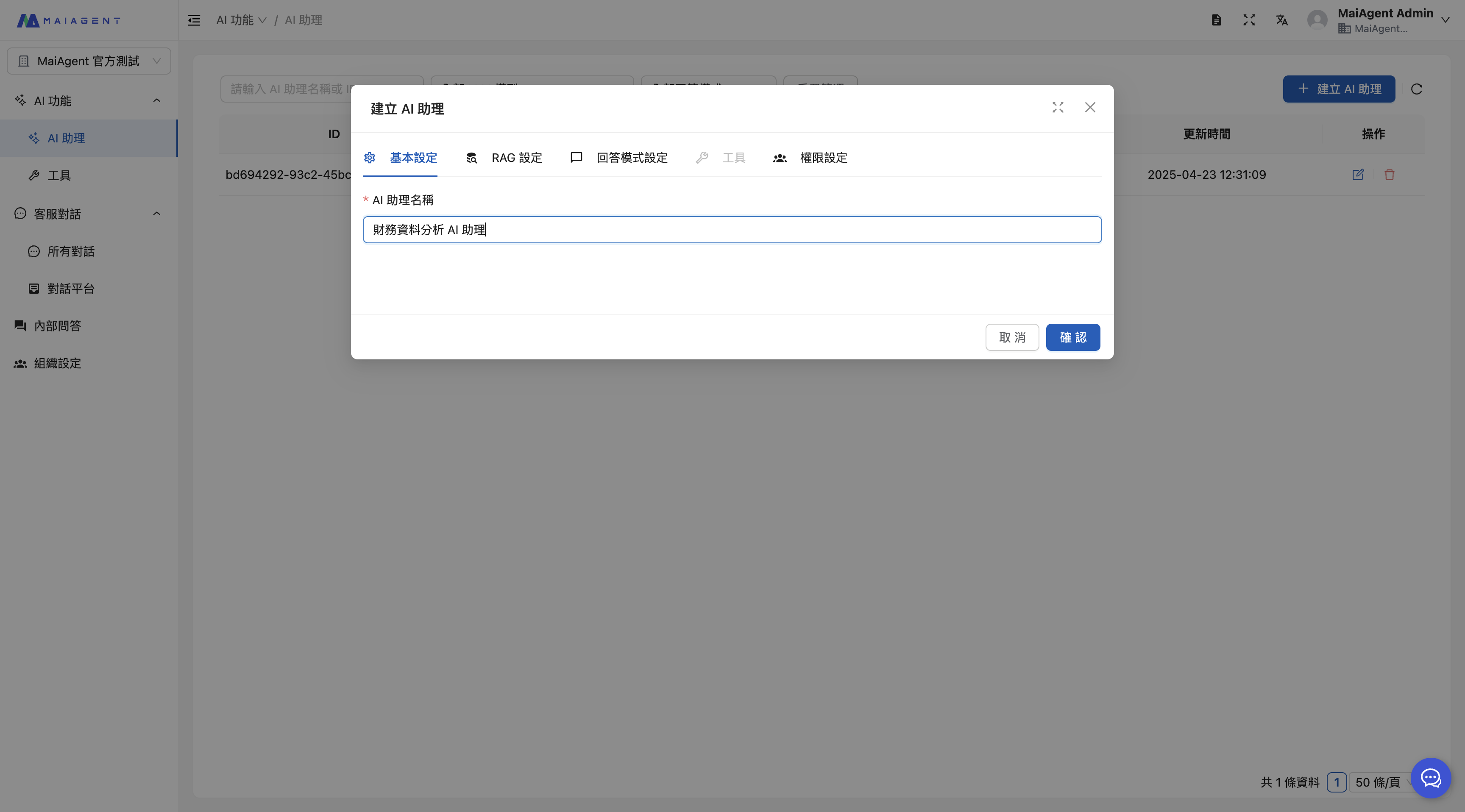
### 1. 信用調査データ分析 Agent を作成する
Agent 名を入力します
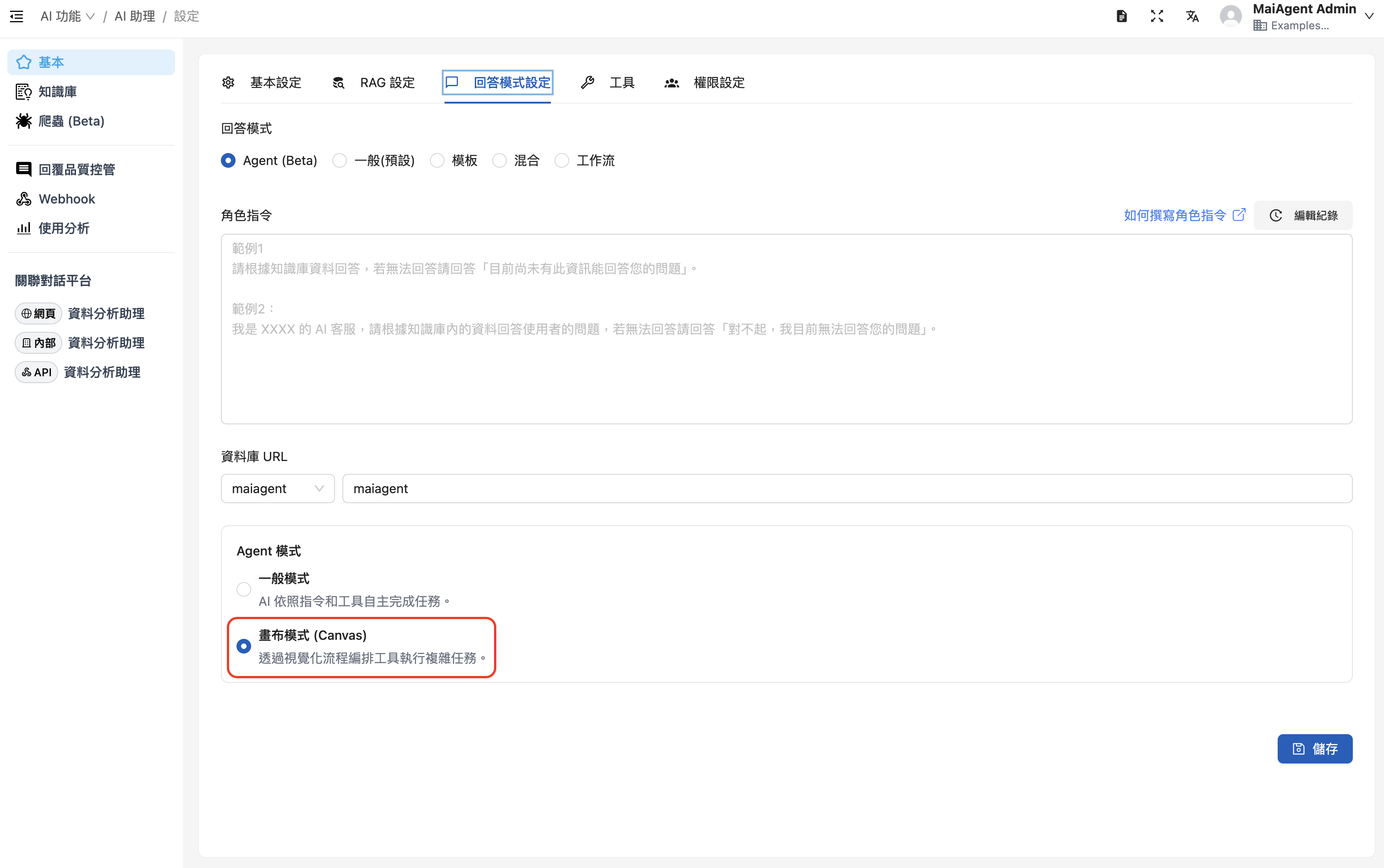
RAG と言語モデルを選択し、**Canvas モードを有効にします**
回答モードを選択する際は、「Agent モード」を選び、「キャンバスモード(Canvas)」を有効にします。ロール指示の例は次のとおりです:
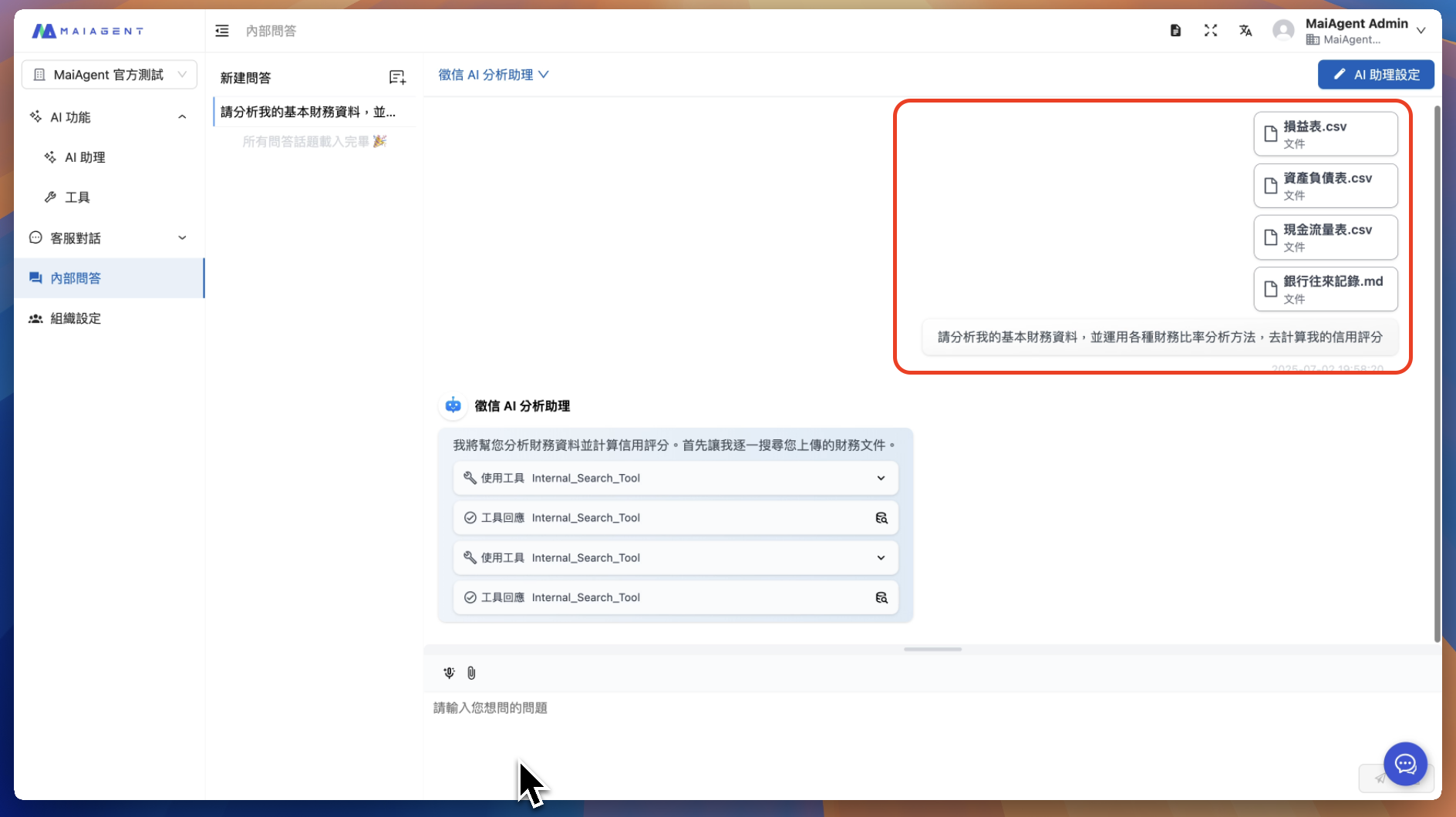
### 2. 会話の添付ファイルで信用調査データをチャットルームにアップロードする
信用調査データのファイルをアップロードします。対象は次のものなどです:
* 貸借対照表
* 信用情報機関の信用報告書
* キャッシュフロー計算書
* 納税記録
* 銀行取引記録
* 損益計算書
### 3. Agent の本番運用 - 成果デモ動画
{% embed url="" %}
### 4. 信用調査における Canvas 技術の強み
#### 🚀 効率の向上
* **即時評価**:顧客の申込からリスク評価の完了まで、わずか 30 秒
* **標準化されたプロセス**:すべての評価が一貫したリスク評価基準に従います
* **手作業は不要**:自然言語だけで複雑なリスク分析を完了できます
#### 📊 プロフェッショナルな品質
* **インタラクティブ機能**:リスク係数の調整や期間の絞り込みに対応
* **レスポンシブデザイン**:さまざまな画面サイズや出力形式に対応
* **ベクターグラフィックス**:SVG 形式により、印刷や投影でも鮮明さを確保
#### 🔄 柔軟な調整
* **即時の修正**:評価パラメータやリスクの重みをすぐに調整できます
* **複数形式での出力**:同じ顧客について、異なる分析の視点で出力できます
* **カスタマイズ**:商品タイプに応じて評価モデルを調整できます
#### 💼 企業システムとの連携
* **法令遵守**:金融監督管理委員会の信用調査に関する規制要件に対応
* **ローカライズ対応**:台湾の信用調査制度とスコアリング基準に対応
* **セキュリティ**:顧客データはローカルで処理され、情報セキュリティを確保します
MaiAgent Canvas 技術により、信用調査チームは作業効率を大幅に向上できるだけでなく、より価値の高いリスク分析や戦略立案に時間を充てられるようになり、信用調査のデジタルトランスフォーメーションという目標を実現できます!
**今すぐ信用調査データ分析アシスタントをお試しください。リスク評価を単なる数字ではなく、可視化されたインサイトに変えましょう!**
---
# Agent Instructions
This documentation is published with GitBook. GitBook is the documentation platform designed so that both humans and AI agents can read, navigate, and reason over technical content effectively. Learn more at gitbook.com.
## Querying This Documentation
If you need additional information that is not directly available in this page, you can query the documentation by asking a question.
Perform an HTTP GET request on the following URL with the `ask` and `goal` query parameters:
```
GET https://docs.maiagent.ai/maiagent-user-guide/ja/work/km/credit.md?ask=&goal=
```
`ask` is the immediate question: it should be specific, self-contained, and written in natural language.
`goal` is what the user is ultimately trying to achieve, the reason they need the answer. Sharing it helps GitBook give you a better, more relevant answer. A goal is most helpful when it describes the outcome the user wants rather than restating the question. For example, with `ask=how do I create an API token`, a goal like `automate deployments from our CI pipeline` lets GitBook tailor the answer to that use case.
The response will contain a direct answer to the question and relevant excerpts and sources from the documentation.
Use this mechanism when the answer is not explicitly present in the current page, you need clarification or additional context, or you want to retrieve related documentation sections.