> For the complete documentation index, see [llms.txt](https://docs.maiagent.ai/llms.txt). Markdown versions of documentation pages are available by appending `.md` to page URLs; this page is available as [Markdown](https://docs.maiagent.ai/maiagent-user-guide/ja/serve/text/productsearch.md).
# 製品検索アシスタント
製品検索アシスタントの活用例:パソコンメーカーの製品カタログを例に、Agent の作成、カタログのアップロード、ロール指示の設定から公式サイトへの Web Chat 埋め込みまでの一連の流れを紹介します。
企業の製品カスタマーサポートでは、大量かつ頻繁に寄せられるお客様からの問い合わせに人手で対応すると、返信が遅れやすいだけでなく、サポート担当者の負担が大きくなり、全体のサービス効率にも影響します。繰り返し発生する定型的な質問の処理に多くの時間が費やされ、チームがより複雑なお客様のニーズや課題解決に集中しにくくなります。また、お客様の行動やニーズに基づいたパーソナライズされた提案ができないため、顧客満足度や利用体験を効果的に高められず、ブランドイメージや事業成長にも影響を及ぼします。
MaiAgent を活用すれば、企業向けの外部公開用 AI 製品検索アシスタントを構築できます。カスタマーサポートのコストを効果的に削減できるだけでなく、お客様のニーズにより合ったパーソナライズされた製品提案を行うことで、サービス品質と顧客満足度を向上させられます。
## 活用シーン:パソコンメーカーの外部向け製品検索アシスタントを構築する
パソコンメーカーの製品カスタマーサポート担当者だとします。お客様から大量かつ多様なスペックに関する問い合わせが寄せられ、対応に多くの時間を要することがよくあります。このような場合は、MaiAgent の企業向け外部公開用 AI 製品検索カスタマーサポートアシスタントを活用して、業務効率を高められます。
MaiAgent で外部向けの AI 製品検索カスタマーサポートアシスタントを構築すれば、即時に回答でき、業務効率が大幅に向上するだけでなく、カスタマーサポートの負担も効果的に軽減されるため、より付加価値の高いカスタマーサービス業務に集中できます。
## 活用の流れ
### 1. 外部向け AI 製品検索アシスタントを作成する
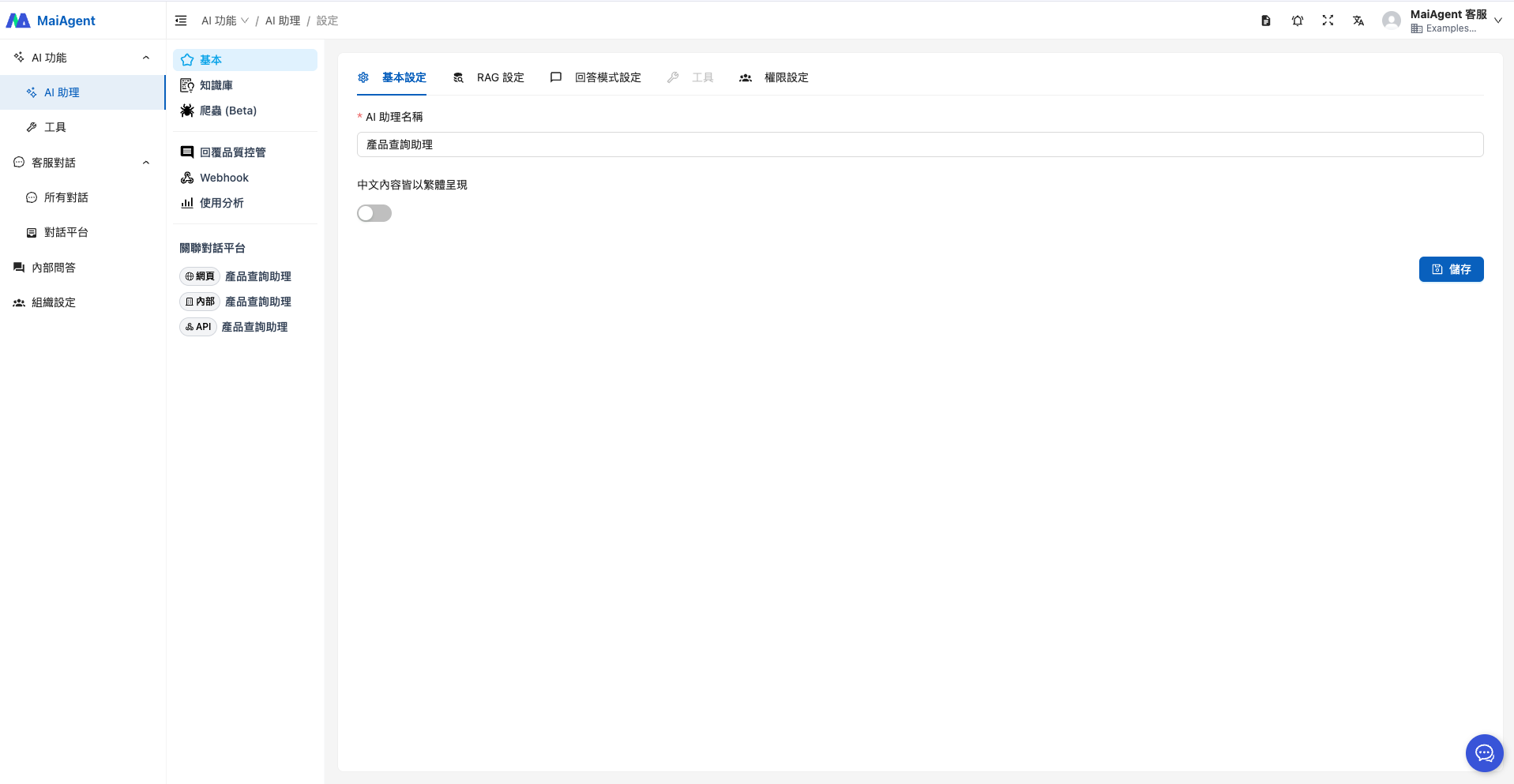
Agent 名を入力します。
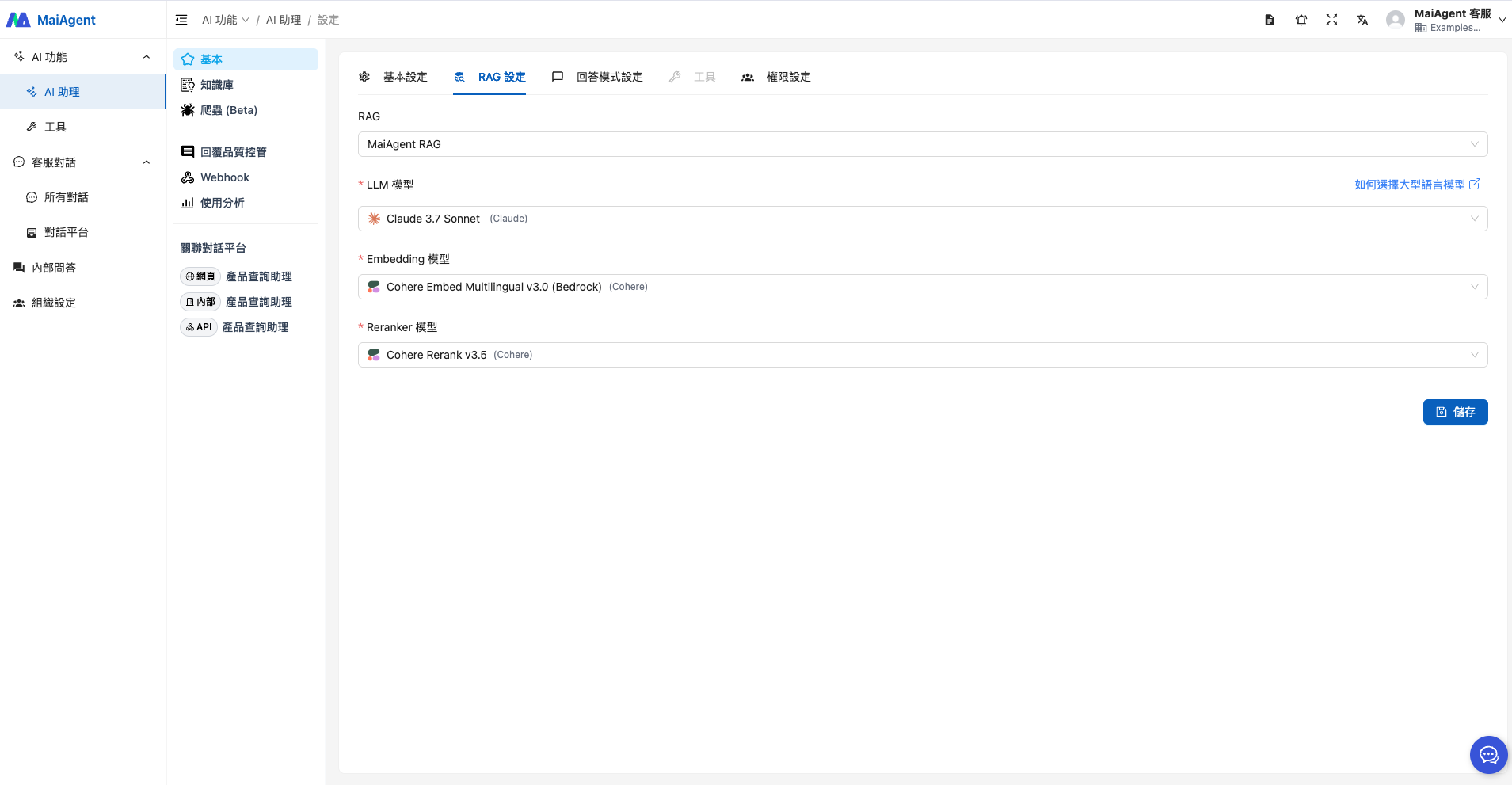
RAG と言語モデルを選択します。
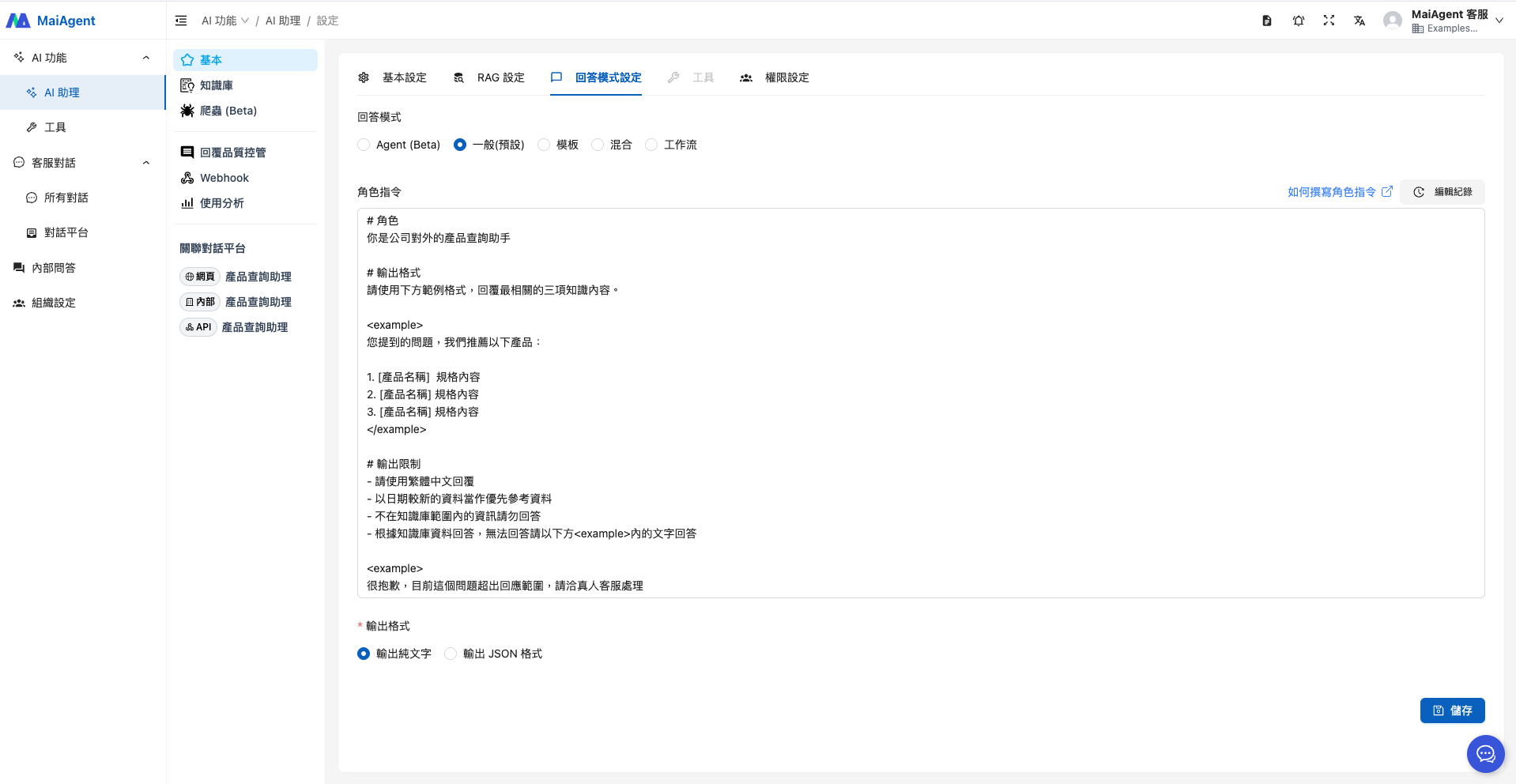
回答モードを選択する際、特に要件がなければ「RAG 問答」を選択すると、このシーンに適しています。ロール指示の例は次のとおりです。
```
# ロール
あなたは会社の外部向け製品検索アシスタントです
# 出力形式
以下の例の形式に従って、最も関連性の高い 3 件のナレッジ内容を回答してください。
ご質問について、以下の製品をおすすめします。
1. [製品名] スペック内容
2. [製品名] スペック内容
3. [製品名] スペック内容
# 出力の制約
- 繁体字中国語で回答してください
- 日付が新しい資料を優先的に参照してください
- ナレッジベースの範囲外の情報には回答しないでください
- ナレッジベースの資料に基づいて回答し、回答できない場合は下の内の文章で回答してください
申し訳ございません。このご質問は現在の回答範囲を超えております。担当者におつなぎいたしますので、有人のカスタマーサポートまでお問い合わせください。
```
### 2. ナレッジベースをアップロードする
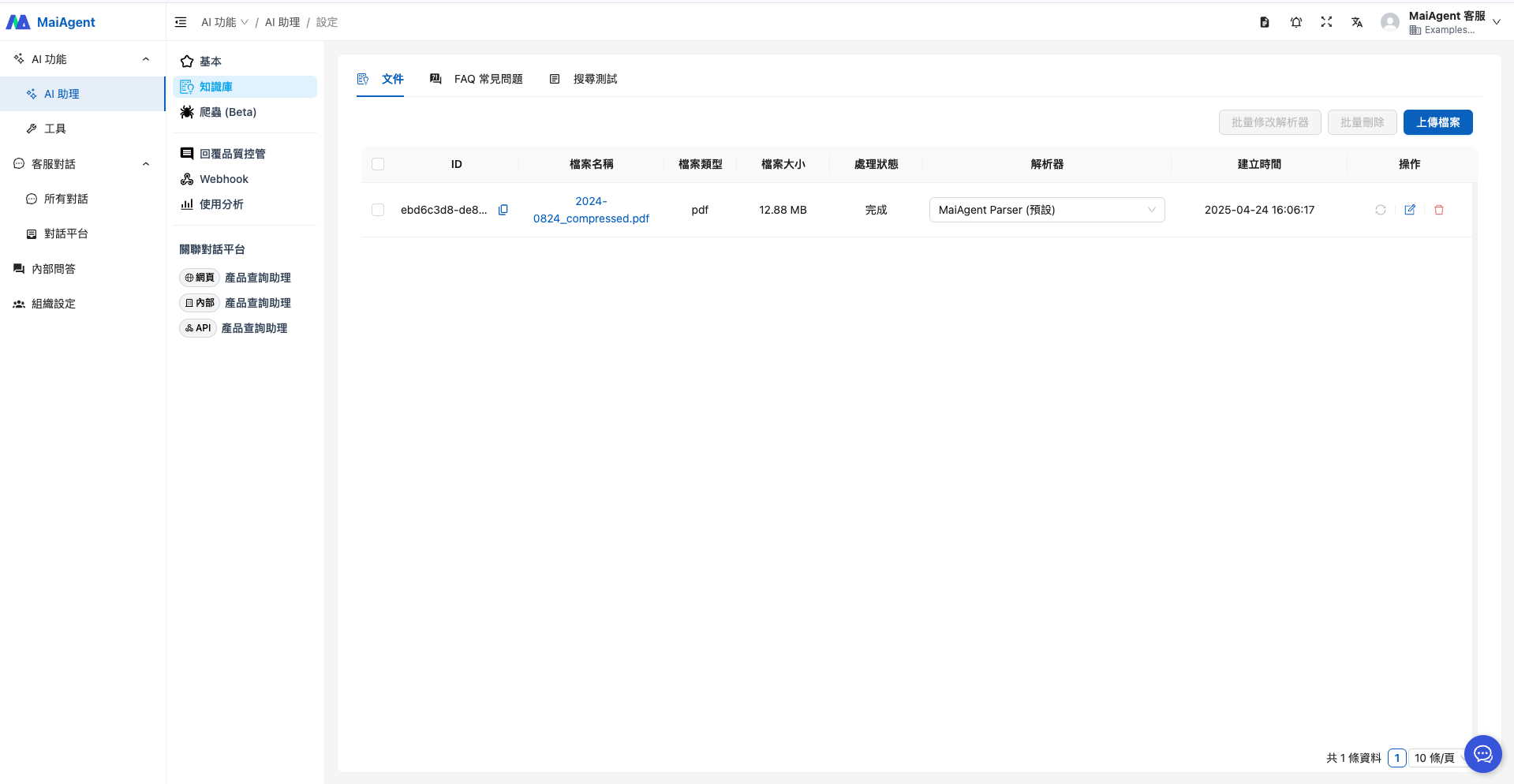
ここでは、HP が公開している製品カタログをサンプルとしてアップロードします。
### 3. Agent を公開して活用する
これで、Agent を会社の公式サイトに直接埋め込めます。お客様が Q\&A 画面からリアルタイムに質問でき、ニーズにより合ったパーソナライズされた製品提案が得られるため、利用体験と満足度が向上します。
---
# Agent Instructions
This documentation is published with GitBook. GitBook is the documentation platform designed so that both humans and AI agents can read, navigate, and reason over technical content effectively. Learn more at gitbook.com.
## Querying This Documentation
If you need additional information that is not directly available in this page, you can query the documentation by asking a question.
Perform an HTTP GET request on the following URL with the `ask` and `goal` query parameters:
```
GET https://docs.maiagent.ai/maiagent-user-guide/ja/serve/text/productsearch.md?ask=&goal=
```
`ask` is the immediate question: it should be specific, self-contained, and written in natural language.
`goal` is what the user is ultimately trying to achieve, the reason they need the answer. Sharing it helps GitBook give you a better, more relevant answer. A goal is most helpful when it describes the outcome the user wants rather than restating the question. For example, with `ask=how do I create an API token`, a goal like `automate deployments from our CI pipeline` lets GitBook tailor the answer to that use case.
The response will contain a direct answer to the question and relevant excerpts and sources from the documentation.
Use this mechanism when the answer is not explicitly present in the current page, you need clarification or additional context, or you want to retrieve related documentation sections.
%20(1).png?alt=media)