> For the complete documentation index, see [llms.txt](https://docs.maiagent.ai/llms.txt). Markdown versions of documentation pages are available by appending `.md` to page URLs; this page is available as [Markdown](https://docs.maiagent.ai/maiagent-user-guide/ja/meeting-records/meeting-detail.md).
# 会議記録の詳細
会議の録音処理が完了すると、詳細ページで会議内容の全文を確認できます。
## ページ構成
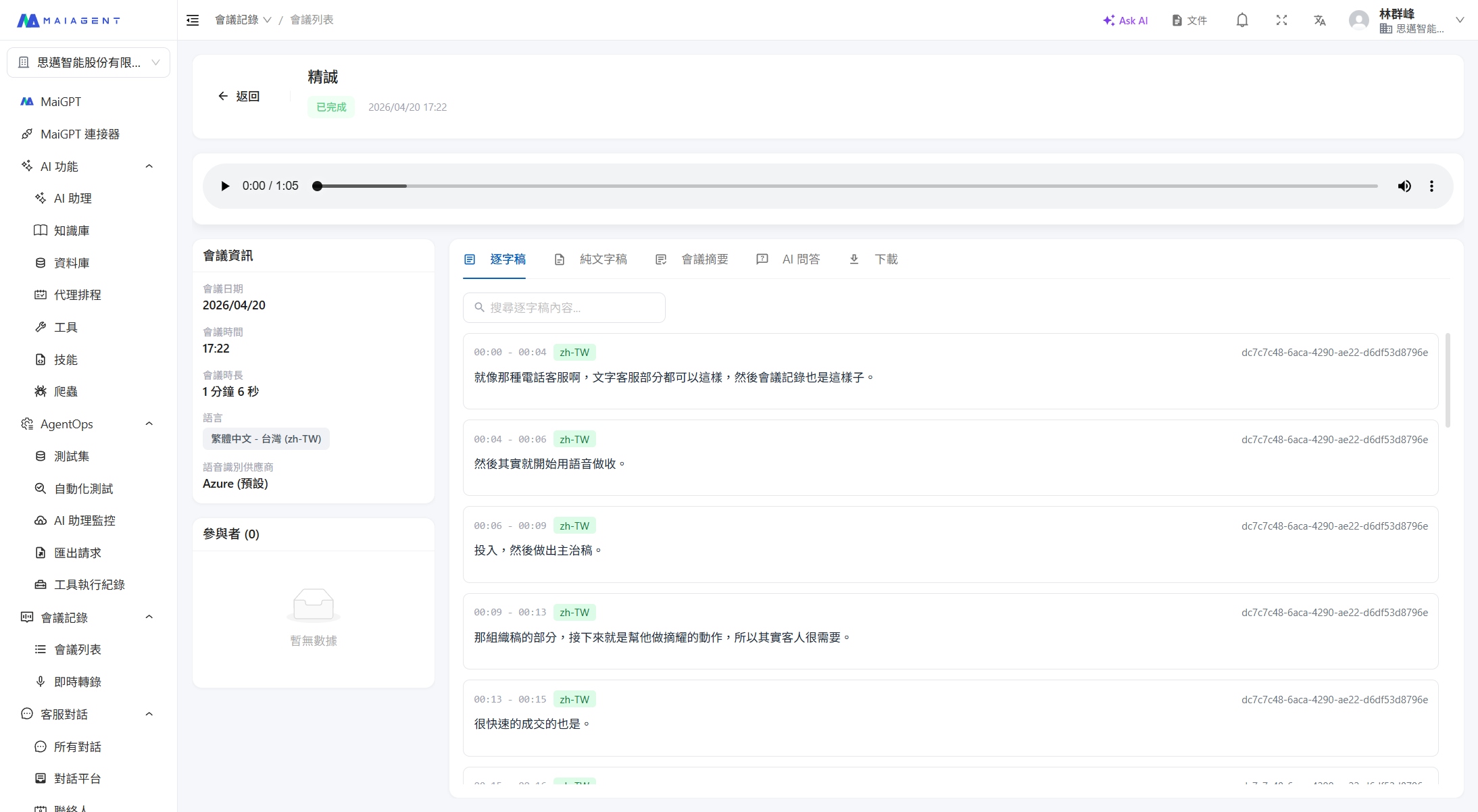
詳細ページには以下の領域が含まれます。
* **オーディオプレーヤー**:会議録音の MP3 を再生します。リアルタイム会議にバックアップ音声がある場合は、プレーヤー上部で「元の音声/バックアップ音声」を切り替えられます。詳しくは[会議記録のバックアップ音声](/maiagent-user-guide/ja/meeting-records/backup-audio.md)をご覧ください
* **会議情報カード**:会議名、参加者、録音時間、作成日時
* **コンテンツタブ**:文字起こし、プレーンテキスト、要約、AI 問い合わせ、ダウンロード
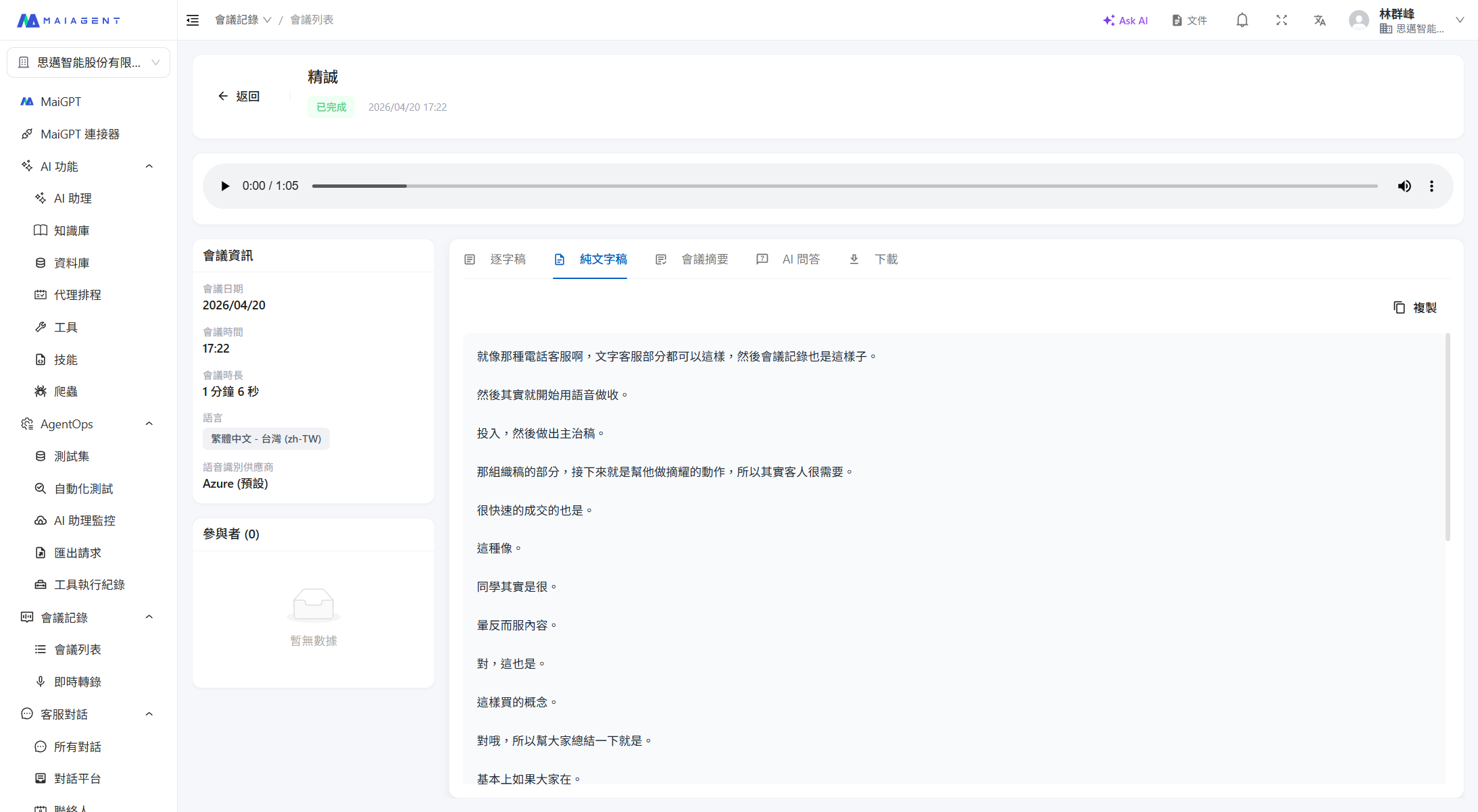
## 文字起こしタブ
文字起こしをプレーンテキスト形式で表示し、会議内容全文の閲覧やコピーを容易にします。こちらもキーワード検索に対応しています。
## 会議情報サイドバー
右側サイドバーには以下が表示されます:
* **基本情報**:会議日時、会議時間、会議時間の長さ、音声認識プロバイダー
* **参加者**:この会議のアクセスリスト(作成者にはホストラベルが表示されます)。メンバーの追加・削除が可能です。詳しくは[会議アクセス権限](/maiagent-user-guide/ja/meeting-records/access-control.md)をご覧ください
* **外部参加者**:組織メンバーではない出席者の名前です。追加・削除が可能です。テキストのみのリストで、アクセス権を表すものではありません。詳しくは[外部参加者](/maiagent-user-guide/ja/meeting-records/access-control.md#external-participants)をご覧ください
---
# Agent Instructions
This documentation is published with GitBook. GitBook is the documentation platform designed so that both humans and AI agents can read, navigate, and reason over technical content effectively. Learn more at gitbook.com.
## Querying This Documentation
If you need additional information that is not directly available in this page, you can query the documentation dynamically by asking a question.
Perform an HTTP GET request on the current page URL with the `ask` query parameter, and the optional `goal` query parameter:
```
GET https://docs.maiagent.ai/maiagent-user-guide/ja/meeting-records/meeting-detail.md?ask=&goal=
```
`ask` is the immediate question: it should be specific, self-contained, and written in natural language.
`goal` is optional and describes the broader end goal you are ultimately trying to accomplish on behalf of the user. GitBook uses it to tailor the answer towards what is most useful for that goal.
The response will contain a direct answer to the question and relevant excerpts and sources from the documentation.
Use this mechanism when the answer is not explicitly present in the current page, you need clarification or additional context, or you want to retrieve related documentation sections.