> For the complete documentation index, see [llms.txt](https://docs.maiagent.ai/llms.txt). Markdown versions of documentation pages are available by appending `.md` to page URLs; this page is available as [Markdown](https://docs.maiagent.ai/maiagent-user-guide/en/work/km/meeting.md).
# Meeting Requirements Management
A meeting requirements management example. Integrate meeting records into a knowledge base so the Agent can answer questions about past decisions, requirement changes, and meeting conclusions to suppo
As an enterprise employee, you attend meetings frequently and often run into meeting records that are scattered and poorly managed, which makes it hard to quickly find and track past decisions and requirement changes. With MaiAgent, you can build your own internal AI meeting management assistant and move work forward more effectively.
## Use Case: Build an AI Meeting Management Assistant for a Software Company
Suppose you are a project manager at a software company. Internal and external requirements change often, and when communicating with stakeholders such as clients or managers, you may struggle to reach consensus quickly, or key decision-makers may repeatedly overturn earlier decisions, leaving you unable to quickly verify the basis for those decisions.
For example, your company has been commissioned by Daikin Co., Ltd. to develop a customized quotation management system. You have finished developing the version control feature based on the original requirements submitted by a specialist in the client's sales department. In a later meeting, however, the client's sales director asked to simplify the feature, and in the most recent meeting, the client's sales manager proposed far more complex requirements for the same feature.
In the past, facing repeated and contradictory requirement changes like these, you might have spent a great deal of time manually searching through meeting record files scattered across your computer to find the basis for a decision, which was both time-consuming and exhausting.
Now you can use MaiAgent to build an internal meeting management assistant that quickly gives you the complete, up-to-date history of your meetings, improving information transparency and communication efficiency and effectively moving the project forward!
## Workflow
### 1. Create an AI Meeting Management Assistant
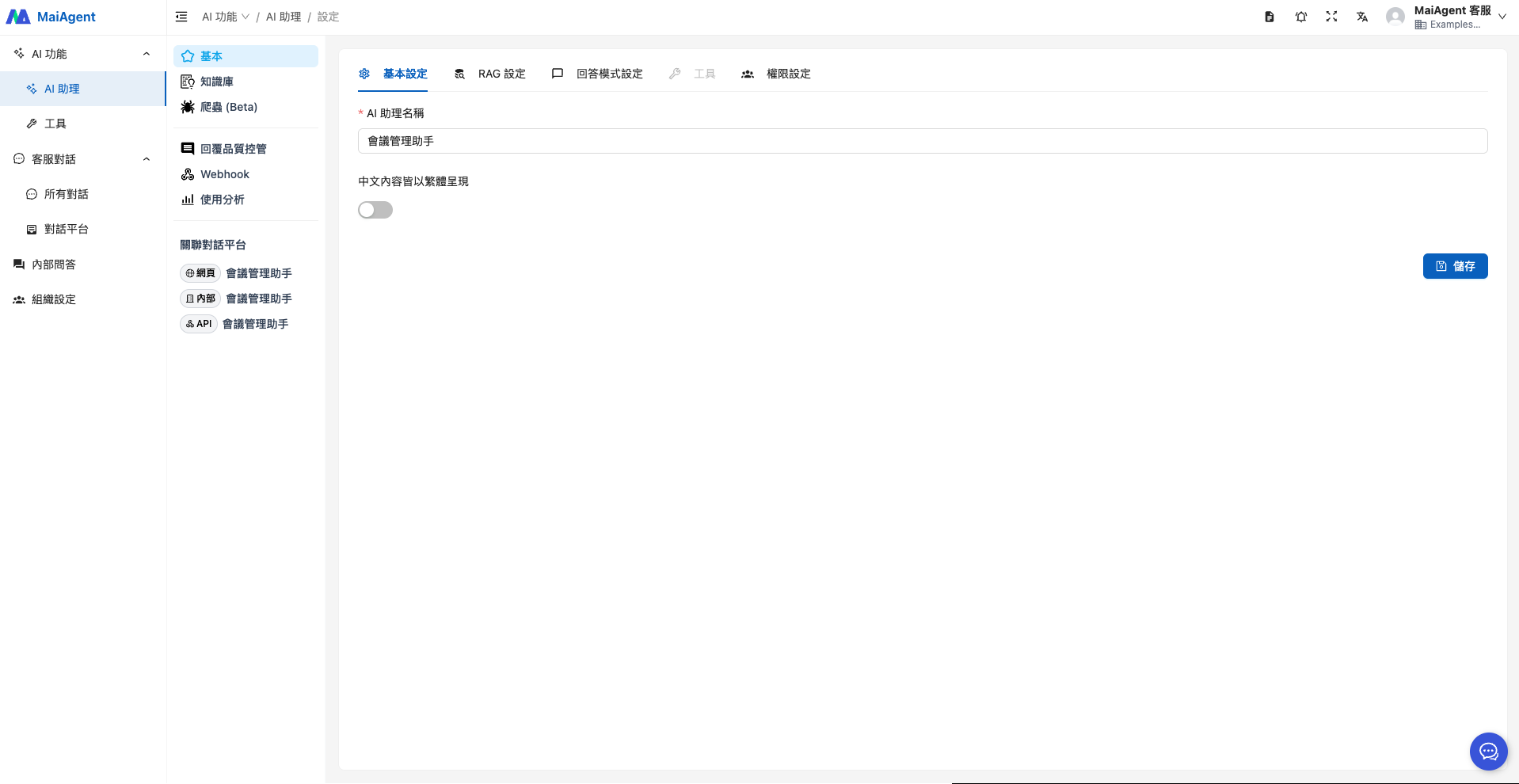
Enter the Agent name
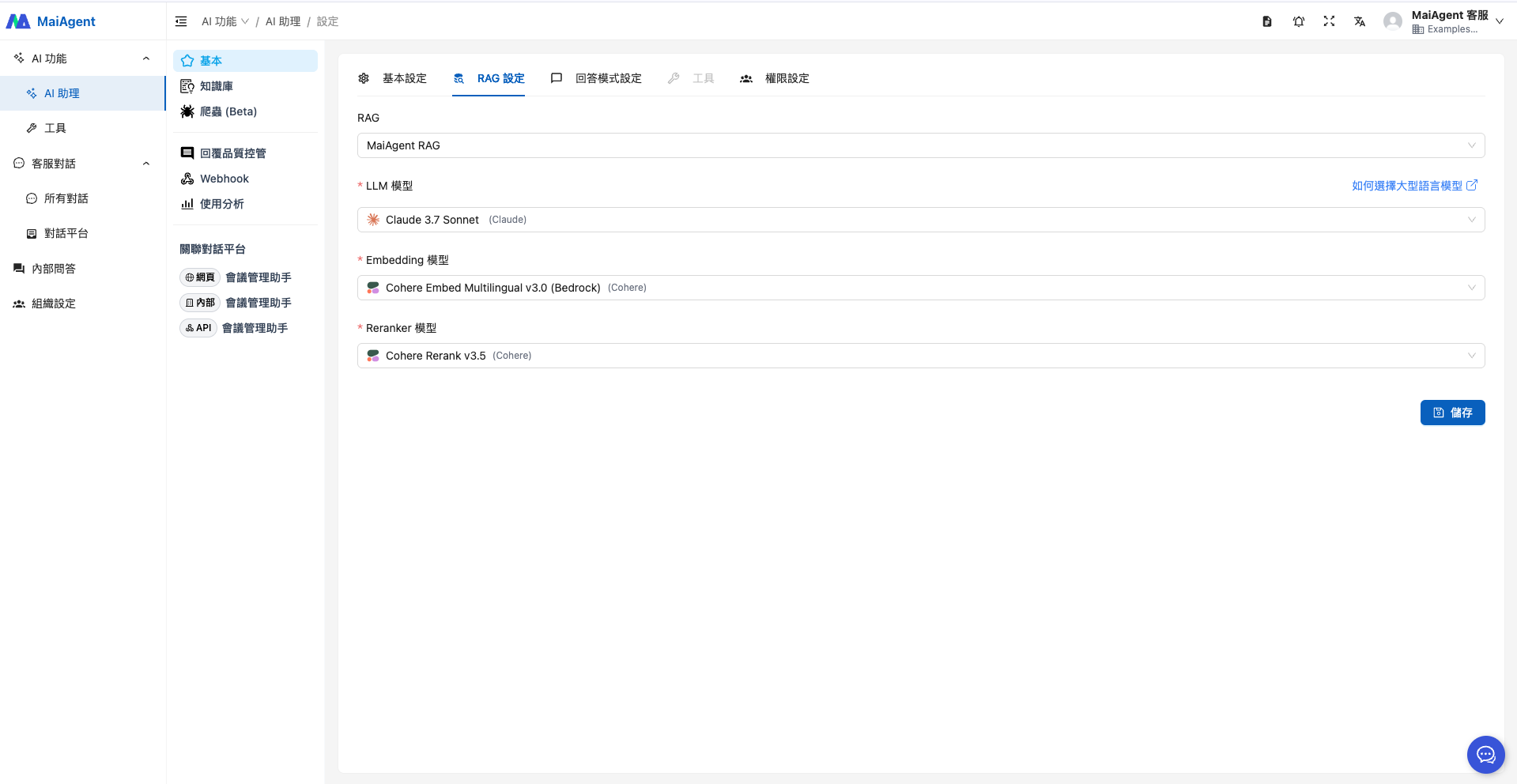
Select RAG and a language model
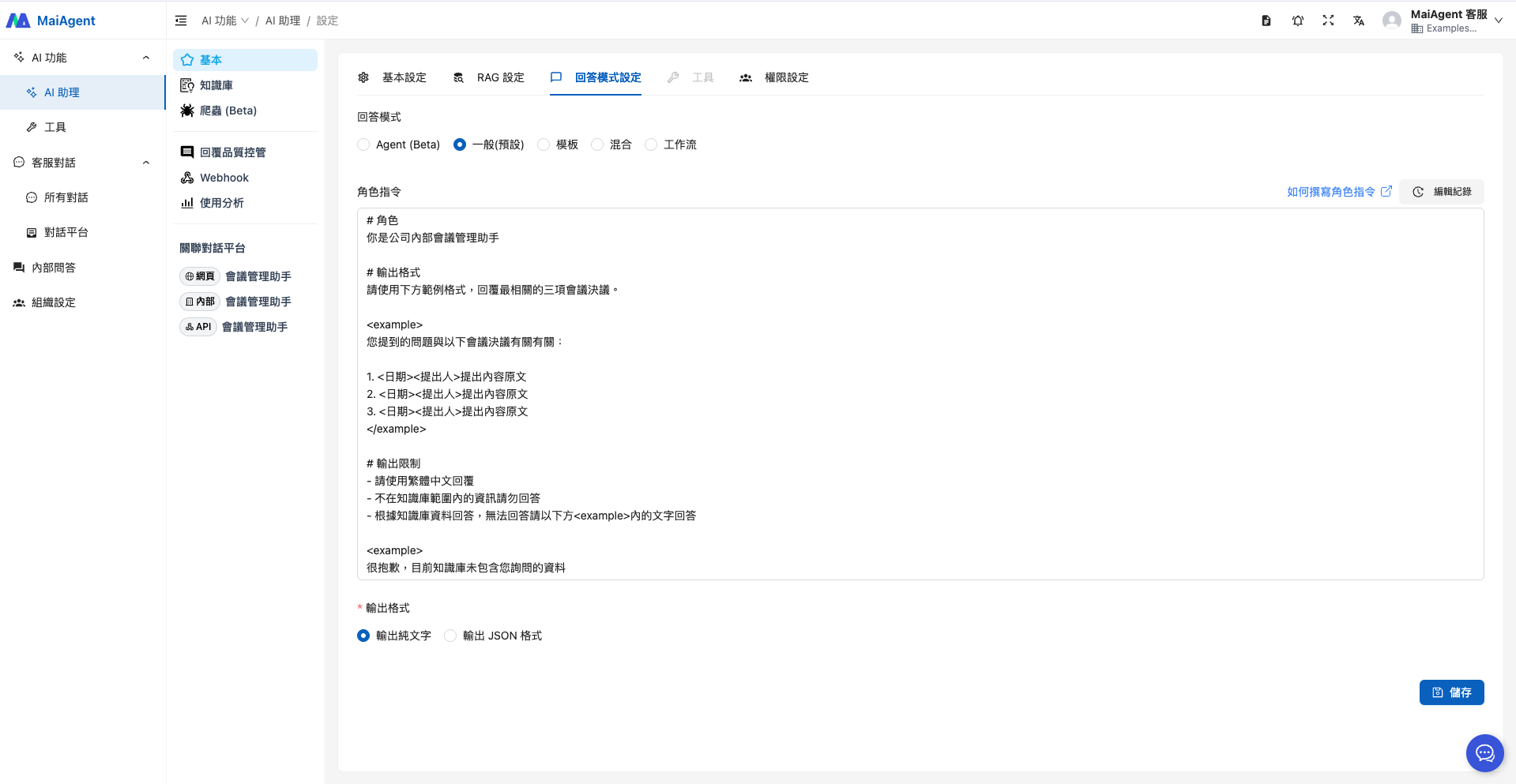
When selecting the response mode, if you have no special requirements, choose "RAG Q\&A", which fits this use case. For the role instructions, refer to the following:
```
# Role
You are the company's internal meeting management assistant
# Output Format
Use the example format below to reply with the three most relevant meeting decisions.
The question you raised is related to the following meeting decisions:
1. Original text of the proposal
2. Original text of the proposal
3. Original text of the proposal
# Output Restrictions
- Reply in Traditional Chinese
- Do not answer with information outside the knowledge base
- Answer based on the knowledge base; if you cannot answer, reply with the text in the below
Sorry, the knowledge base does not currently contain the information you asked about
```
### 2. Upload the Knowledge Base
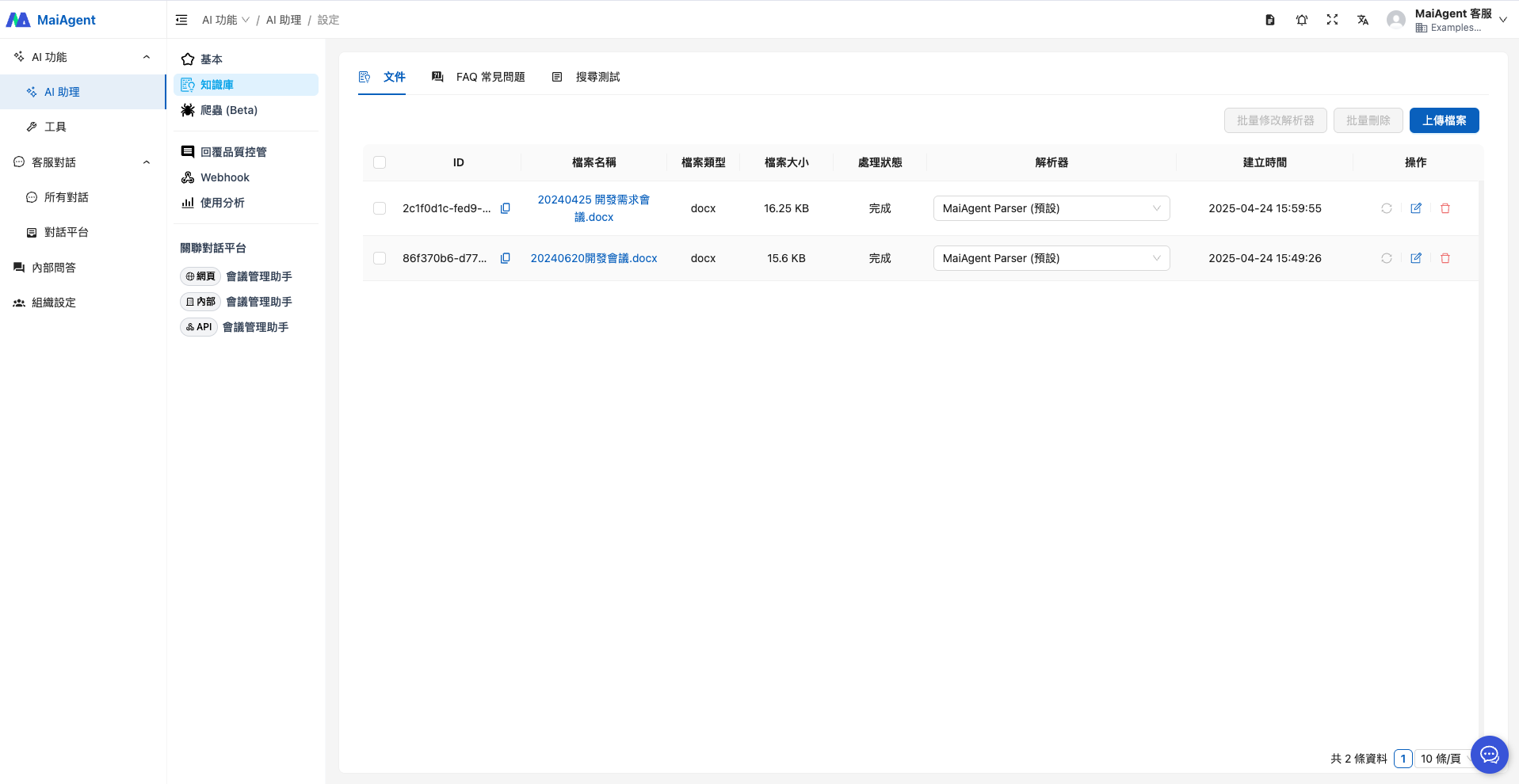
Upload the records of past meetings (the files below are examples designed for this use case)
### 3. Put the Agent into Use
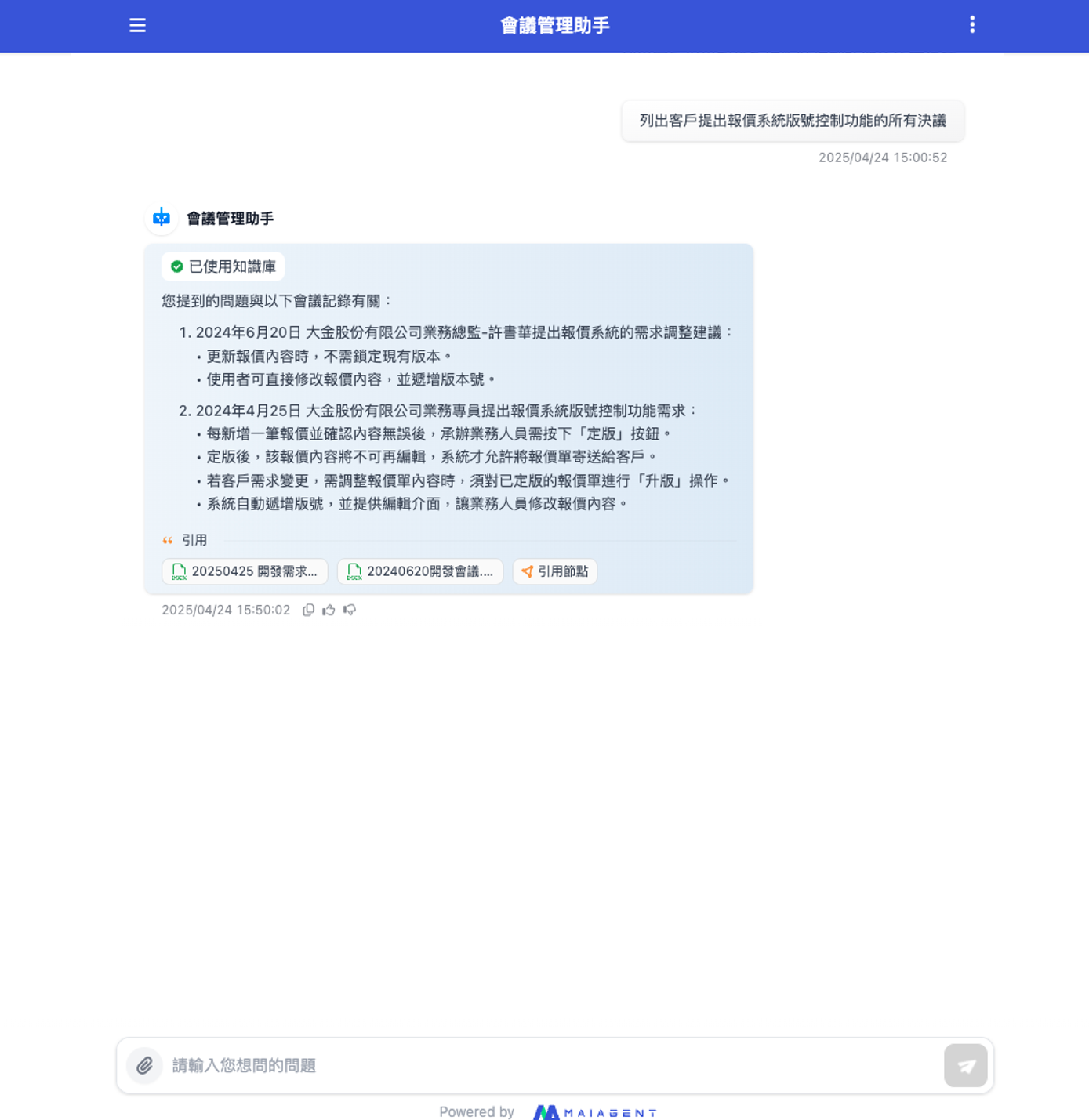
You can now ask questions directly in the Agent chat interface to quickly learn how the requirements for the quotation system's version control feature have changed and who proposed each requirement. The Agent also provides the relevant source files so you can verify the details further.
Now, you can ask questions directly in the Agent chat interface to quickly understand how the requirements for the quotation system's version control feature have changed and who proposed each requirement. The Agent also provides the source files so you can verify the details further.
This saves you a great deal of time searching for information, so you can focus on stakeholder management and coordination and keep the project moving.
---
# Agent Instructions
This documentation is published with GitBook. GitBook is the documentation platform designed so that both humans and AI agents can read, navigate, and reason over technical content effectively. Learn more at gitbook.com.
## Querying This Documentation
If you need additional information that is not directly available in this page, you can query the documentation by asking a question.
Perform an HTTP GET request on the following URL with the `ask` and `goal` query parameters:
```
GET https://docs.maiagent.ai/maiagent-user-guide/en/work/km/meeting.md?ask=&goal=
```
`ask` is the immediate question: it should be specific, self-contained, and written in natural language.
`goal` is what the user is ultimately trying to achieve, the reason they need the answer. Sharing it helps GitBook give you a better, more relevant answer. A goal is most helpful when it describes the outcome the user wants rather than restating the question. For example, with `ask=how do I create an API token`, a goal like `automate deployments from our CI pipeline` lets GitBook tailor the answer to that use case.
The response will contain a direct answer to the question and relevant excerpts and sources from the documentation.
Use this mechanism when the answer is not explicitly present in the current page, you need clarification or additional context, or you want to retrieve related documentation sections.