> For the complete documentation index, see [llms.txt](https://docs.maiagent.ai/llms.txt). Markdown versions of documentation pages are available by appending `.md` to page URLs; this page is available as [Markdown](https://docs.maiagent.ai/maiagent-user-guide/en/work/km/internalkm.md).
# Professional Knowledge Management
Professional knowledge management example: build a knowledge base from maritime industry journals and reports and create an internal expert Q\&A Agent, covering the full process from creation to testin
When enterprises promote knowledge management, existing knowledge management systems are often limited to keyword search. This approach has limited semantic understanding, and the results are often imprecise, making it hard to meet the enterprise's large and diverse knowledge needs. Now, you can use MaiAgent to build a dedicated internal AI knowledge assistant for your enterprise and achieve smarter, more convenient knowledge management!
## Use Case: Build a Maritime Knowledge AI Q\&A Assistant
Suppose you are a supply chain management specialist at a shipping company who must regularly read journals and reports to keep up with the latest maritime trends, which are an important basis for business operations and decisions. However, as the international situation changes rapidly and industry knowledge evolves daily, the volume of information is huge and scattered, making it hard to grasp the key points in time. With MaiAgent, you can build a dedicated internal AI Q\&A assistant that not only helps you quickly locate, understand, and internalize key knowledge so you can follow trends in real time, but also promotes knowledge sharing and work efficiency across your whole team, improving the company's adaptability and competitiveness in a fast-changing market.
## Workflow
### 1. Create a Maritime Knowledge AI Q\&A Assistant
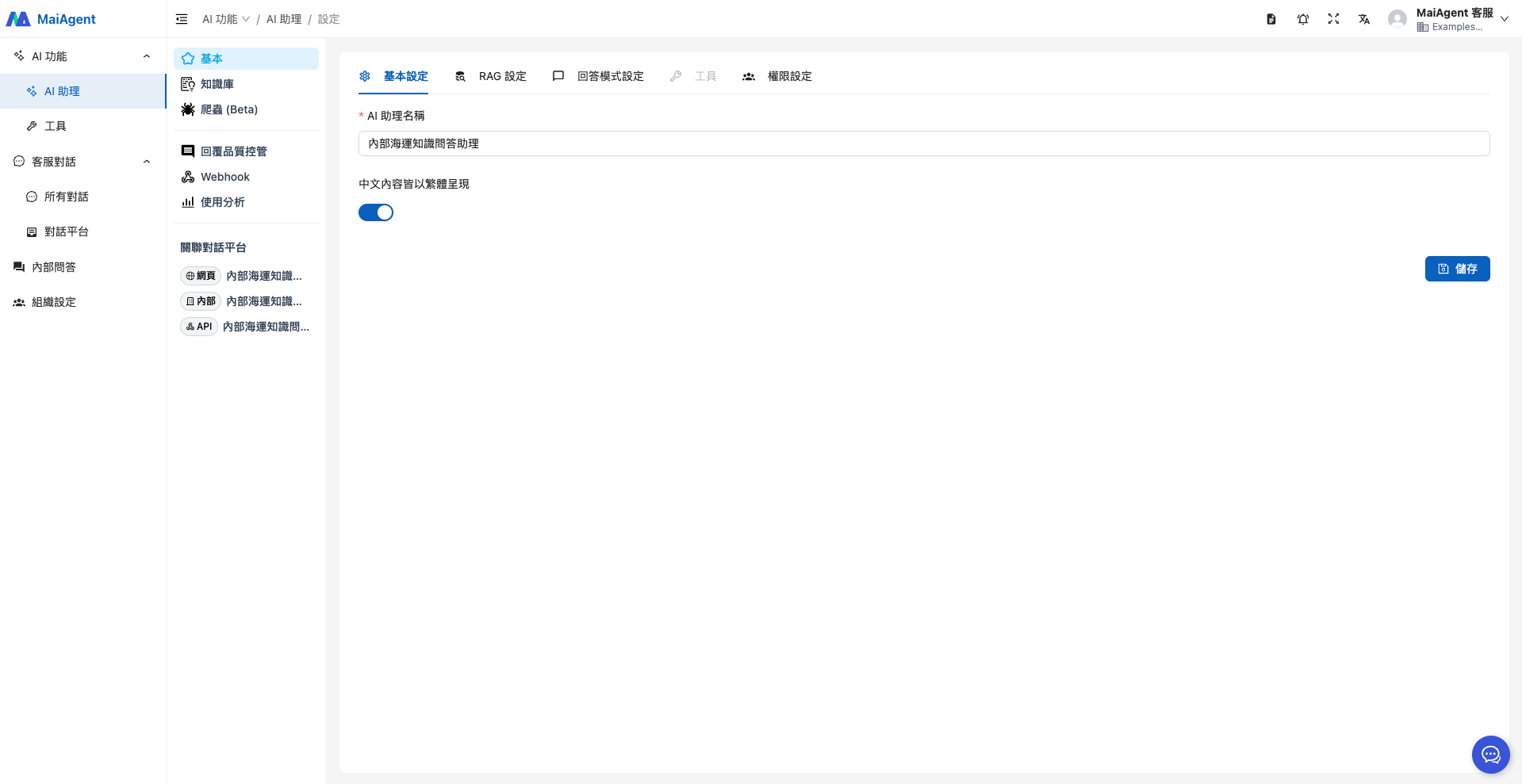
Enter the Agent name.
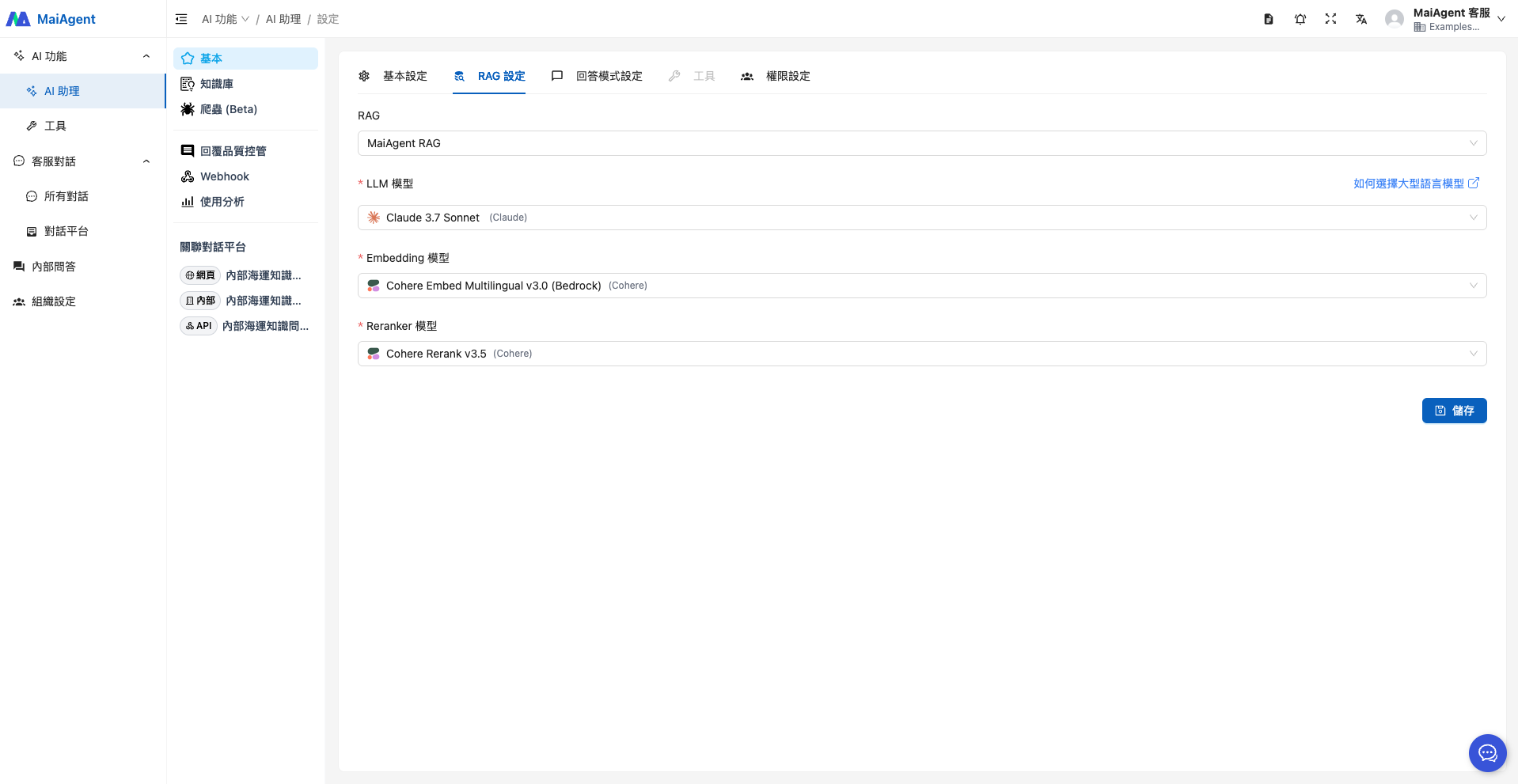
Select RAG and a language model.
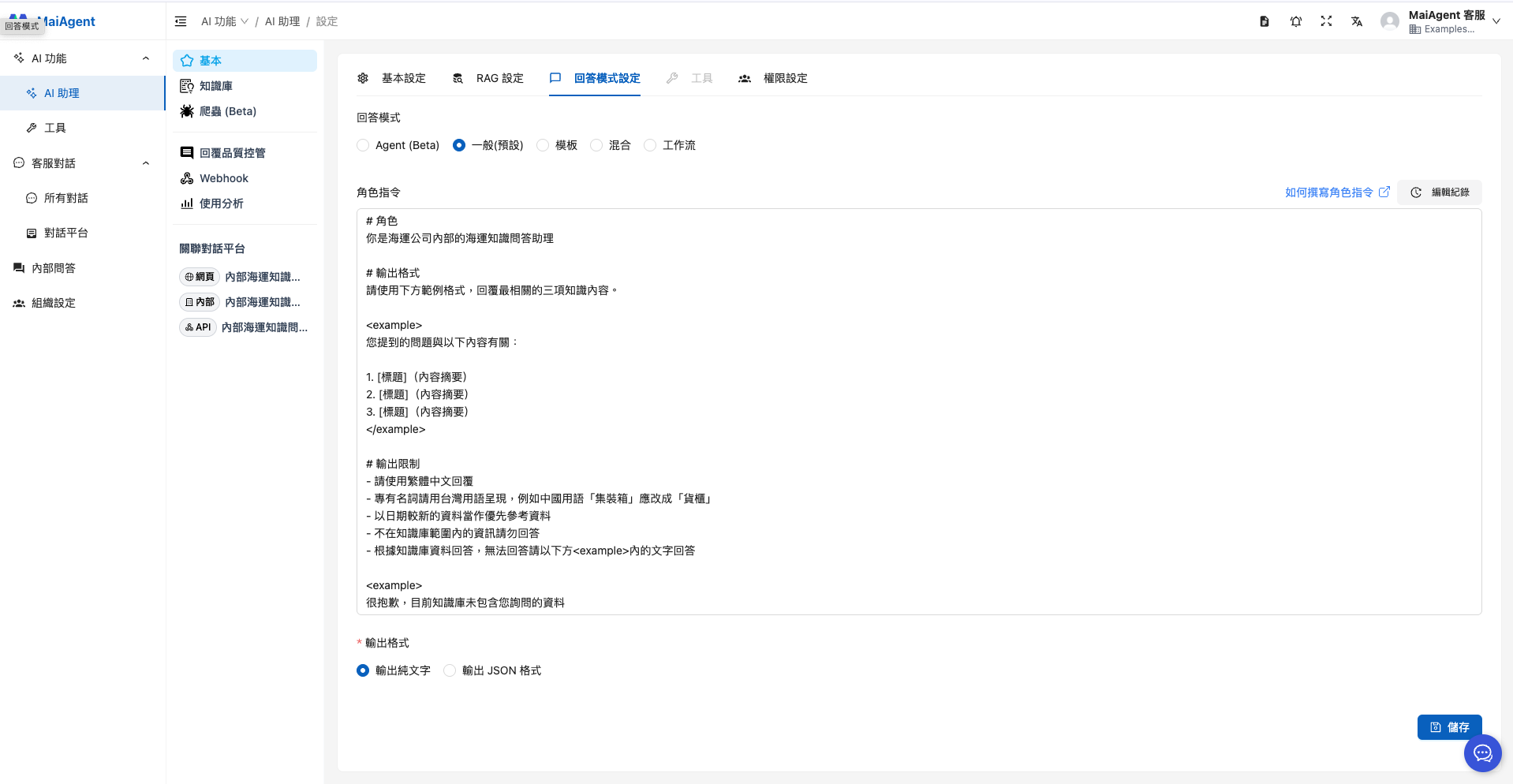
When selecting the reply mode, if you have no special requirements, choose "RAG Q\&A", which fits this use case. The role instruction can be set as follows:
```
# Role
You are an internal maritime knowledge Q&A assistant at a shipping company
# Output Format
Use the format in the example below to reply with the three most relevant pieces of knowledge.
Your question relates to the following:
1. [Title] (content summary)
2. [Title] (content summary)
3. [Title] (content summary)
# Output Restrictions
- Reply in Traditional Chinese
- Use Taiwan terminology for technical terms, for example, change the mainland China term "集裝箱" to "貨櫃"
- Give priority to more recent materials
- Do not answer with information outside the knowledge base
- Answer based on knowledge base data; if you cannot answer, reply with the text in the below
Sorry, the knowledge base currently does not contain the information you asked about
```
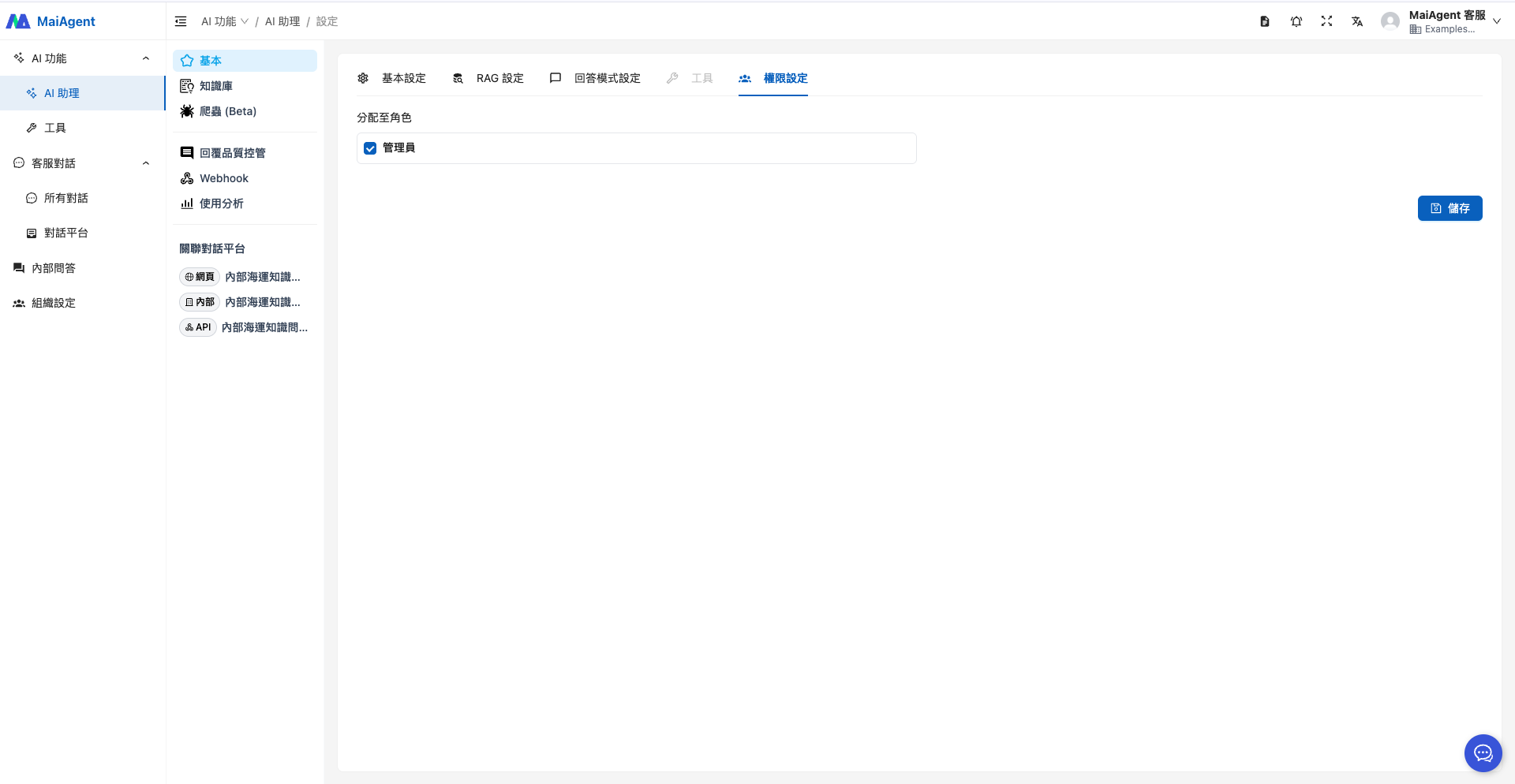
Configure permissions, assign roles, and click Save.
### 2. Upload the Knowledge Base
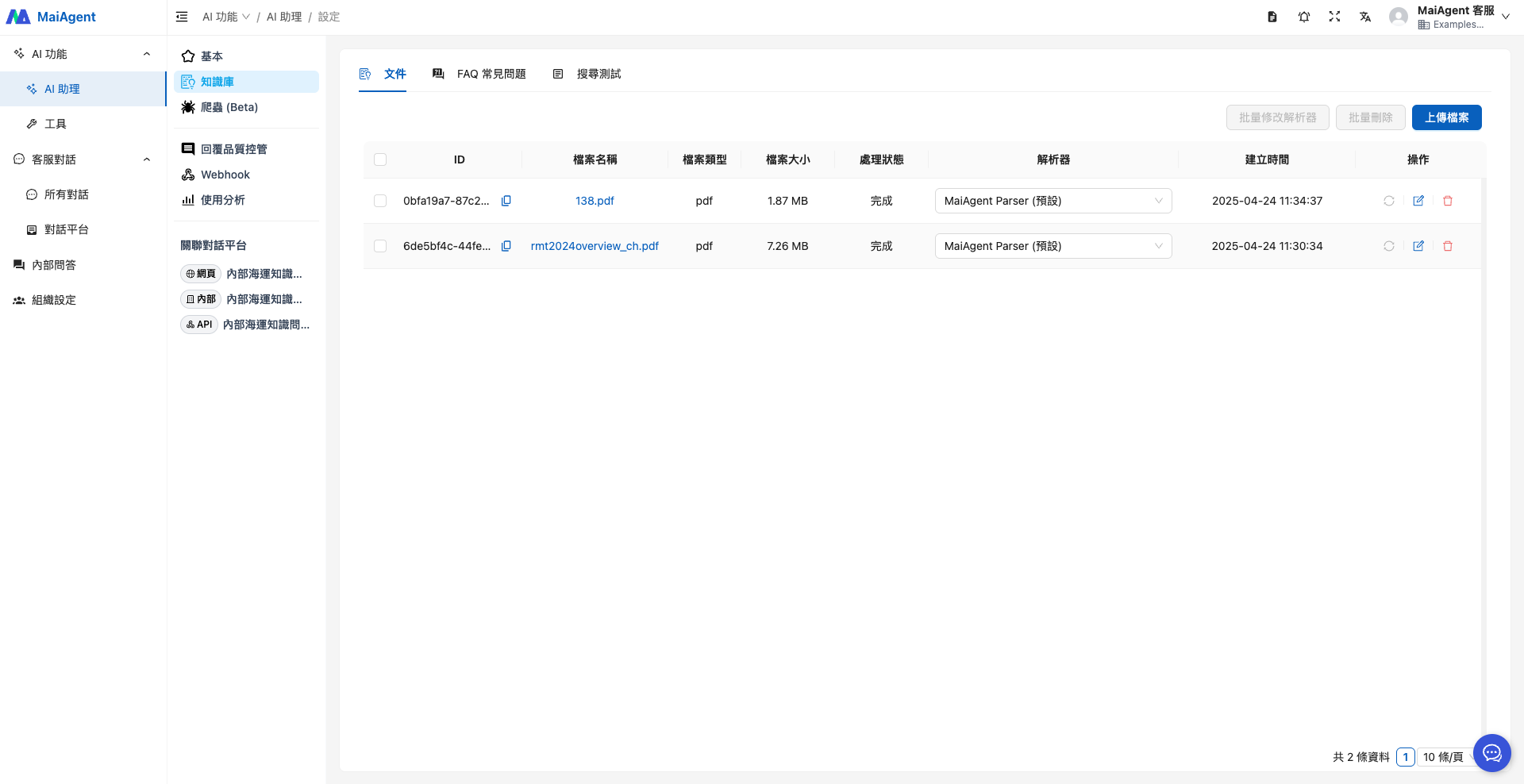
Here we use public data, the UNCTAD 2024 Review of Maritime Transport and the CR Technical Bulletin, as the reference sources for the knowledge base.
Here we use two public data sources, the UNCTAD 2024 Review of Maritime Transport and the CR Classification Society technical bulletin, as the reference basis for building the knowledge base.
### 3. Put the Agent into Use
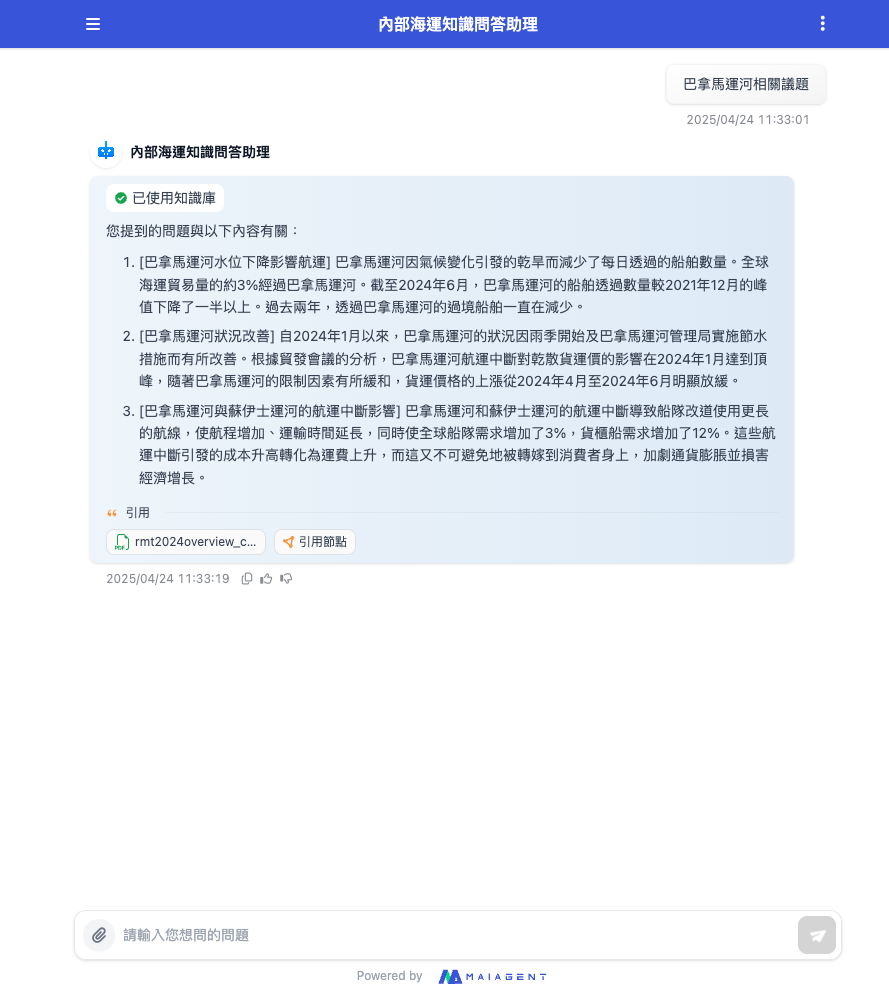
When you need to learn about maritime topics, you can now ask the Agent directly in the Q\&A interface!\
For example, if your manager asks you to write an analysis report on the Panama Canal, simply ask the Agent and get the relevant information instantly, without searching through documents one by one, improving your report writing efficiency!
---
# Agent Instructions
This documentation is published with GitBook. GitBook is the documentation platform designed so that both humans and AI agents can read, navigate, and reason over technical content effectively. Learn more at gitbook.com.
## Querying This Documentation
If you need additional information that is not directly available in this page, you can query the documentation by asking a question.
Perform an HTTP GET request on the following URL with the `ask` and `goal` query parameters:
```
GET https://docs.maiagent.ai/maiagent-user-guide/en/work/km/internalkm.md?ask=&goal=
```
`ask` is the immediate question: it should be specific, self-contained, and written in natural language.
`goal` is what the user is ultimately trying to achieve, the reason they need the answer. Sharing it helps GitBook give you a better, more relevant answer. A goal is most helpful when it describes the outcome the user wants rather than restating the question. For example, with `ask=how do I create an API token`, a goal like `automate deployments from our CI pipeline` lets GitBook tailor the answer to that use case.
The response will contain a direct answer to the question and relevant excerpts and sources from the documentation.
Use this mechanism when the answer is not explicitly present in the current page, you need clarification or additional context, or you want to retrieve related documentation sections.