> For the complete documentation index, see [llms.txt](https://docs.maiagent.ai/llms.txt). Markdown versions of documentation pages are available by appending `.md` to page URLs; this page is available as [Markdown](https://docs.maiagent.ai/maiagent-user-guide/en/work/km/finance.md).
# Financial Analysis Assistant
Financial analysis assistant example: use Canvas to generate interactive financial charts such as revenue and gross margin from natural language, replacing manual Excel reports.
Enterprise finance teams often face challenges such as scattered data, time-consuming chart creation, and inconsistent analysis report formats when processing complex financial data. Traditional financial analysis tools typically require tedious manual chart creation, which is inefficient and makes it difficult to respond quickly to management's demand for real-time financial insights. Now, you can use MaiAgent's Canvas visualization technology to build a dedicated enterprise financial AI analysis assistant and achieve intelligent financial data visualization and analysis!
## Use Case: Build an Enterprise Financial Data Visualization Agent
Suppose you are a financial analyst at a publicly listed company who needs to produce revenue reports, cost analysis charts, and financial dashboards for the board of directors every month. In the past, you might have spent hours manually creating various charts in Excel. This was not only time-consuming and labor-intensive, but chart formats were often inconsistent due to manual work, affecting the professionalism of your reports.
For example, when the CEO asks you for a "gross margin trend chart for all product lines over the past 12 months" just 30 minutes before a board meeting, the traditional approach requires you to urgently dig through data and recreate charts, often making it impossible to finish before the meeting.
Now, with MaiAgent Canvas technology, you simply describe your needs to the Agent in natural language, and the system immediately generates professional interactive financial charts. This not only greatly improves work efficiency but also ensures the accuracy and consistency of charts, letting you focus on higher-value financial analysis insights!
## Workflow
### 1. Create a Financial Data Analysis Agent
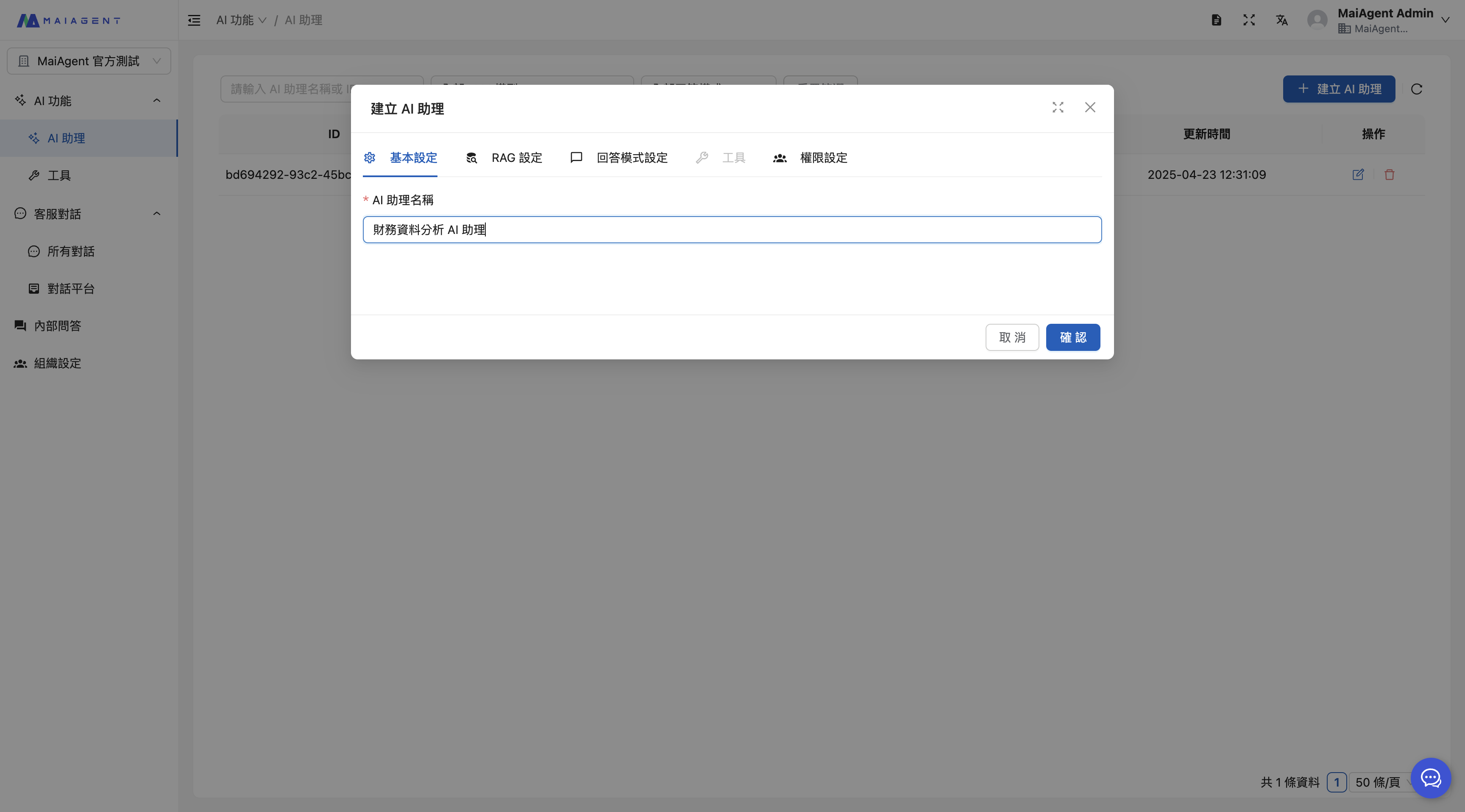
Enter the Agent name.
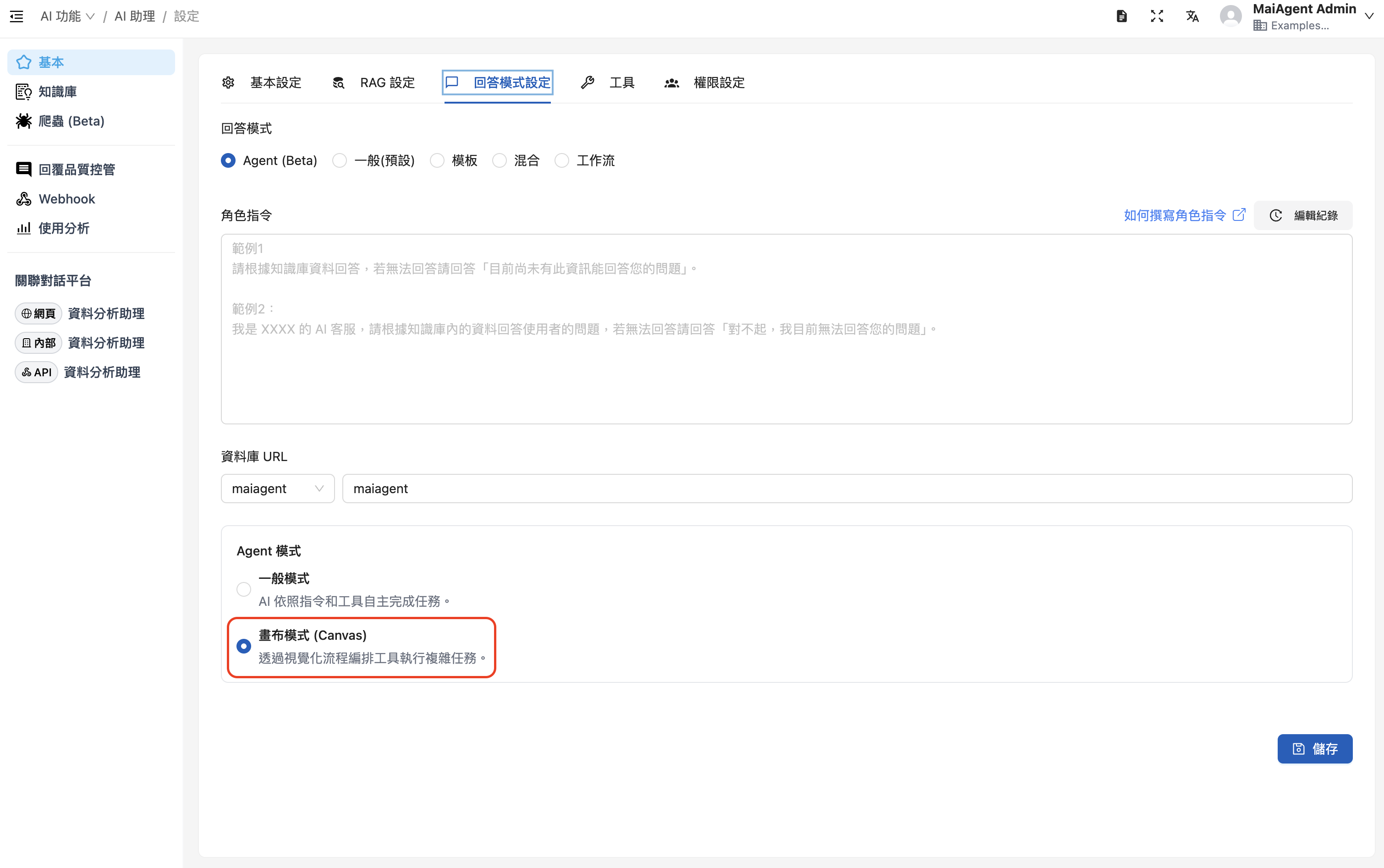
Select RAG and a language model, **and enable Canvas mode**.
Select Agent as the reply mode, then enable Canvas mode under Agent mode
When selecting the reply mode, choose "Agent mode" and enable "Canvas mode". The role instruction can be set as follows:
```
## Role Setting
You are a professional financial analysis expert, specializing in in-depth analysis and insights of corporate financial statements. Your task is to help users understand a specific company's financial condition, operating performance, and future potential.
## Core Task
Search the knowledge base for financial data to draw charts, and call tools that use React to produce dynamic financial analysis reports.
Whenever a user asks for a report, call the canvas tool to draw the relevant charts.
Present content with charts as much as possible.
## Output Requirements
1. **Structured report:** Present analysis results as a clear, well-organized report, including:
* **Summary:** A brief overview of overall financial performance.
* **Key findings:** List the most important financial highlights and issues.
* **Detailed analysis:** Explain the calculation results, trend analysis, and interpretation of each financial metric.
* **Chart visualization:** You **must** use the canvas tool to draw relevant charts to visualize data trends and comparisons.
* **Conclusions and recommendations:** Based on all the analysis, provide specific conclusions and actionable recommendations.
2. **Chart visualization:**
* Use a variety of chart types, for example:
* Line chart of revenue and net income trends
* Bar chart comparing profitability ratios
* Pie chart of asset and liability structure (showing the proportion of assets and liabilities)
* Cash flow trend chart (operating, investing, and financing cash flows)
* Annual trend charts of key financial ratios (such as ROE and ROA)
3. **Language and tone:** Respond in Traditional Chinese, with a professional, objective, and precise tone, avoiding vague wording.
4. **Interactivity:** If data is incomplete or needs further clarification, proactively ask questions to obtain more information, for example: "Please provide more detailed cash flow statement data so that I can perform a more comprehensive analysis."
```
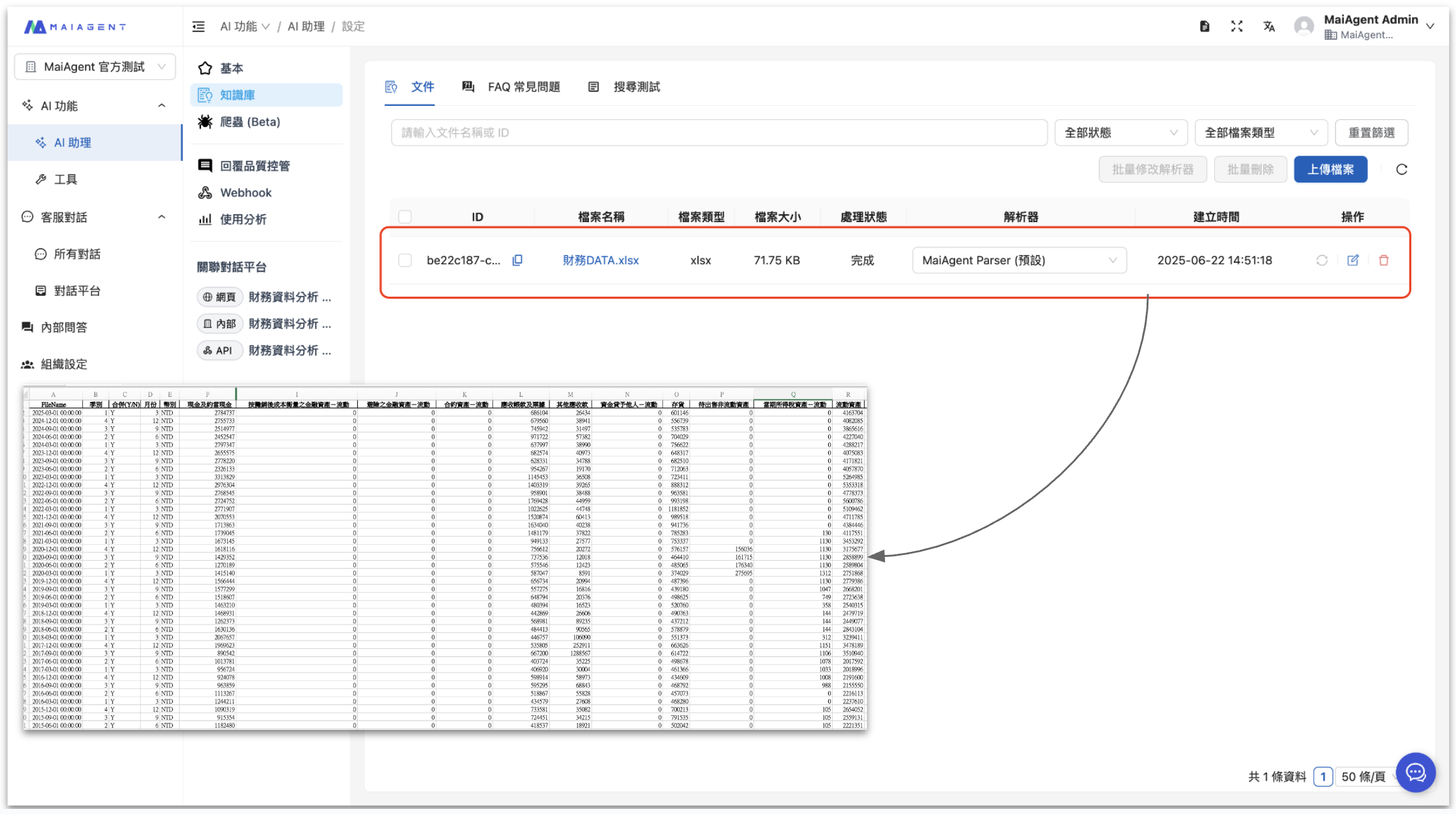
### 2. Upload the Financial Data Knowledge Base
Upload your company's financial data files, including:
* Monthly/quarterly income statements
* Balance sheets
* Cash flow statements
* Budget and actual expenditure data by department
* Product line revenue data
* Historical financial reports
### 3. Put the Agent into Use - Canvas Visualization
#### Real-Time Chart Generation
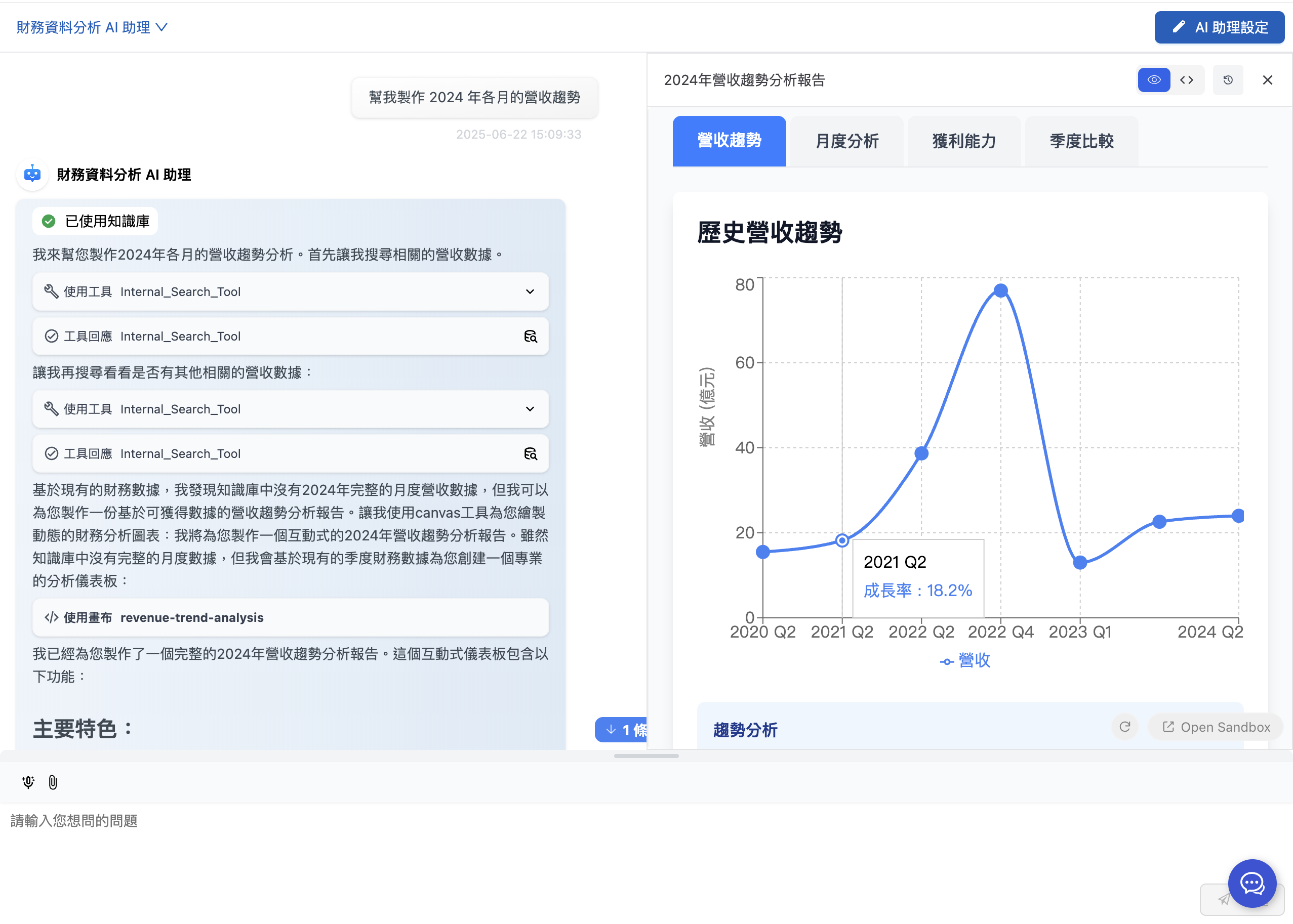
When you need to create a financial chart, simply make a request to the Agent. The system automatically decides and uses Canvas technology to generate the appropriate visual content:
**Example 1: Revenue trend analysis**\
Input: "Create a revenue trend chart for each month of 2024"\
→ The Agent uses **React Canvas** to generate an interactive multi-line trend chart
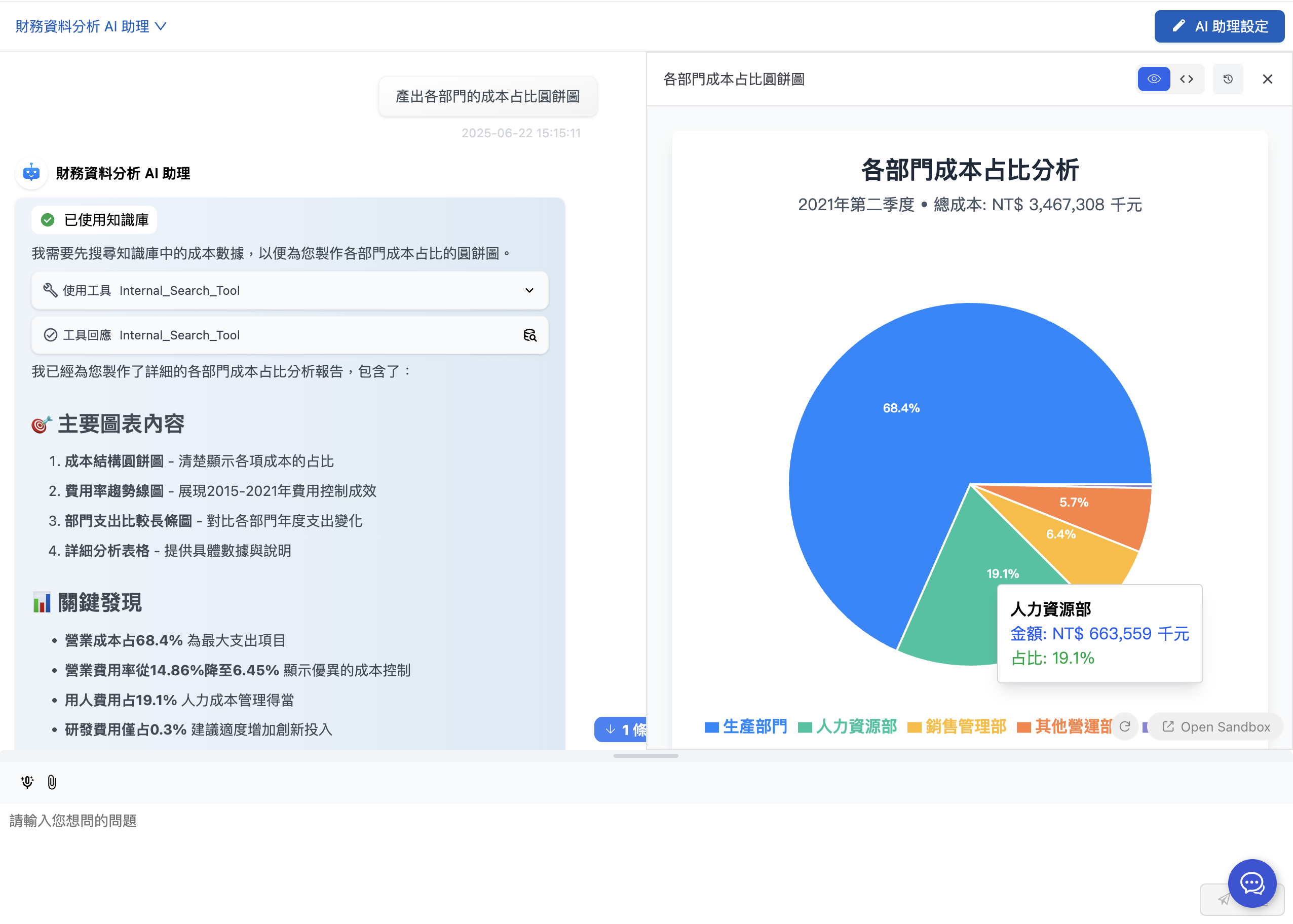
**Example 2: Cost structure analysis**\
Input: "Produce a pie chart of the cost share of each department"\
→ The Agent uses **SVG Canvas** to generate a professional vector pie chart
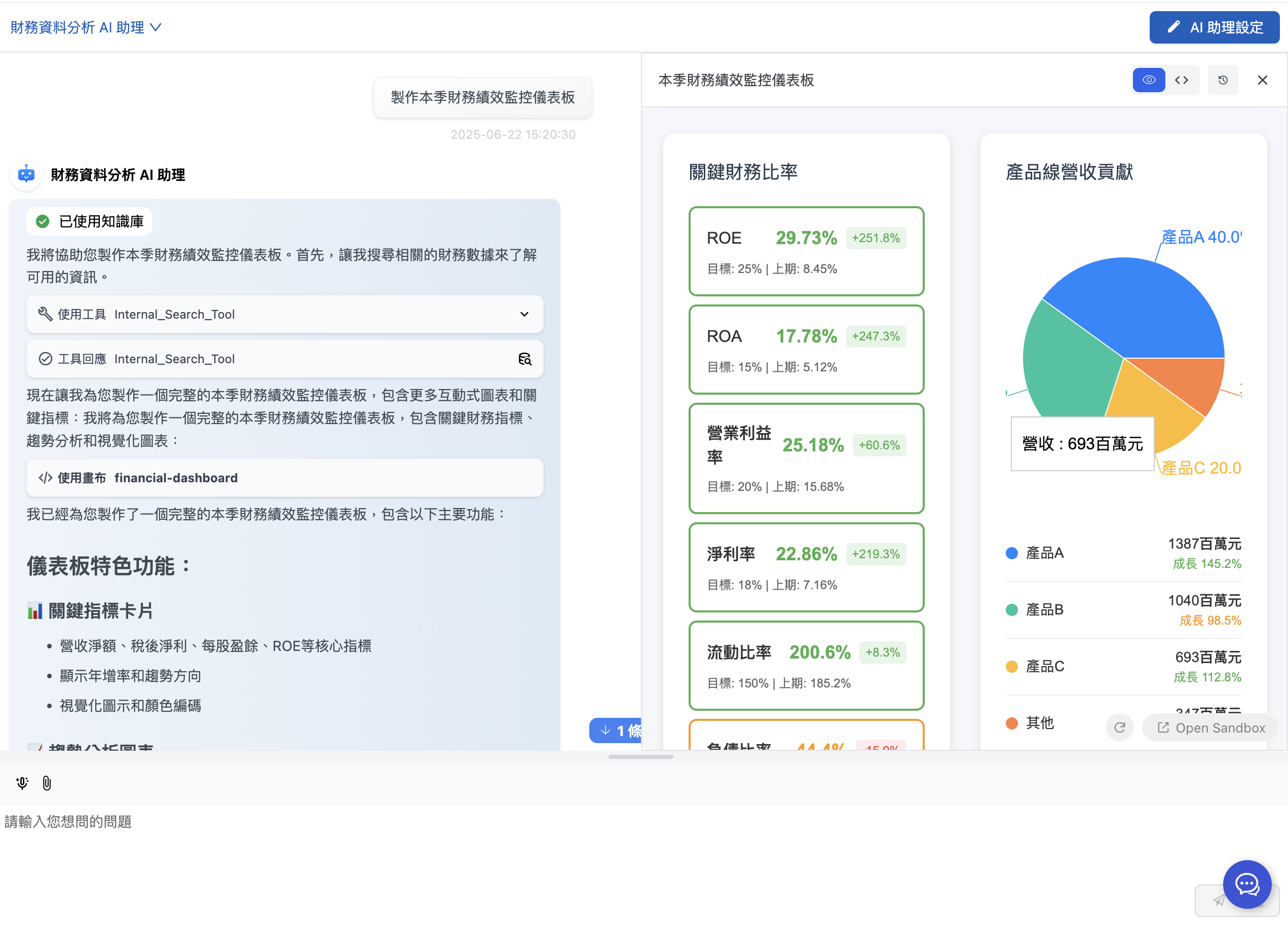
**Example 3: Financial dashboard**\
Input: "Build a financial performance monitoring dashboard for this quarter"\
→ The Agent uses **HTML/React Canvas** to generate a complete interactive dashboard
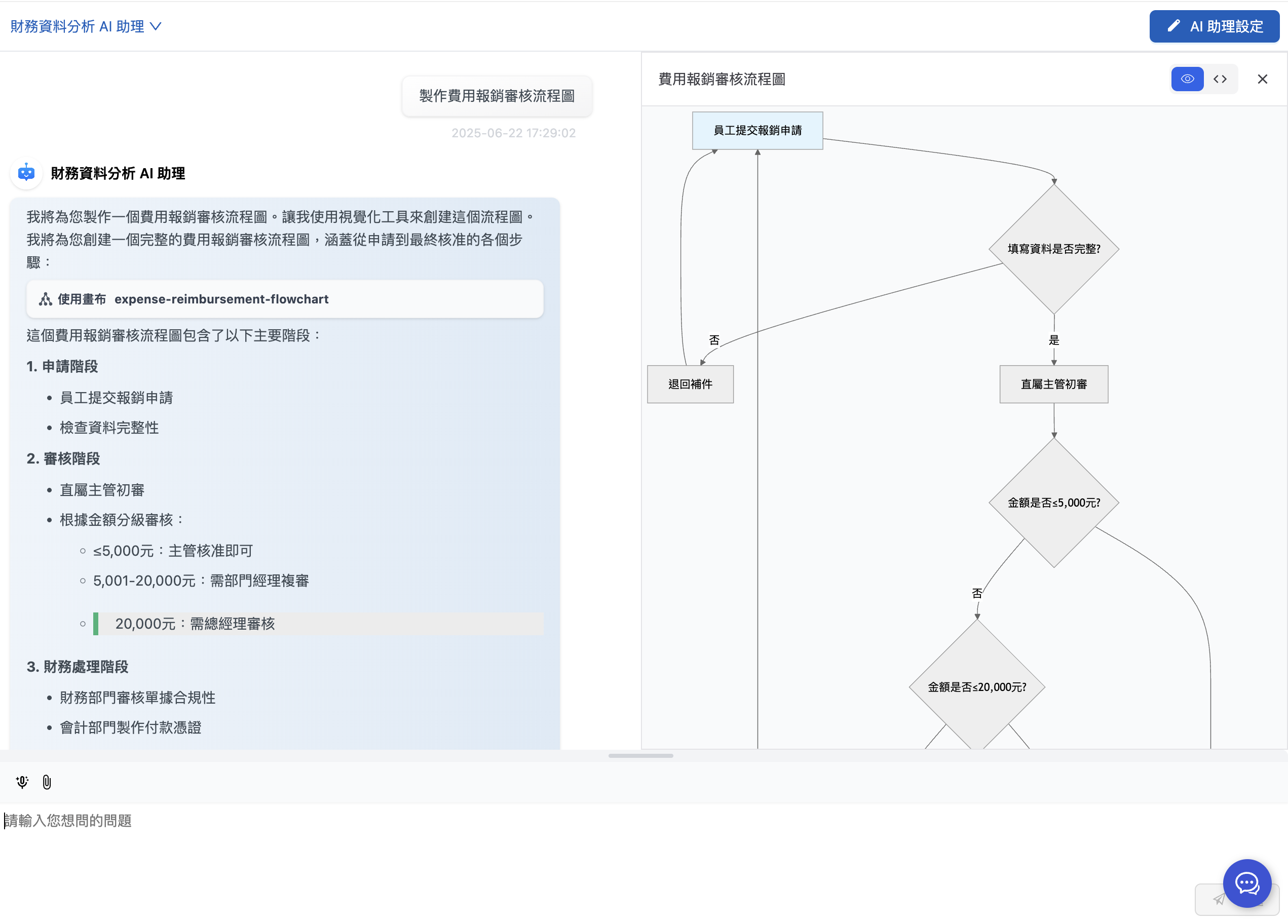
**Example 4: Financial approval process**\
Input: "Create an expense reimbursement approval flowchart"\
→ The Agent uses **Mermaid Canvas** to generate a clear flowchart
#### Demo Video
{% embed url="" %}
### 4. Canvas Advantages in Financial Applications
#### 🚀 Efficiency Boost
* **Instant generation**: From request to finished chart in just 30 seconds
* **Consistent formatting**: All charts follow your corporate visual identity standards
* **No manual work**: Create complex charts with natural language
#### 📊 Professional Quality
* **Interactive features**: Supports data filtering and time range adjustment
* **Responsive design**: Adapts to various screen sizes and output formats
* **Vector graphics**: The SVG format ensures clarity for printing and projection
#### 🔄 Flexible Adjustment
* **Instant edits**: Adjust chart styles and data ranges immediately
* **Multiple output formats**: Produce different visualization formats from the same data
* **Customization**: Adjust the presentation to different usage scenarios
#### 💼 Enterprise Integration
* **Brand consistency**: Integrates your corporate colors and font standards
* **Localization support**: Supports Taiwan accounting standards and currency formats
* **Security**: Financial data is processed locally, ensuring information security
With MaiAgent Canvas technology, finance teams can not only greatly improve work efficiency but also devote their time to more valuable financial analysis and strategic planning, truly achieving the goal of financial digital transformation!
**Try the financial data analysis assistant today, and make your financial reports more than numbers — make them visual insights!**
---
# Agent Instructions
This documentation is published with GitBook. GitBook is the documentation platform designed so that both humans and AI agents can read, navigate, and reason over technical content effectively. Learn more at gitbook.com.
## Querying This Documentation
If you need additional information that is not directly available in this page, you can query the documentation by asking a question.
Perform an HTTP GET request on the following URL with the `ask` and `goal` query parameters:
```
GET https://docs.maiagent.ai/maiagent-user-guide/en/work/km/finance.md?ask=&goal=
```
`ask` is the immediate question: it should be specific, self-contained, and written in natural language.
`goal` is what the user is ultimately trying to achieve, the reason they need the answer. Sharing it helps GitBook give you a better, more relevant answer. A goal is most helpful when it describes the outcome the user wants rather than restating the question. For example, with `ask=how do I create an API token`, a goal like `automate deployments from our CI pipeline` lets GitBook tailor the answer to that use case.
The response will contain a direct answer to the question and relevant excerpts and sources from the documentation.
Use this mechanism when the answer is not explicitly present in the current page, you need clarification or additional context, or you want to retrieve related documentation sections.