> For the complete documentation index, see [llms.txt](https://docs.maiagent.ai/llms.txt). Markdown versions of documentation pages are available by appending `.md` to page URLs; this page is available as [Markdown](https://docs.maiagent.ai/maiagent-user-guide/en/work/km/credit.md).
# Credit Analysis Assistant
Credit analysis assistant example: consolidate credit data and use Canvas to generate risk assessment charts and dashboards, speeding up credit reviews for financial institutions.
Corporate credit investigation teams often face challenges such as scattered data, time-consuming risk assessments, and inconsistent analysis report formats when handling complex credit data. Traditional credit analysis tools usually require tedious manual data verification, which is not only inefficient but also makes it hard to respond quickly to business departments' demands for real-time risk assessment. Now, you can use MaiAgent's Canvas visualization technology to build a dedicated AI credit analysis assistant for your enterprise and achieve intelligent visualization and analysis of credit data!
## Use Case: Build an Agent for Enterprise Credit Data Visualization
Suppose you are a credit analyst at a financial institution. Every day you review customer applications, prepare risk assessment reports, and present credit risk dashboards to the risk management committee. In the past, you may have spent hours looking up customer data across different systems and manually creating various risk assessment charts. This is not only time-consuming and laborious, but the results are also often inconsistent because of manual work, which affects the accuracy of decisions.
For example, when the business department urgently needs a "credit risk assessment report for a large corporate customer" within 30 minutes, the traditional approach requires you to rush to look up credit bureau data, analyze the financial situation, and evaluate guarantor conditions, and you often cannot finish before the business meeting.
Now, with MaiAgent Canvas, you only need to describe your needs to the Agent in natural language, and the system immediately generates professional interactive credit analysis charts. This greatly improves your efficiency and ensures accurate, consistent assessments, so you can focus on higher-value risk analysis insights!
## Workflow
### 1. Create a Credit Data Analysis Agent
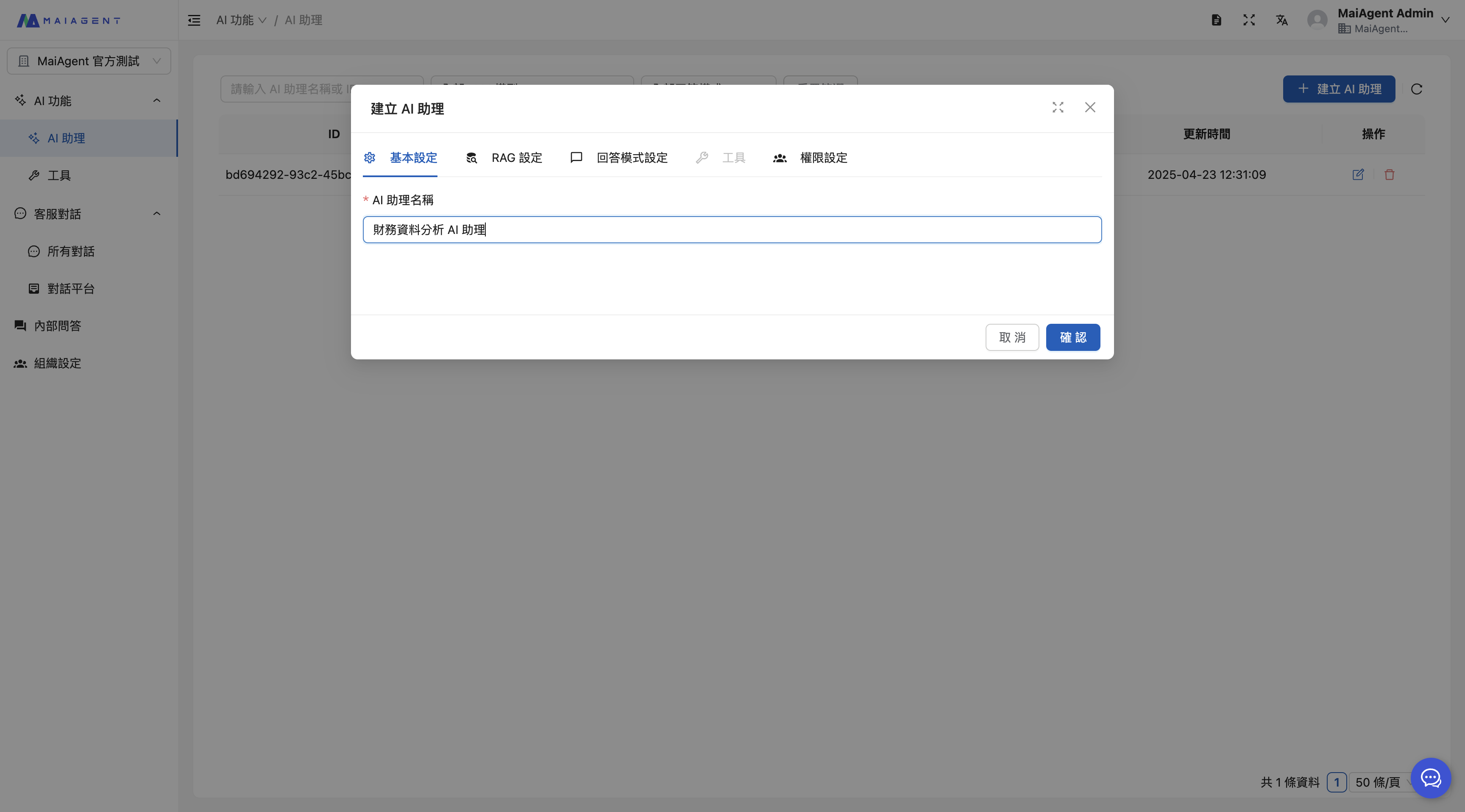
Enter the Agent name
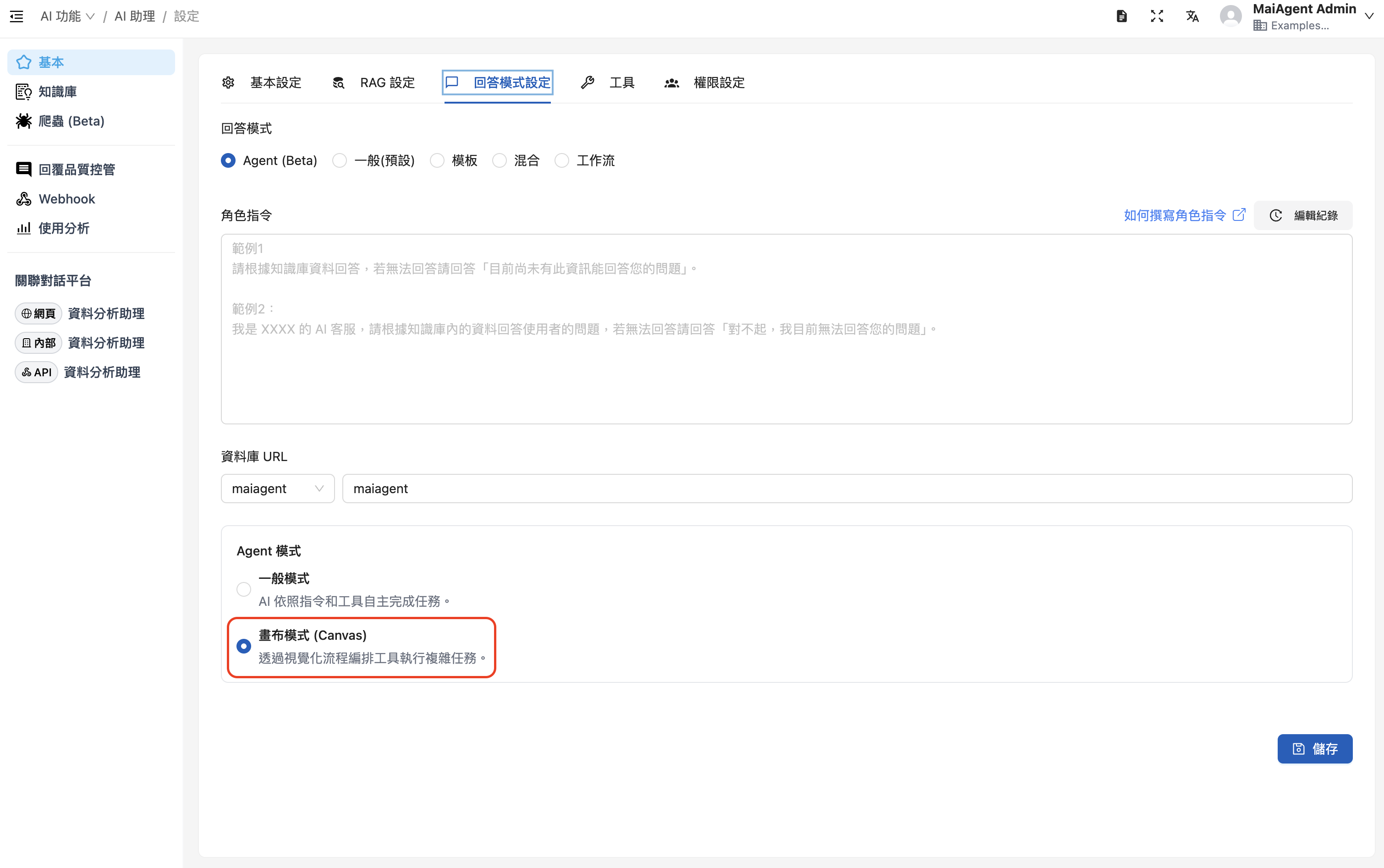
Select RAG and a language model, **and enable Canvas mode**
Select Agent as the reply mode, and enable Canvas mode under Agent mode
When selecting the answer mode, choose "Agent Mode" and enable "Canvas Mode". Refer to the following role instructions:
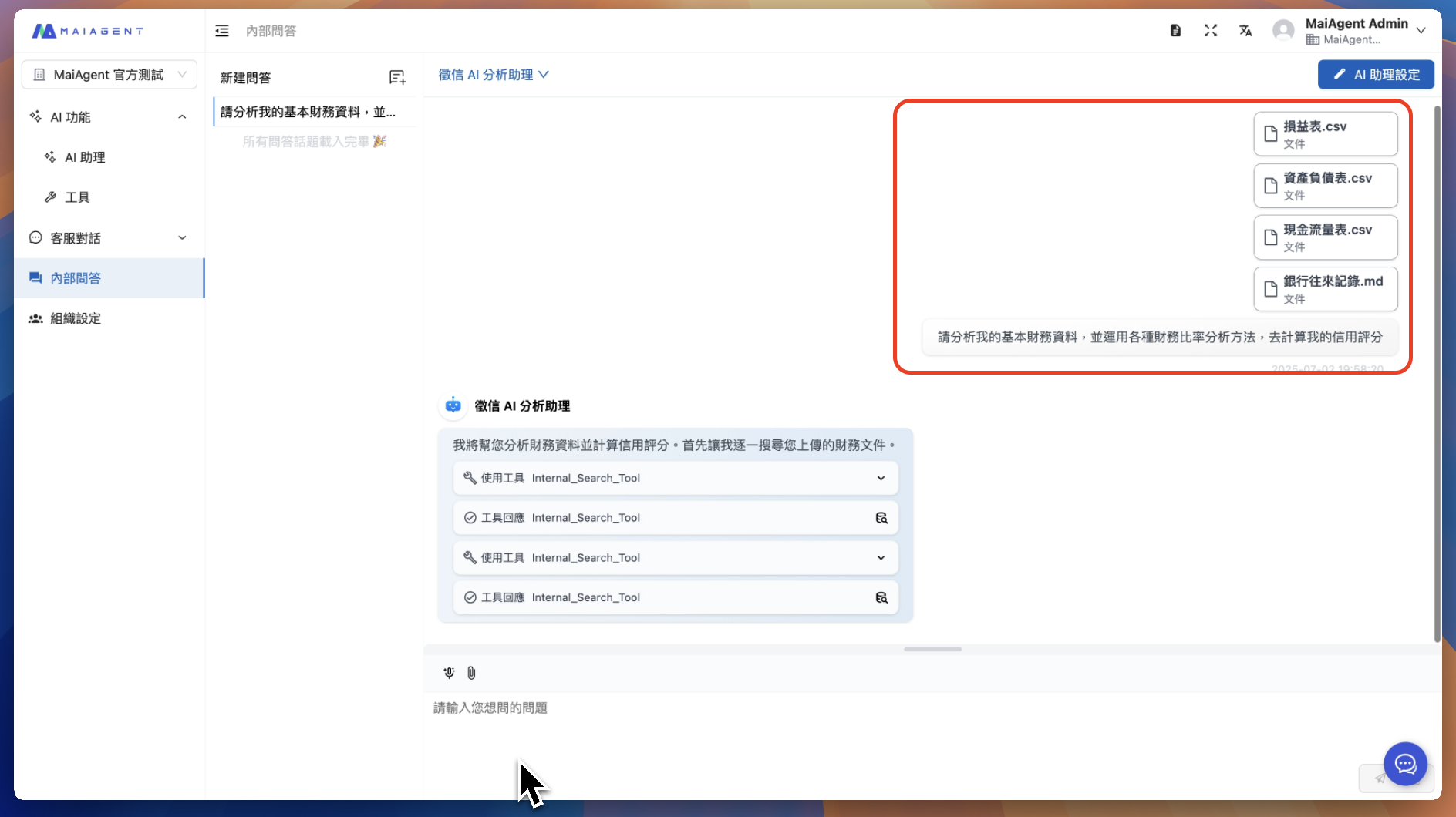
### 2. Upload Credit Data to the Chat via Conversation Attachments
Upload credit data files, including but not limited to:
* Balance sheets
* Credit bureau credit reports
* Cash flow statements
* Tax records
* Banking transaction records
* Income statements
### 3. Agent in Action - Demo Video
{% embed url="" %}
### 4. How Canvas Advantages Show Up in Credit Applications
#### 🚀 Higher Efficiency
* **Instant assessment**: From customer application to completed risk assessment in just 30 seconds
* **Standardized process**: All assessments follow consistent risk evaluation standards
* **No manual work**: Complex risk analysis in natural language
#### 📊 Professional Quality
* **Interactive features**: Supports risk factor adjustment and time range filtering
* **Responsive design**: Fits various screen sizes and output formats
* **Vector graphics**: SVG format ensures clarity in print and projection
#### 🔄 Flexible Adjustment
* **Instant changes**: Adjust assessment parameters and risk weights immediately
* **Multiple output formats**: Produce different analytical perspectives for the same customer
* **Customization**: Adjust the assessment model for different product types
#### 💼 Enterprise Integration
* **Regulatory compliance**: Incorporates the credit investigation regulatory requirements of the Financial Supervisory Commission
* **Localization support**: Supports Taiwan's credit investigation system and scoring standards
* **Security**: Customer data is processed locally to ensure information security
With MaiAgent Canvas, credit teams can not only greatly improve efficiency but also devote their time to more valuable risk analysis and strategy development, truly achieving digital transformation in credit investigation!
**Try the credit data analysis assistant now, and make your risk assessments not just numbers, but visualized insight!**
---
# Agent Instructions
This documentation is published with GitBook. GitBook is the documentation platform designed so that both humans and AI agents can read, navigate, and reason over technical content effectively. Learn more at gitbook.com.
## Querying This Documentation
If you need additional information that is not directly available in this page, you can query the documentation by asking a question.
Perform an HTTP GET request on the following URL with the `ask` and `goal` query parameters:
```
GET https://docs.maiagent.ai/maiagent-user-guide/en/work/km/credit.md?ask=&goal=
```
`ask` is the immediate question: it should be specific, self-contained, and written in natural language.
`goal` is what the user is ultimately trying to achieve, the reason they need the answer. Sharing it helps GitBook give you a better, more relevant answer. A goal is most helpful when it describes the outcome the user wants rather than restating the question. For example, with `ask=how do I create an API token`, a goal like `automate deployments from our CI pipeline` lets GitBook tailor the answer to that use case.
The response will contain a direct answer to the question and relevant excerpts and sources from the documentation.
Use this mechanism when the answer is not explicitly present in the current page, you need clarification or additional context, or you want to retrieve related documentation sections.