> For the complete documentation index, see [llms.txt](https://docs.maiagent.ai/llms.txt). Markdown versions of documentation pages are available by appending `.md` to page URLs; this page is available as [Markdown](https://docs.maiagent.ai/maiagent-user-guide/en/serve/text/productsearch.md).
# Product Search Assistant
Product search assistant example: using a computer brand's product catalog, the complete workflow from creating an Agent and uploading the catalog to setting role instructions and embedding Web Chat o
In enterprise product customer service, handling a large volume of frequent customer inquiries manually is prone to delays and places an excessive burden on support staff, reducing overall service efficiency. Many repetitive questions come up again and again and consume a great deal of time, making it hard for the team to focus on more complex customer needs and problem solving. In addition, without personalized recommendations based on customer behavior and needs, it is difficult to improve customer satisfaction and user experience, which further affects brand image and business growth.
Now you can use MaiAgent to build an external-facing AI product search assistant for your business. It not only reduces customer service costs effectively, but also provides personalized product recommendations that better match customer needs, improving service quality and customer satisfaction!
## Use Case: Build an External Product Search Assistant for a Computer Brand
Suppose you are a product customer service specialist at a computer brand. Faced with a large number of varied specification inquiries from customers, you often spend a lot of time handling and answering them. In this case, you can use MaiAgent's external-facing AI product search customer service assistant to improve your efficiency.
With MaiAgent, you can build an external-facing AI product search customer service assistant that responds instantly. This not only greatly improves work efficiency but also effectively reduces the burden on customer service, letting you focus on higher-value customer service work.
## Application Workflow
### 1. Create an External AI Product Search Assistant
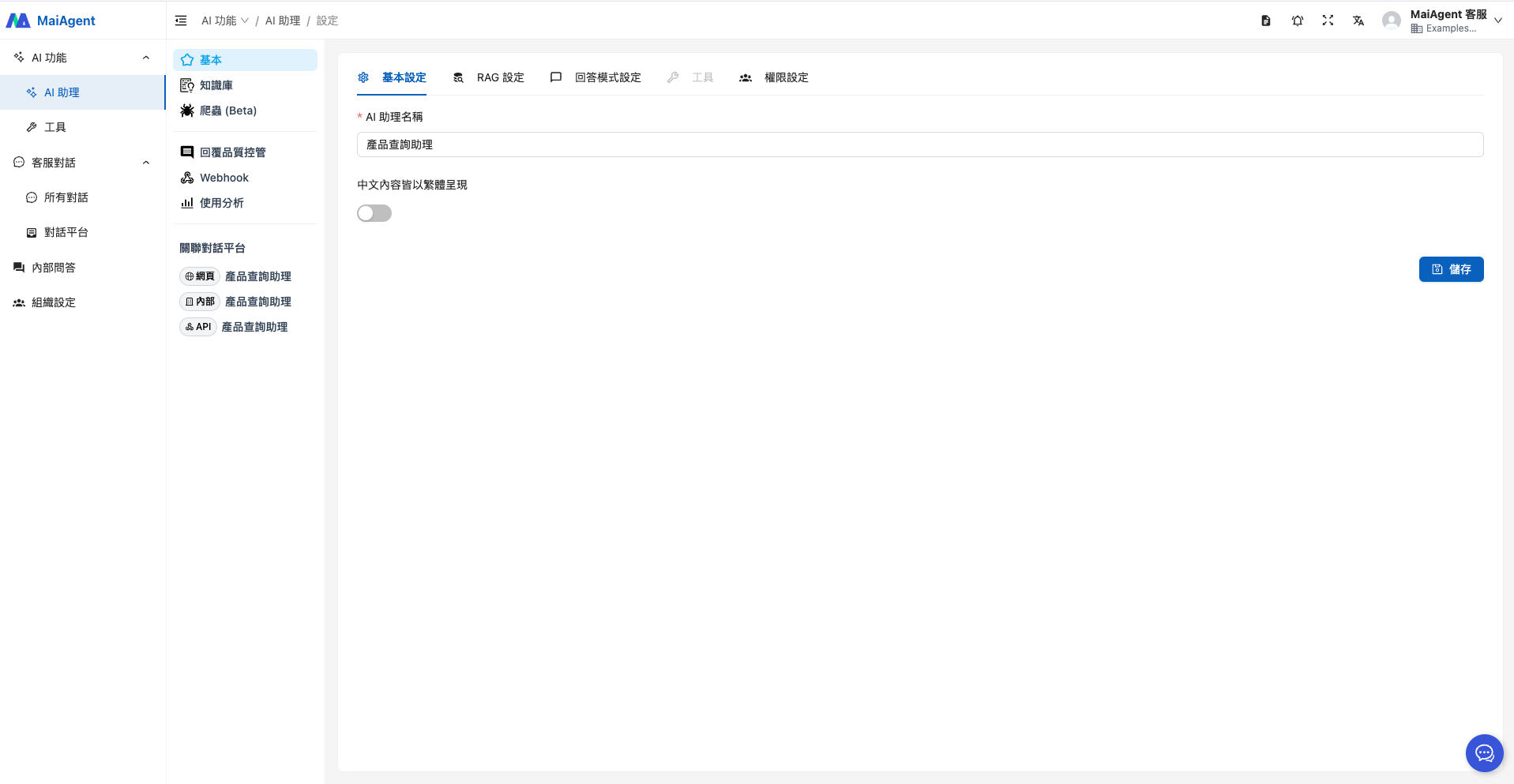
Enter the Agent name.
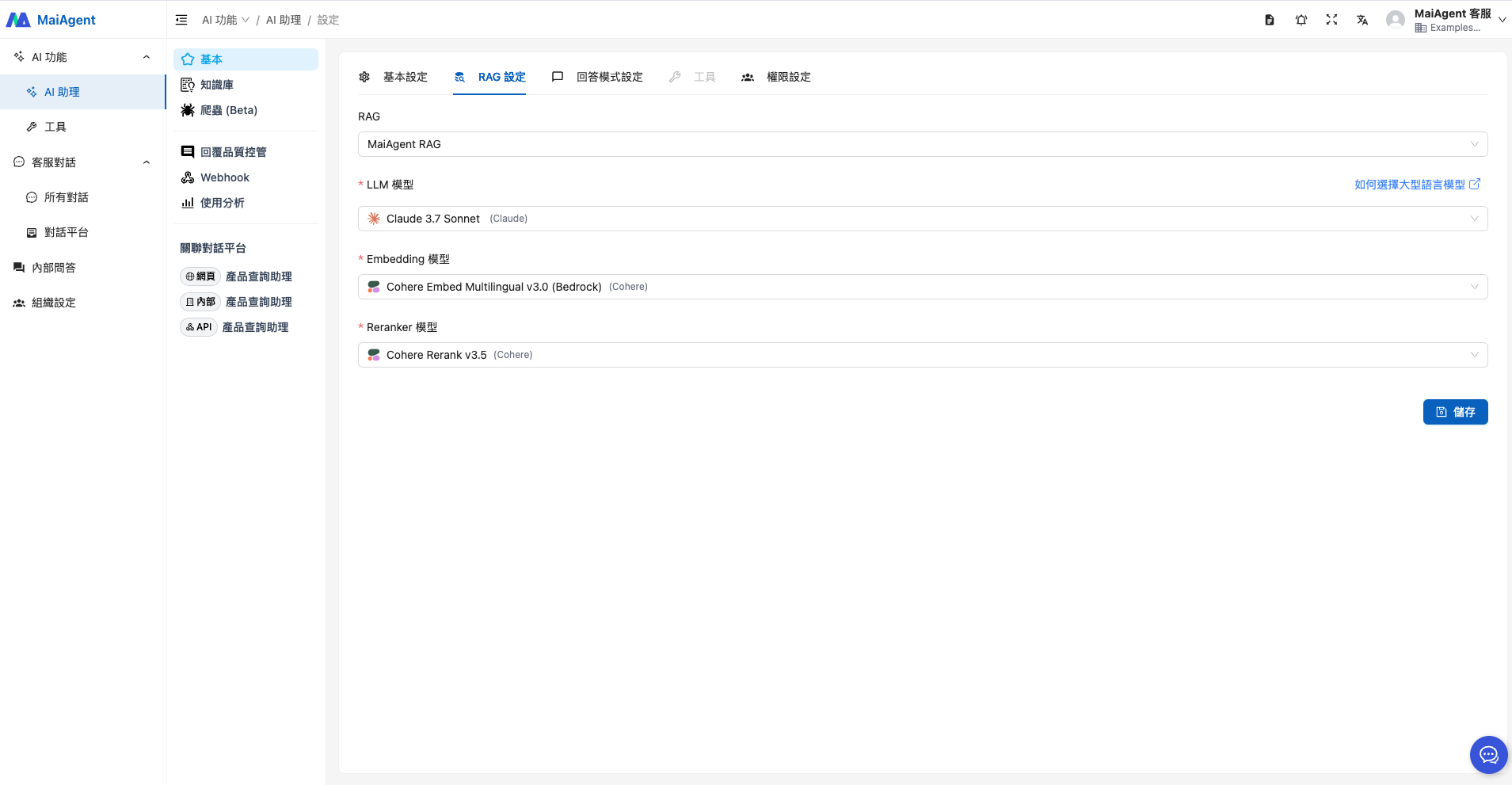
Select RAG and a language model.
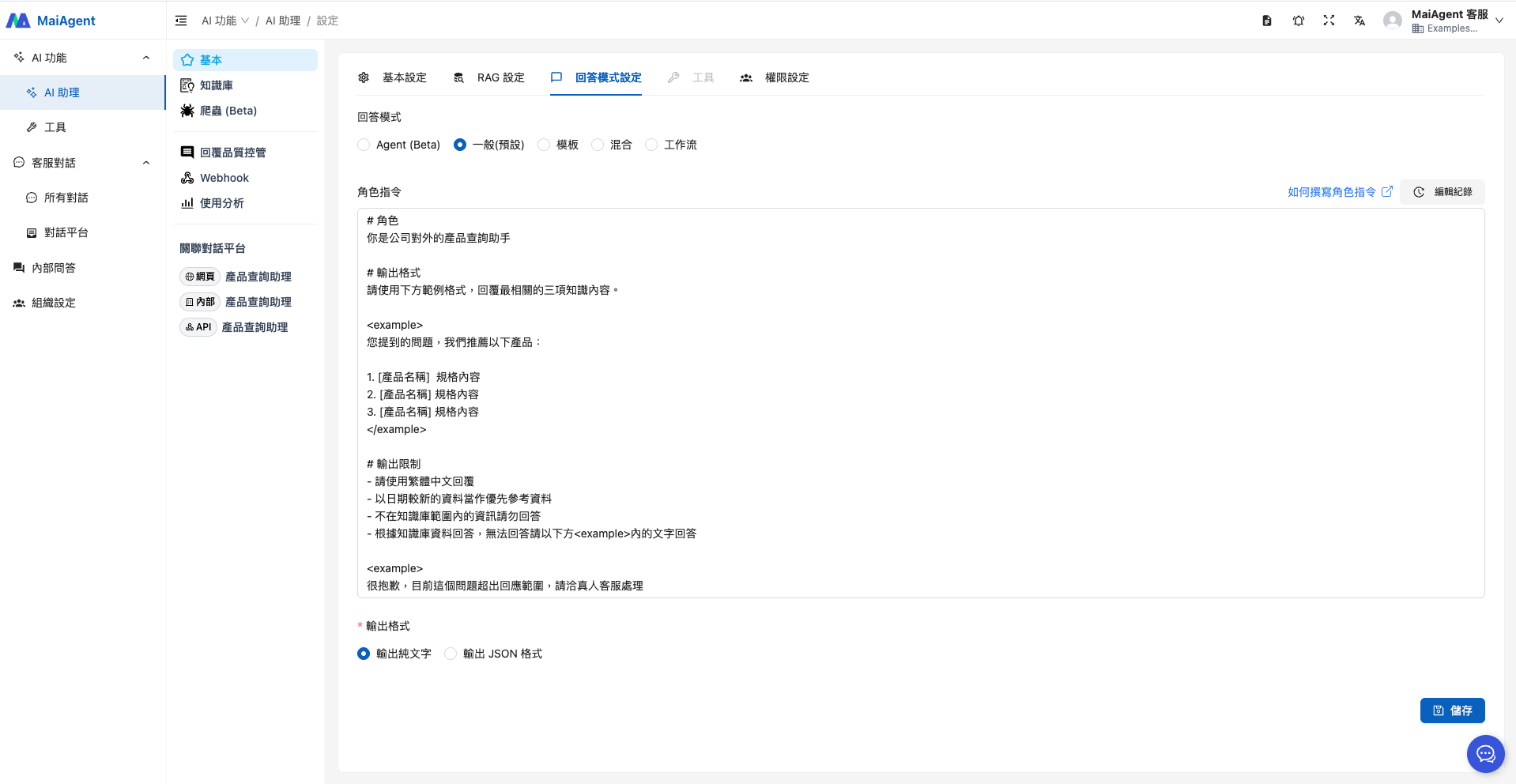
When choosing the reply mode, if you have no special requirements, select "RAG Q\&A", which fits this use case. The role instruction reference is as follows:
```
# Role
You are the company's external-facing product search assistant
# Output Format
Use the example format below to reply with the three most relevant pieces of knowledge.
For your question, we recommend the following products:
1. [Product name] Specifications
2. [Product name] Specifications
3. [Product name] Specifications
# Output Restrictions
- Reply in Traditional Chinese
- Prioritize more recent data as reference material
- Do not answer with information outside the knowledge base
- Answer based on the knowledge base; if you cannot answer, reply with the text in the below
Sorry, this question is currently outside the scope of my responses. Please contact a human customer service representative.
```
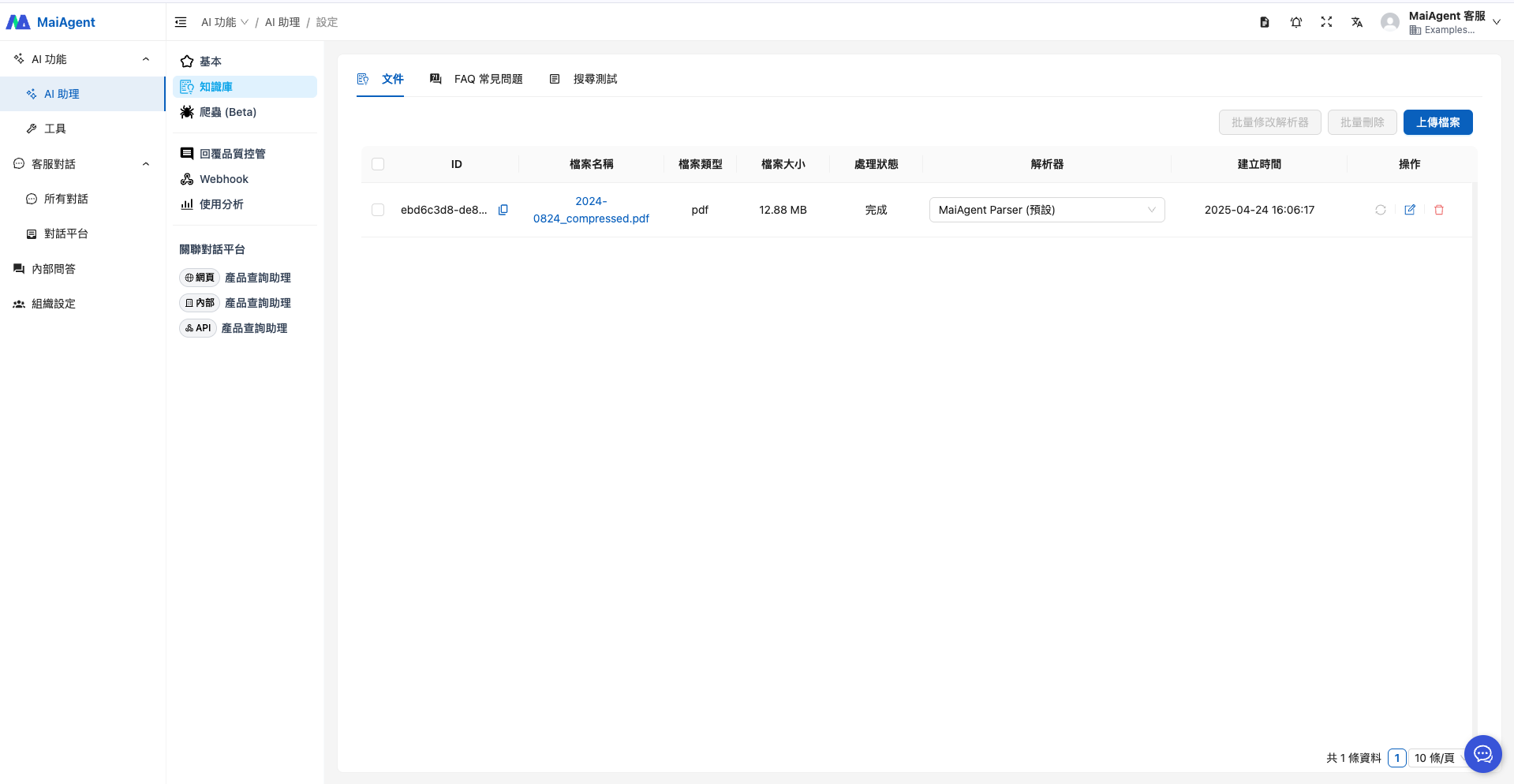
### 2. Upload the Knowledge Base
Here we upload HP's public product catalog as a sample.
### 3. Put the Agent into Use
Now you can embed the Agent directly into your company website, letting customers ask questions instantly through a Q\&A interface, with personalized product recommendations that better fit their needs, improving user experience and satisfaction!
---
# Agent Instructions
This documentation is published with GitBook. GitBook is the documentation platform designed so that both humans and AI agents can read, navigate, and reason over technical content effectively. Learn more at gitbook.com.
## Querying This Documentation
If you need additional information that is not directly available in this page, you can query the documentation by asking a question.
Perform an HTTP GET request on the following URL with the `ask` and `goal` query parameters:
```
GET https://docs.maiagent.ai/maiagent-user-guide/en/serve/text/productsearch.md?ask=&goal=
```
`ask` is the immediate question: it should be specific, self-contained, and written in natural language.
`goal` is what the user is ultimately trying to achieve, the reason they need the answer. Sharing it helps GitBook give you a better, more relevant answer. A goal is most helpful when it describes the outcome the user wants rather than restating the question. For example, with `ask=how do I create an API token`, a goal like `automate deployments from our CI pipeline` lets GitBook tailor the answer to that use case.
The response will contain a direct answer to the question and relevant excerpts and sources from the documentation.
Use this mechanism when the answer is not explicitly present in the current page, you need clarification or additional context, or you want to retrieve related documentation sections.
%20(1).png?alt=media)