Getting Started - Using the Query Builder
Contact Query Metadata Configuration
You can use the "Query Builder" in the MaiAgent service to create query metadata through a graphical interface. Here is an example using contact query metadata:
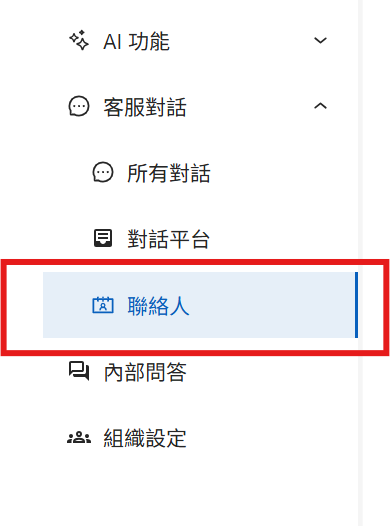
Step 1: Navigate to the Contact Section in the MaiAgent Backend

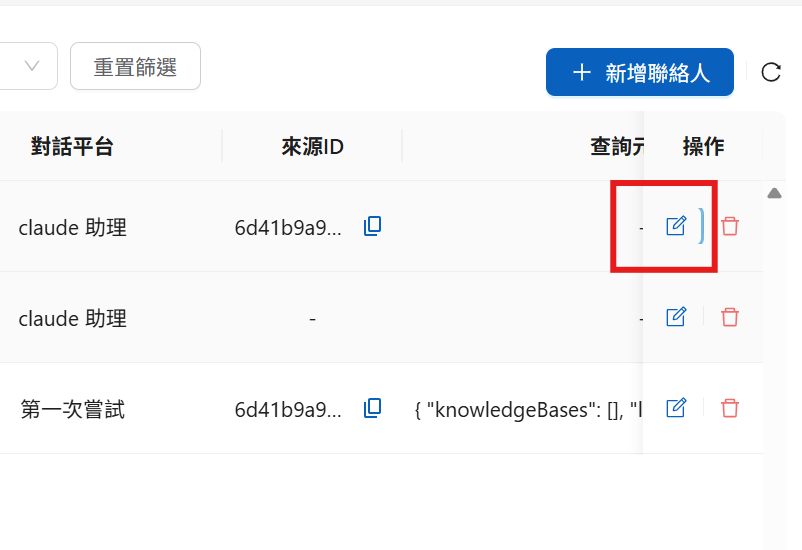
Step 2: Configure the Desired Contact
Find the contact you want to configure and click Edit

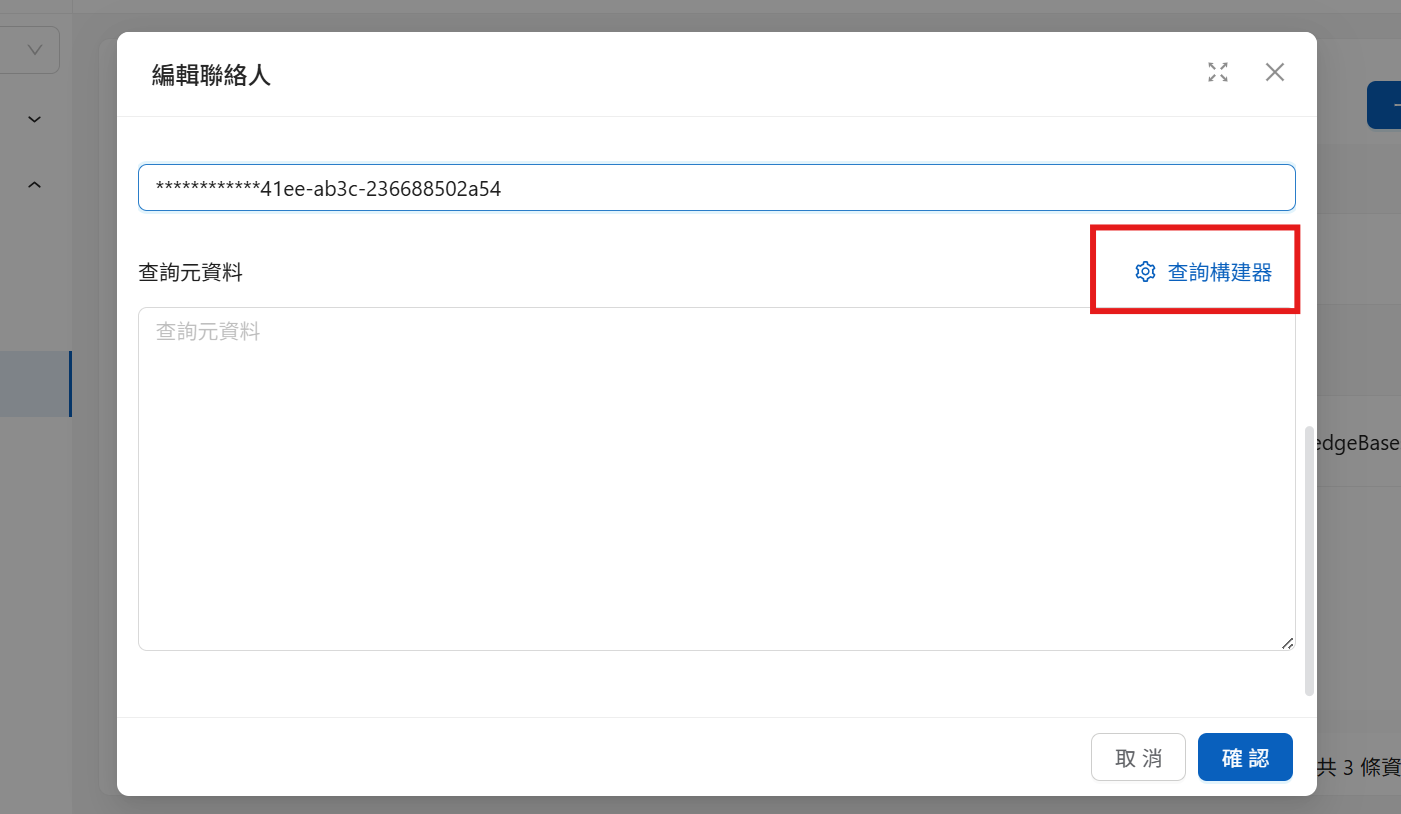
2. After clicking, the following screen appears

Click the Query Builder to enter the graphical interface
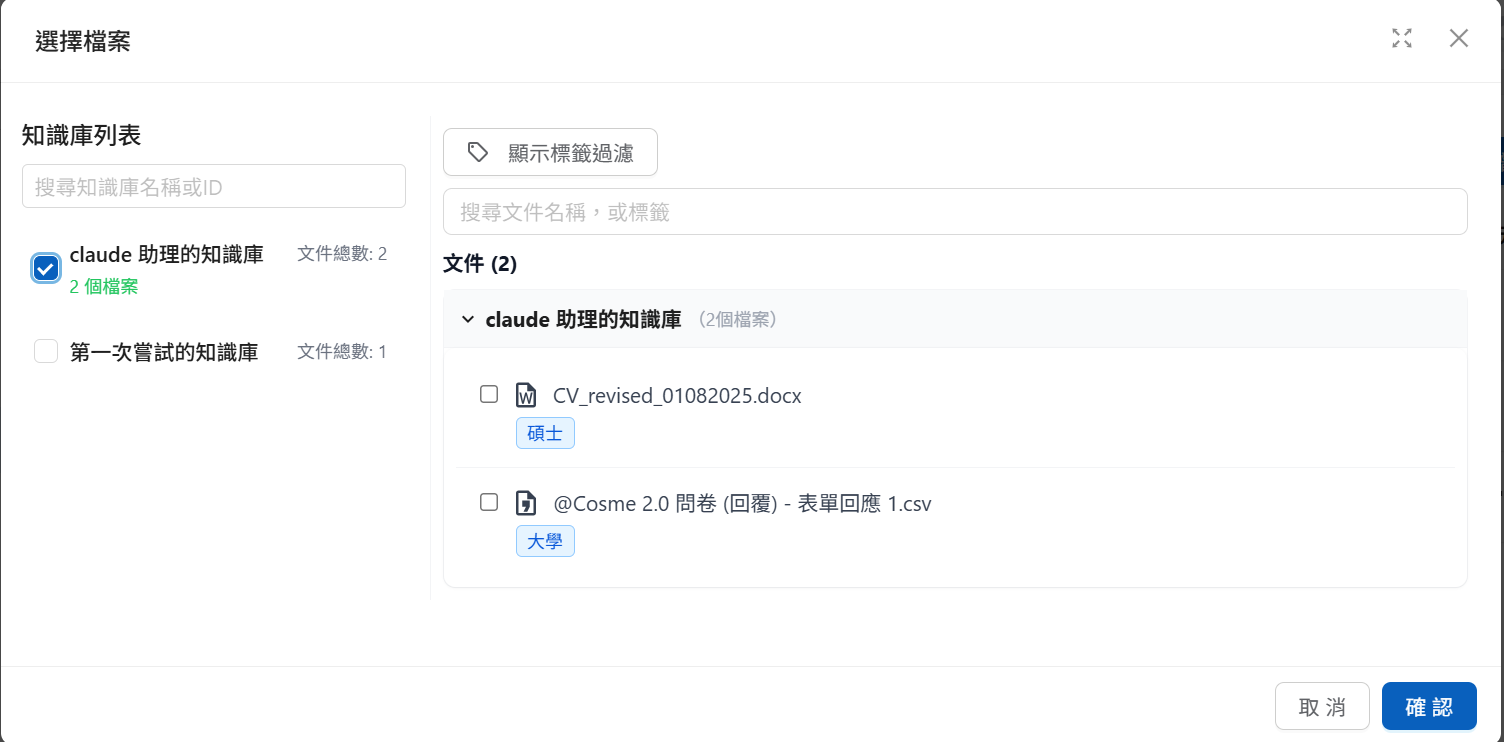
Step 3: Select the Permissions to Grant
Check the knowledge bases you want to open, or selectively check specific documents within a knowledge base

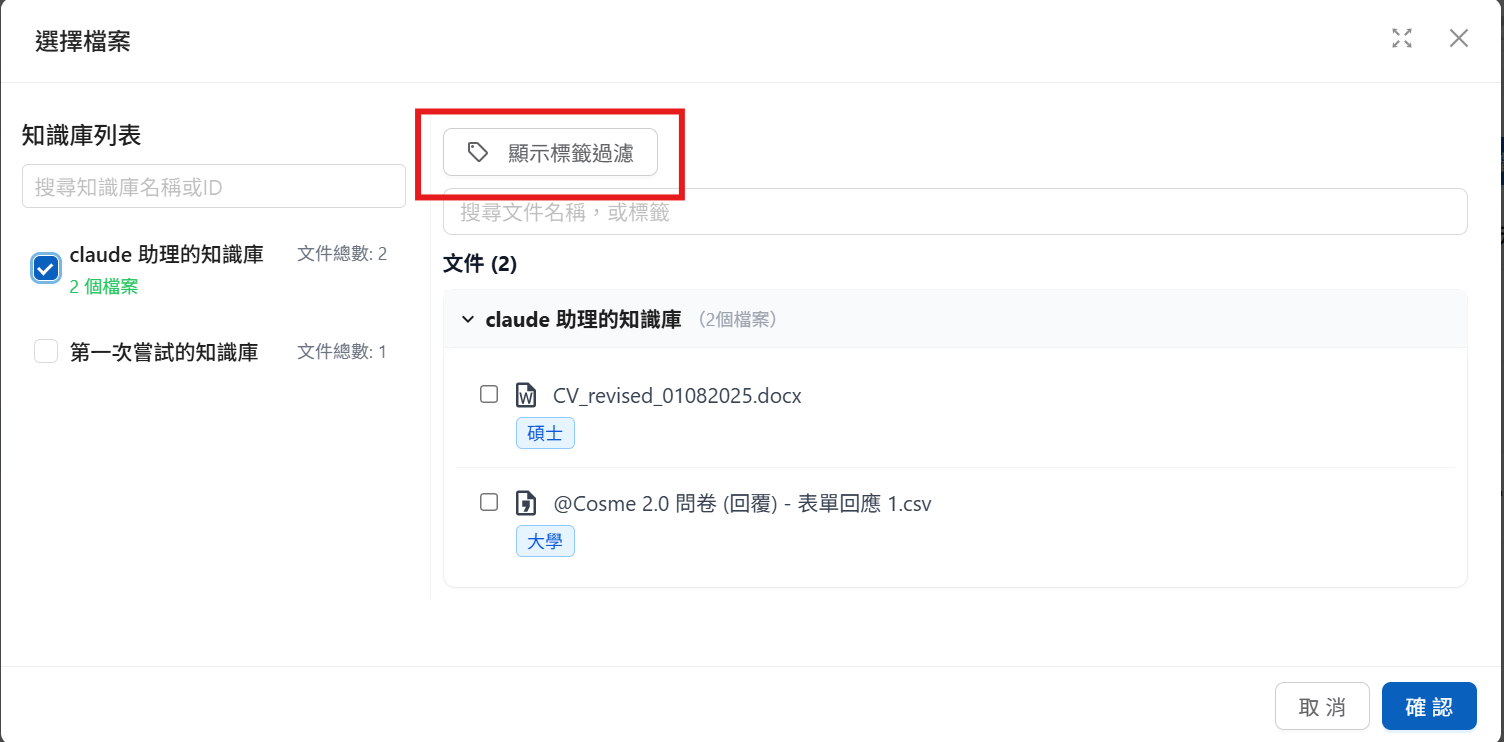
2. To open documents based on specific tags, click "Show Tag Filters" to open the tag configuration area

You can select the condition logic here: choose "OR" (match any condition) or "AND" (match all conditions) as the document access criteria within the opened knowledge bases
Conversation Settings (Message)
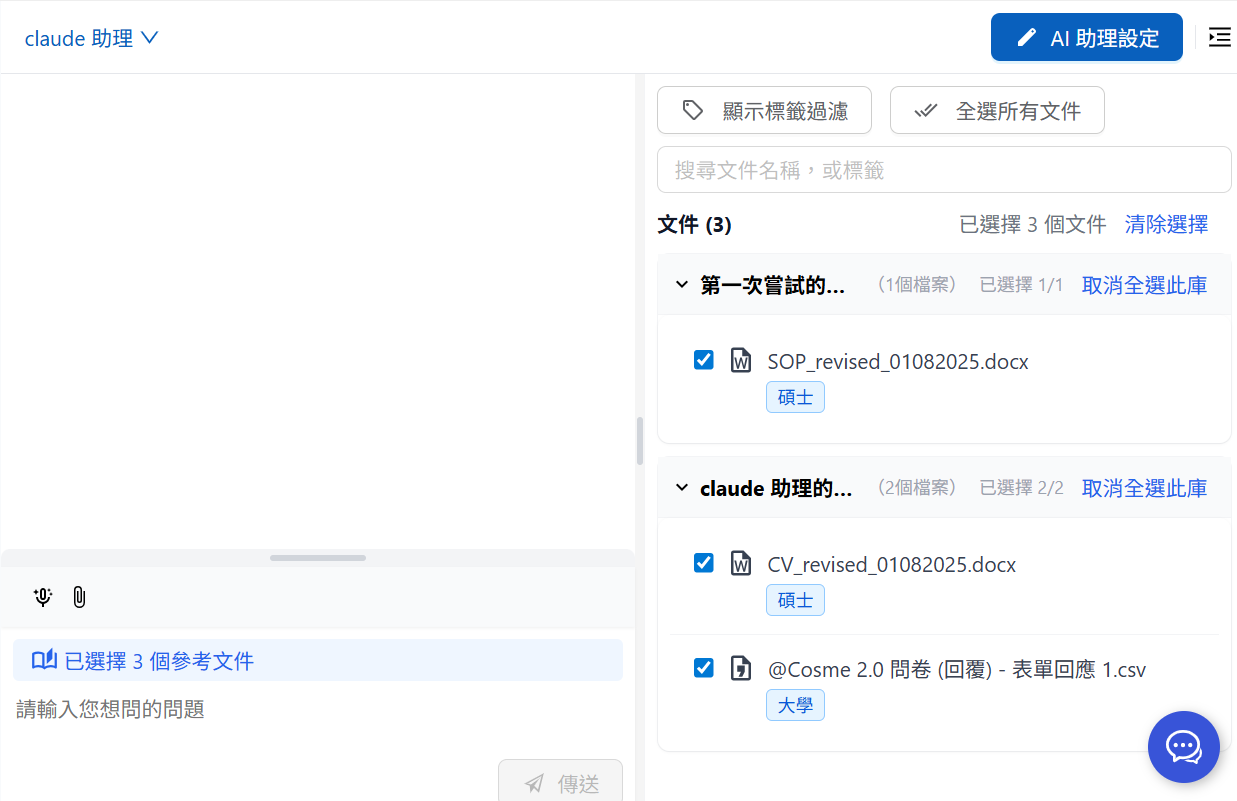
You can also use the right-side menu shown below to select the knowledge permissions to grant:

You can also use "Show Tag Filters" to configure tag filter conditions


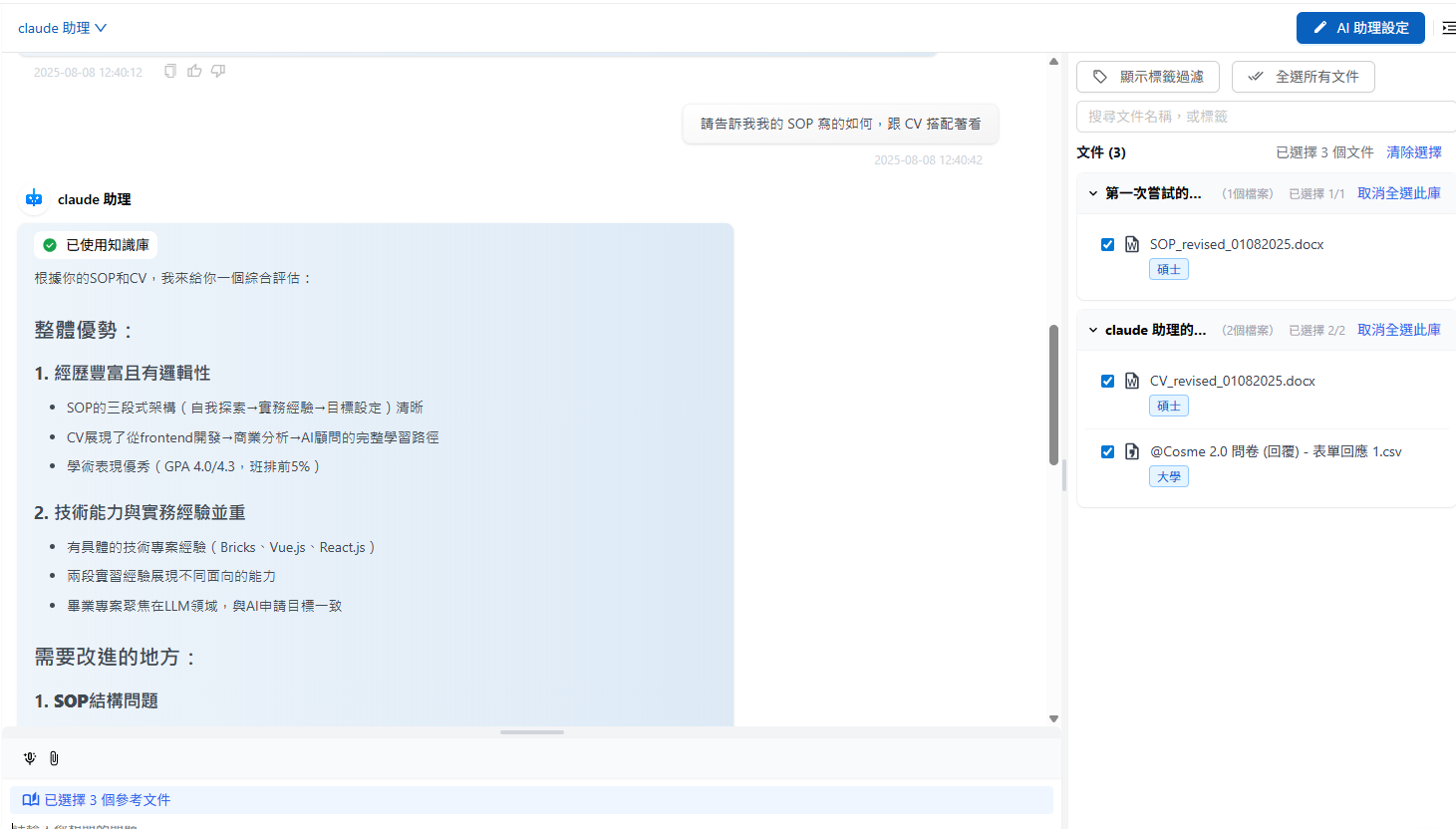
Currently, three files are available for reference: CV, SOP, and Questionnaire
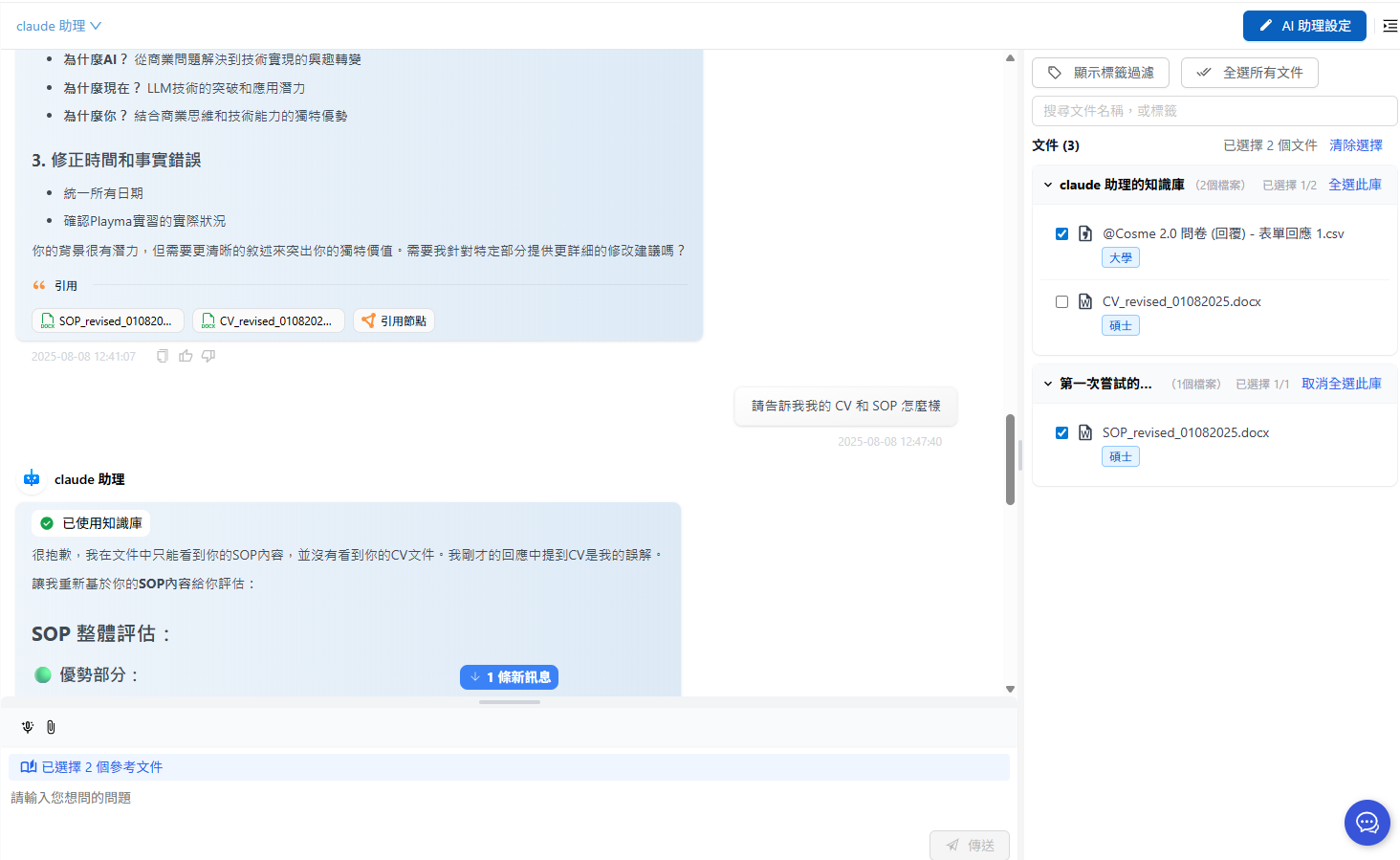
After unchecking the CV in the next message and sending:

The Agent can no longer use the CV file, and the reference library no longer shows CV citations:

You can adjust permissions before sending each message, affecting the content that can be cited in that round of responses.
Pre-Configuration During Web Chat Initialization
MaiAgent provides the ability to pre-configure query metadata before Web Chat is officially initialized. If you want to restrict conversation content before the contact is identified (e.g., when providing Web Chat service to customers who have not registered a contact account), you can provide query metadata during embedding, and the system will enable the message-level knowledge base document filtering mechanism by default.
For Web Chat configuration, see: Technical Manual: Getting Started — Using JSON Format
Last updated
Was this helpful?