> For the complete documentation index, see [llms.txt](https://docs.maiagent.ai/llms.txt). Markdown versions of documentation pages are available by appending `.md` to page URLs; this page is available as [Markdown](https://docs.maiagent.ai/maiagent-user-guide/en/build/tools/tool_description.md).
# Tool Features Overview
This article introduces what tools are, how tools help an Agent, and an overview of the tool types MaiAgent supports
## What Is a Tool?
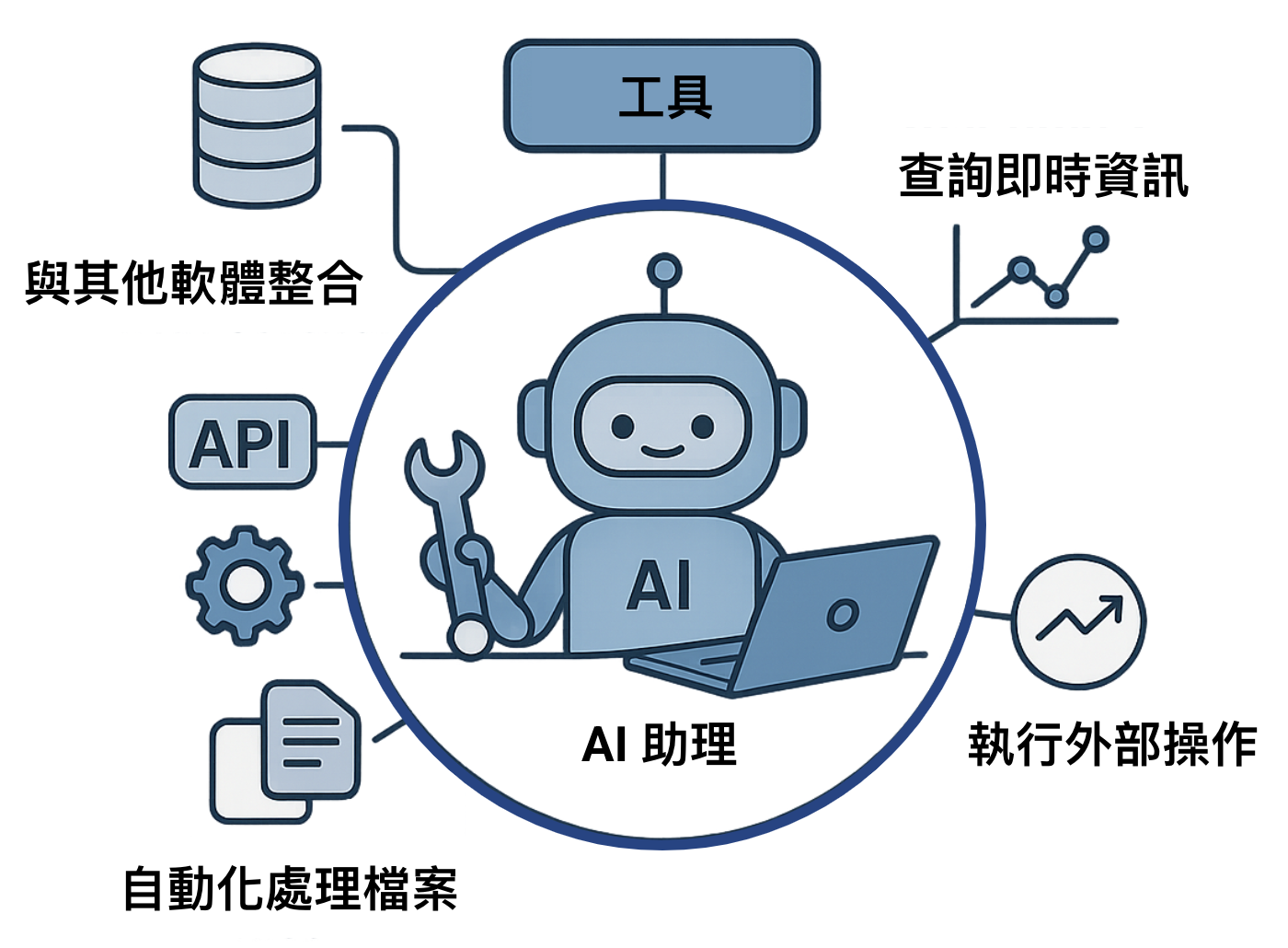
A tool is like a **plugin** or **skill** for an Agent, letting it do more than just chat. For example, if an Agent has a "**Check Weather**" tool, it can tell you today's temperature; if it has a "**Play Music**" tool, it can start playing music for you directly.
By letting users define a set of tools that an Agent can use, the Agent is able to:
1. Understand complex user requests.
2. Automatically determine when a specific tool needs to be used.
3. Automatically generate the parameters required to call that tool.
This means an Agent is no longer limited to generating text replies and can actually perform a variety of tasks, such as:
* **Querying real-time information:** Retrieve the latest stock prices, weather forecasts, flight statuses, and more from databases or APIs.
* **Performing external operations:** Call ticket booking system APIs, control smart home devices, and send emails or messages.
* **Processing files:** Read, write, or analyze local or cloud documents.
* **Integrating with other software:** Operate CRM systems, project management tools, or other enterprise applications.
## How Tools Work
When you configure tools for an Agent, each tool comes with a name, a purpose description, and parameter specifications. After a user asks a question, the Agent decides from the descriptions whether to use a tool and which one, and generates the parameters needed for the call; the platform then actually executes the tool (for example, by calling an external API) and hands the result back to the Agent to compose a reply. The clearer the tool descriptions are, the better the Agent can use the right tool at the right time. For the complete call flow and underlying principles, see [Function Calling](https://docs.maiagent.ai/tech/advanced-genai-tech/function-calling) in the Technical Manual.
## Key Benefits of Tools
Tools let an Agent access real-time information and perform real operations, and reduce the risk of incorrect answers through structured calls and returns; users only need to describe their needs in natural language.
## Tool Types Supported by MaiAgent
The following main types are currently supported:
### 🌐 API Tool
* **The most commonly used type.** Used to connect to and call external HTTP/HTTPS API services.
* **Common uses**: Getting weather information, querying external databases, triggering webhooks, integrating with third-party services, and more.
* **Required configuration**: API endpoint URL, HTTP method, request headers (Headers), and parameters schema (Parameters Schema). See [Create an API Tool](/maiagent-user-guide/en/build/tools/setup_api_tool.md).
### ☁️ MCP Tool
* **Model Context Protocol** (MCP), which enables servers, clients, and hosts to work together through a standardized protocol.
* **Suitable for**: Letting an Agent call external tools to perform more complex and practical tasks.
* **Required configuration**: MCP server URL, authentication method (headers or OAuth connector), and the tools the Agent is allowed to use. See [Create an MCP Tool](/maiagent-user-guide/en/build/tools/mcp-setup.md).
---
# Agent Instructions
This documentation is published with GitBook. GitBook is the documentation platform designed so that both humans and AI agents can read, navigate, and reason over technical content effectively. Learn more at gitbook.com.
## Querying This Documentation
If you need additional information that is not directly available in this page, you can query the documentation by asking a question.
Perform an HTTP GET request on the following URL with the `ask` and `goal` query parameters:
```
GET https://docs.maiagent.ai/maiagent-user-guide/en/build/tools/tool_description.md?ask=&goal=
```
`ask` is the immediate question: it should be specific, self-contained, and written in natural language.
`goal` is what the user is ultimately trying to achieve, the reason they need the answer. Sharing it helps GitBook give you a better, more relevant answer. A goal is most helpful when it describes the outcome the user wants rather than restating the question. For example, with `ask=how do I create an API token`, a goal like `automate deployments from our CI pipeline` lets GitBook tailor the answer to that use case.
The response will contain a direct answer to the question and relevant excerpts and sources from the documentation.
Use this mechanism when the answer is not explicitly present in the current page, you need clarification or additional context, or you want to retrieve related documentation sections.