> For the complete documentation index, see [llms.txt](https://docs.maiagent.ai/llms.txt). Markdown versions of documentation pages are available by appending `.md` to page URLs; this page is available as [Markdown](https://docs.maiagent.ai/maiagent-user-guide/en/build/skills.md).
# Skills
Skills: Define multi-step SOPs for Agents to follow during conversations
## What Is This?
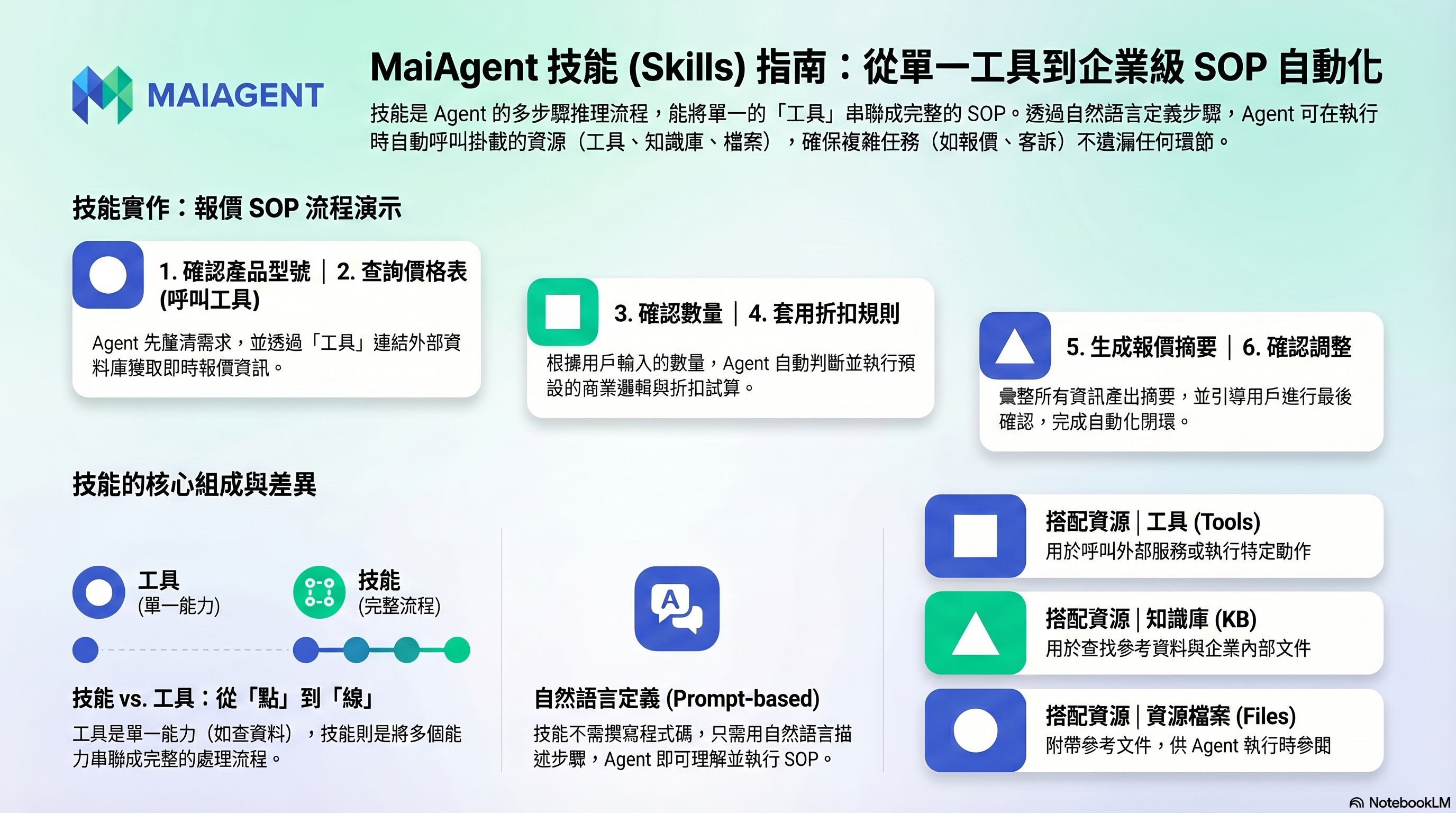
A skill is a multi-step reasoning workflow for an Agent. You define an SOP in natural language, and the Agent follows this workflow step by step when it encounters a relevant scenario in conversation.
If tools are an Agent's "individual capabilities," skills are "chaining multiple capabilities into a complete workflow."
## An Example
Suppose you want your Agent to handle "customer quotes":
**Without skills**: The Agent might give scattered responses and miss important information.
**With skills**: You define a quoting SOP —
```
1. First confirm the product model the customer needs
2. Look up the product price list (using a tool)
3. Confirm the customer's quantity requirements
4. Apply discount rules based on quantity
5. Generate a quote summary
6. Ask the customer if adjustments are needed
```
The Agent follows this workflow to guide the conversation, ensuring no step is missed.
## What Can Be Used Inside a Skill?
Skills can reference tools and knowledge bases already mounted on the Agent, so data lookups or action execution during the workflow happen automatically.
| Combination | Description |
| ------------------ | ---------------------------------------------------------------------------------- |
| **Tools** | Used when the skill workflow needs to call external services |
| **Knowledge Base** | Used when the skill workflow needs to look up reference materials |
| **Resource Files** | Skills can include reference documents that the Agent can consult during execution |
## When Should You Use Skills?
* **Workflows with fixed SOPs**: Quoting, complaint handling, problem diagnosis
* **Multi-turn information gathering**: Booking workflows (need to ask for date, time, number of people)
* **Conditional branching**: Taking different processing paths based on different situations
* **Ensuring no steps are missed**: Form-filling guidance, review workflows
## When Don't You Need Skills?
* Simple Q\&A (a knowledge base is sufficient)
* Only need to look up one piece of data or perform one action (just use a tool)
> **Advanced Note**: Skills are defined as plain-text prompts, not flowcharts or code. This means you can describe an entire workflow in natural language, and the Agent will understand and execute it. Skills also support uploading resource files as supplementary references.
## What Do I Need to Do?
1. **Create a skill** — Write manually or upload a skill definition file
2. **Describe the workflow** — Write out the complete processing steps in natural language
3. **Attach resources** — Add reference documents or tools if needed
4. **Mount to an Agent** — Enable this skill in the Agent settings
5. **Test** — Simulate user conversations to verify the workflow runs smoothly
---
# Agent Instructions
This documentation is published with GitBook. GitBook is the documentation platform designed so that both humans and AI agents can read, navigate, and reason over technical content effectively. Learn more at gitbook.com.
## Querying This Documentation
If you need additional information that is not directly available in this page, you can query the documentation by asking a question.
Perform an HTTP GET request on the following URL with the `ask` and `goal` query parameters:
```
GET https://docs.maiagent.ai/maiagent-user-guide/en/build/skills.md?ask=&goal=
```
`ask` is the immediate question: it should be specific, self-contained, and written in natural language.
`goal` is what the user is ultimately trying to achieve, the reason they need the answer. Sharing it helps GitBook give you a better, more relevant answer. A goal is most helpful when it describes the outcome the user wants rather than restating the question. For example, with `ask=how do I create an API token`, a goal like `automate deployments from our CI pipeline` lets GitBook tailor the answer to that use case.
The response will contain a direct answer to the question and relevant excerpts and sources from the documentation.
Use this mechanism when the answer is not explicitly present in the current page, you need clarification or additional context, or you want to retrieve related documentation sections.