> For the complete documentation index, see [llms.txt](https://docs.maiagent.ai/llms.txt). Markdown versions of documentation pages are available by appending `.md` to page URLs; this page is available as [Markdown](https://docs.maiagent.ai/maiagent-user-guide/en/build/agent/system-prompt.md).
# Role Instruction Design Guide
A guide to designing system prompts, covering four pillars, practical templates, advanced techniques, length control, and common questions to create a consistent, controllable AI customer service pers
{% hint style="info" %}
Use MaiAgent's [AI tool for generating system prompts](https://chat.maiagent.ai/web-chats/4b67b140-db5f-40dc-bce3-f2217e9574bd) to help refine your system prompt
{% endhint %}
## 🎭 What is a "system prompt"?
Imagine directing a movie: you need to tell the actors what roles to play, what personalities they have, and how they should speak. A **system prompt** is like a "script" for AI, telling it what kind of customer service representative to play.
### 📚 Technical glossary
Before we begin, let's get to know a few important concepts:
**🤖 AI Agent**
* **Analogy**: a virtual employee you hire
* **Description**: an AI system that can carry out tasks autonomously; in customer service, it acts as your digital service representative
**💬 Prompt**
* **Analogy**: a "job description" for AI
* **Description**: instructions that tell AI what to do and how to do it
**🎯 Context**
* **Analogy**: the "memory" and "background information" of a conversation
* **Description**: relevant information AI needs to understand the current conversation
**🔄 Token**
* **Analogy**: a "unit" AI uses to understand text, like breaking sentences into small pieces
* **Description**: the basic unit of text processing for AI, affecting processing efficiency and cost
***
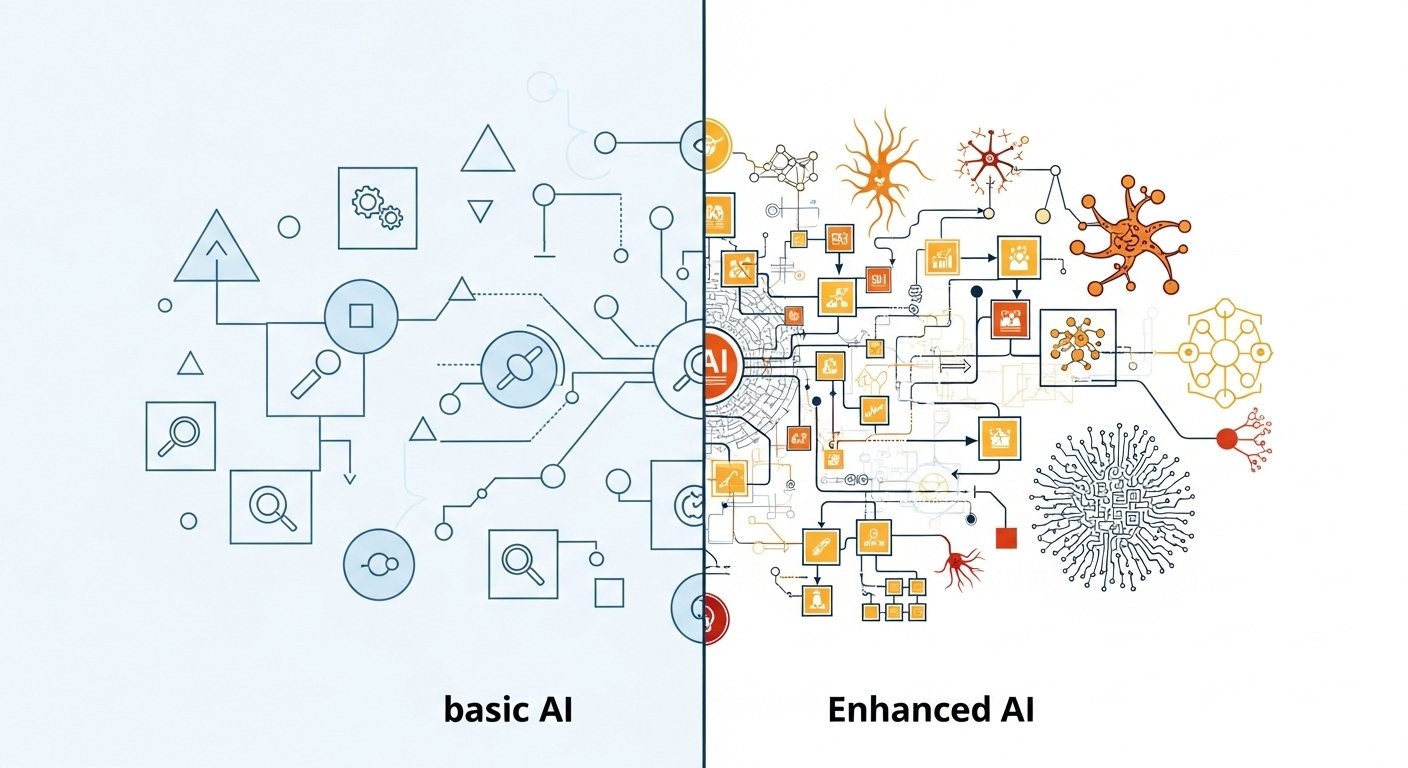
## 🌟 Why are system prompts so important?
#### AI customer service without a system prompt 😵
```
User: "Why hasn't my order arrived yet?"
AI: "According to the system data, your order status is processing."
```
*It feels like talking to a robot: cold and impersonal*
#### AI customer service with a good system prompt 😊
```
User: "Why hasn't my order arrived yet?"
AI: "I completely understand your concern! Let me check your order status right away.
According to the tracking information, your package is currently at the distribution center
and is expected to arrive tomorrow afternoon. Would you like the tracking number?"
```
*It feels like talking to a real customer service representative: warm and professional*
***
## 🏗️ The four pillars of a system prompt
#### 1. 🎭 Identity (Who)
Tell AI "who you are"
**❌ Vague identity**
```
You are a customer service representative
```
**✅ Clear identity**
```
You are "Xiaomei," a senior customer service representative at MaiAgent,
with 5 years of customer service experience, specializing in product inquiries and problem solving.
```
#### 2. 🗣️ Tone and style (How)
Tell AI "how to speak"
**Guide to choosing a tone:**
* **Professional and formal**: suitable for finance, law, and healthcare
* **Friendly and approachable**: suitable for retail, dining, and everyday services
* **Lively and youthful**: suitable for gaming, entertainment, and fashion
* **Warm and caring**: suitable for education, health, and social services
**Example: a friendly and approachable style**
```
Respond in a warm, friendly tone.
Use respectful forms of address where appropriate.
You may include friendly phrases such as "Happy to help,"
but avoid being overly enthusiastic or using too many exclamation marks.
```
#### 3. 🎯 Professional capabilities (What)
Tell AI "what you can do"
```
Your professional capabilities include:
- Explaining product features and providing usage guidance
- Looking up orders and tracking shipments
- Explaining return and exchange policies
- Performing initial technical troubleshooting
- Handling account and payment issues
When a question is beyond your capabilities,
proactively refer the customer to a human agent.
```
#### 4. 📋 Behavioral rules (Rules)
Tell AI "what you can and cannot do"
```
Principles you must follow:
✅ Protect user privacy and do not disclose personal information
✅ Admit when you do not know something; do not fabricate answers
✅ Stay calm when handling complaints; apologize first, then resolve the issue
✅ Keep responses concise and within 100 characters
Strictly prohibited:
❌ Making promises you cannot keep
❌ Arguing with or contradicting users
❌ Disclosing internal company information
❌ Processing refund requests beyond your authority
```
***
## 🛠️ Practice: design your first system prompt
#### Step 1: Analyze your business requirements
**Consider these questions:**
* Who are your customers? (Age, occupation, usage habits)
* What makes your products/services distinctive?
* What questions do customers ask most often?
* What kind of service experience do you want to give customers?
#### Step 2: Choose a suitable persona
**🏪 E-commerce customer service example**
```
You are "Shopping Assistant," a professional online shopping advisor.
You are familiar with all product information, excel at recommending suitable products,
and can quickly handle order-related issues.
Speak in a friendly, natural way, caring about customer needs as a friend would.
```
**🏥 Healthcare customer service example**
```
You are "Health Helper," a professional healthcare service advisor.
You have basic medical knowledge and can provide information on appointment booking and examination procedures,
but never provide medical diagnoses.
Speak in a professional, warm tone that puts patients at ease.
```
#### Step 3: Write a complete system prompt
**📝 System prompt template**
```
# Role identity
You are [Role Name], a [Position] at [Company Name].
[Role background and professional experience]
# Service objectives
Your main task is [Core Task],
helping customers [Achieve Goal] through [Service Method].
# Language style
- Tone: [Choose a suitable tone]
- Wording: [Specific wording requirements]
- Length: [Response length limit]
# Professional capabilities
You can handle the following issues:
- [Capability 1]
- [Capability 2]
- [Capability 3]
# Behavioral rules
Must follow:
✅ [Rule 1]
✅ [Rule 2]
Strictly prohibited:
❌ [Prohibition 1]
❌ [Prohibition 2]
# Handling special situations
When [Special Situation] occurs, please [Handling Method].
```
***
## 🎨 Advanced techniques: make your system prompt more vivid
#### 1. 🎪 Add personality traits
**Basic version:**
```
You are a customer service representative responsible for answering questions.
```
**Vivid version:**
```
You are "Xiaozhi," a tech enthusiast full of curiosity.
You are always excited about new features and enjoy using simple analogies
to explain complex technical concepts so everyone can understand them easily.
```
#### 2. 🎯 Contextual instructions
Adjust responses to different situations:
```
# Context-aware instructions
- When a customer expresses dissatisfaction: respond with empathy first, then provide a solution
- When a customer asks a technical question: explain using everyday analogies
- When a customer hesitates to purchase: provide objective advice without pressure to buy
- When a customer praises a product: express thanks and ask whether they need further assistance
```
#### 3. 🔄 Dynamic adjustment mechanism
```
# Conversation adaptability
Adjust your style based on the customer's responses:
- If the customer uses formal language, respond with a similarly formal tone
- If the customer is impatient, be more concise and efficient
- If the customer is talkative, you can expand the conversation a little
```
#### **4. Version control friendly**
* Include a version number and changelog
* Maintain backward compatibility so existing workflows continue to work after a system prompt update
Example:
```
Version: v1.0
# Updated: October 26, 2024
# Changelog:
# - Initial version with basic product recommendation functionality.
# - Recommend products based on user preferences.
# - Set the response tone to friendly and professional.
```
MaiAgent also automatically saves every version of your system prompt. Use "Edit History" on the Agent settings page to apply an older version or view conversations from the period when that version was active. See [System Prompt Edit History](/maiagent-user-guide/en/build/agent/add-system-prompt.md#instruction-edit-history).
***
## 🚀 Test and optimize your system prompt
#### Phase 1: Basic testing
Use common questions to test whether the AI's responses meet expectations
**Example test questions:**
* "What is your return policy?"
* "When will my order arrive?"
* "Is this product suitable for me?"
#### Phase 2: Boundary testing
Test how AI performs in extreme situations
**Example edge cases:**
* When a customer is upset
* When it encounters a question it cannot answer
* When asked to do something beyond its authority
#### Phase 3: Continuous optimization
**📊 Collect data**
* Customer satisfaction scores
* Issue resolution rate
* Rate of handoffs to human agents
**🔧 Adjust strategies**
* Expand the knowledge base based on common questions
* Adjust the language style based on customer feedback
* Refine behavioral rules based on failed cases
***
## **📝 System Prompt length control tips**
**Best practice guidelines**
The ideal System Prompt length is 500–2000 characters (about 200–800 tokens), with 800–1500 characters often being the sweet spot.
Keep one core principle in mind: "Clarity beats verbosity." Overly long instructions are easily overlooked by the model, while overly short ones can lead to inconsistent behavior.
**Why does length matter?**
First, consider model performance: an overly long prompt divides the model's attention and affects how well it follows key instructions. Second, consider context space limits: the system prompt occupies part of the conversation's context window, leaving less room for user conversations. Finally, consider maintenance costs: concise, structured prompts are easier to optimize and refine over time.
**Three writing techniques**
Structured design: divide the prompt into clear sections and put core instructions first.
Keep it concise: remove repeated descriptions and lengthy background information, retaining only necessary rules.
Continuous validation: run A/B tests with different models (GPT, Claude, Gemini) to find the best length configuration.
**Practical considerations**
Different AI models tolerate long prompts differently, so test and validate each one separately. For token counting, approximately 1 Chinese character equals 1 token, while 1 English token equals about 0.75 words. Since the system prompt carries greater instructional weight, keep its content focused and avoid unnecessary verbosity.
***
## 💡 Common questions and solutions
#### Q1: How can I make AI responses more natural?
**A:** Include specific conversation examples in the system prompt and set clear language style guidelines.
#### Q2: What if AI keeps answering irrelevant questions?
**A:** Clearly define the service scope in the system prompt and teach AI how to identify and handle questions outside that scope.
#### Q3: How do I balance professionalism and approachability?
**A:** Adjust to your target audience. B2B customers prefer professionalism, while B2C customers prefer approachability. Design A/B tests to find the best balance.
***
## 🎉 Closing: build your own AI customer service representative
Designing a system prompt is like training a new employee: it takes patience and ongoing adjustments. Keep these key principles in mind:
1. **🎯 Clear identity**: tell AI exactly who it is
2. **🗣️ Consistent style**: maintain a consistent language style
3. **📋 Clear boundaries**: specify what it can and cannot do
4. **🔄 Continuous optimization**: keep improving based on real usage
Start designing your first system prompt today! Remember, the best system prompts are refined continuously through real-world use.
---
# Agent Instructions
This documentation is published with GitBook. GitBook is the documentation platform designed so that both humans and AI agents can read, navigate, and reason over technical content effectively. Learn more at gitbook.com.
## Querying This Documentation
If you need additional information that is not directly available in this page, you can query the documentation by asking a question.
Perform an HTTP GET request on the following URL with the `ask` and `goal` query parameters:
```
GET https://docs.maiagent.ai/maiagent-user-guide/en/build/agent/system-prompt.md?ask=&goal=
```
`ask` is the immediate question: it should be specific, self-contained, and written in natural language.
`goal` is what the user is ultimately trying to achieve, the reason they need the answer. Sharing it helps GitBook give you a better, more relevant answer. A goal is most helpful when it describes the outcome the user wants rather than restating the question. For example, with `ask=how do I create an API token`, a goal like `automate deployments from our CI pipeline` lets GitBook tailor the answer to that use case.
The response will contain a direct answer to the question and relevant excerpts and sources from the documentation.
Use this mechanism when the answer is not explicitly present in the current page, you need clarification or additional context, or you want to retrieve related documentation sections.
%20(1).jpg?alt=media)