> For the complete documentation index, see [llms.txt](https://docs.maiagent.ai/llms.txt). Markdown versions of documentation pages are available by appending `.md` to page URLs; this page is available as [Markdown](https://docs.maiagent.ai/build/knowledge-base/faq.md).

# 如何建立 FAQ 常見問題

當使用者詢問敏感問題，或是您需要 100% 精準回覆的答案，可以利用 FAQ 常見問題來提供指定的回覆，適用於常見的顧客問題，且答案固定的內容。

## 如何上傳 FAQ 常見問題 <a href="#how-to-upload-faq" id="how-to-upload-faq"></a>

### 選擇知識庫 <a href="#select-knowledge-base" id="select-knowledge-base"></a>

進入左側功能欄 「<mark style="color:blue;">AI 功能</mark>」 → 「<mark style="color:blue;">知識庫</mark>」，在要建立 FAQ 常見問題的知識庫那一列，點選「<mark style="color:blue;">操作</mark>」欄的「<mark style="color:blue;">編輯</mark>」圖示進入知識庫設定（若尚未建立，請先參考 [如何建立知識庫：基本設置](/build/knowledge-base/km-basic-settings.md)）。

### 新增問答內容 <a href="#add-qa-content" id="add-qa-content"></a>

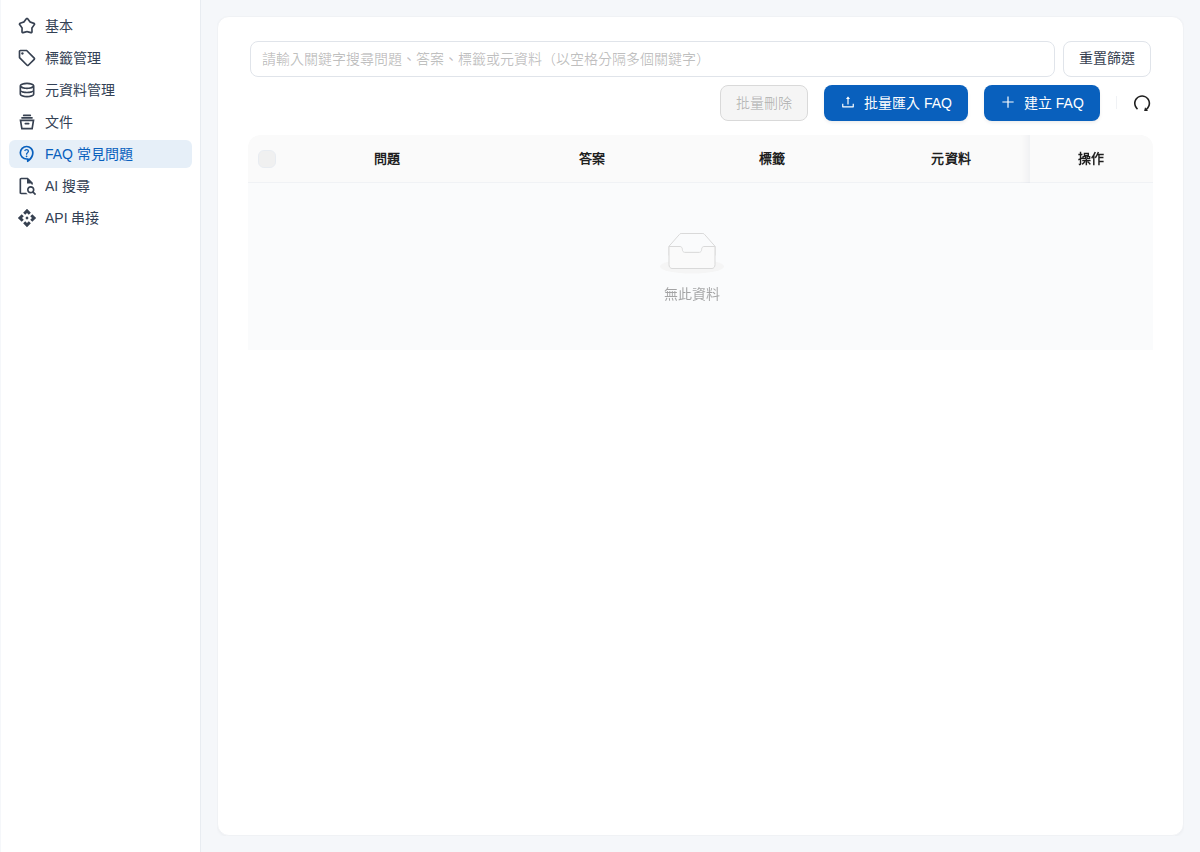
1. 在知識庫設定左側選單點選 「<mark style="color:blue;">FAQ 常見問題</mark>」，再點選右上方的 「<mark style="color:blue;">+ 建立 FAQ</mark>」 藍色按鈕，開始新增問答內容。

<figure><img src="https://1593648278-files.gitbook.io/~/files/v0/b/gitbook-x-prod.appspot.com/o/spaces%2Fmzb5NG9GDzFP2YDKeYVl%2Fuploads%2Fgit-blob-268e09b0dc237385e17d9f8cff164fc77068da98%2Ffaq-kb-faq-menu.png?alt=media" alt="知識庫設定的 FAQ 常見問題頁面，右上方有批量匯入 FAQ 與建立 FAQ 按鈕"><figcaption><p>知識庫設定左側選單的 FAQ 常見問題</p></figcaption></figure>

2. 建立 FAQ

FAQ 編輯頁面支援設定多種答案格式：

* 基本文字操作(粗體、底線、斜體等)
* 方程式
* 原始程式碼(HTML、XML)
* 連結嵌入(影片、網站)
  * 影片為提供使用者參考連結(Agent 尚無法讀取影片內容)
* 圖片、影片檔案：點選編輯器右上方的「<mark style="color:blue;">圖片/影片上傳</mark>」

<div><figure><img src="https://1593648278-files.gitbook.io/~/files/v0/b/gitbook-x-prod.appspot.com/o/spaces%2Fmzb5NG9GDzFP2YDKeYVl%2Fuploads%2Fgit-blob-c3daf382b1845e8155a7d1273edd48b08d55ab45%2Ffaq-create-modal.png?alt=media" alt="建立 FAQ 視窗，包含問題欄位、答案編輯器與圖片/影片上傳按鈕"><figcaption><p>建立 FAQ 視窗</p></figcaption></figure> <figure><img src="https://1593648278-files.gitbook.io/~/files/v0/b/gitbook-x-prod.appspot.com/o/spaces%2Fmzb5NG9GDzFP2YDKeYVl%2Fuploads%2Fgit-blob-aaf188abfa96d664489bfe41ceef988b4813ac9b%2Fimage%20(144).png?alt=media" alt=""><figcaption><p>答案格式示意圖</p></figcaption></figure></div>

讓您可以使用多種格式，清楚標示回答重點以確保資訊完整。

以電商付款方式為例，您可以新增以下問題說明線上付款方式：

<figure><img src="https://1593648278-files.gitbook.io/~/files/v0/b/gitbook-x-prod.appspot.com/o/spaces%2Fmzb5NG9GDzFP2YDKeYVl%2Fuploads%2Fgit-blob-1e7bbe0feb07e7ff9c0eb987c476b92b12c20647%2Ffaq-create-modal-filled.png?alt=media" alt="建立 FAQ 視窗，問題填入線上支付方式有哪些，答案填入僅支援 LINE Pay、Apple Pay"><figcaption><p>填入問題與答案</p></figcaption></figure>

填寫完成後，可以點選編輯器工具列的眼睛圖示（預覽）確認答案內容：

<figure><img src="https://1593648278-files.gitbook.io/~/files/v0/b/gitbook-x-prod.appspot.com/o/spaces%2Fmzb5NG9GDzFP2YDKeYVl%2Fuploads%2Fgit-blob-6cadd371cfb9bc6fe2b57441b36933880d45d469%2Ffaq-answer-preview.png?alt=media" alt="預覽視窗顯示答案內容"><figcaption><p>預覽答案內容</p></figcaption></figure>

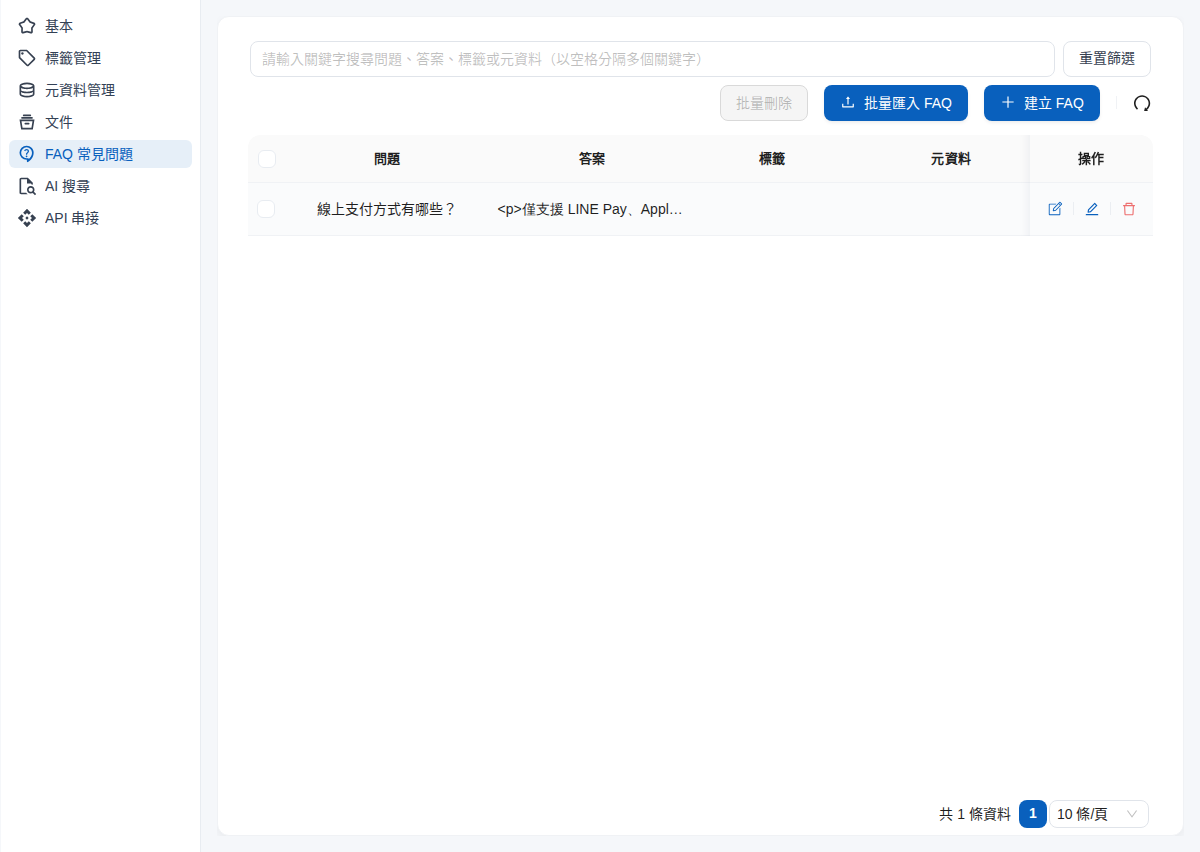
加入後按下「<mark style="color:blue;">確認</mark>」，FAQ 就建立完成，Agent 就能夠在回答時參考您提供的回答：

<figure><img src="https://1593648278-files.gitbook.io/~/files/v0/b/gitbook-x-prod.appspot.com/o/spaces%2Fmzb5NG9GDzFP2YDKeYVl%2Fuploads%2Fgit-blob-13b11474d00284cc75813576f116597a80a6f566%2Ffaq-list-created.png?alt=media" alt="FAQ 常見問題列表出現剛建立的線上支付方式有哪些"><figcaption><p>建立完成的 FAQ 出現在列表中</p></figcaption></figure>

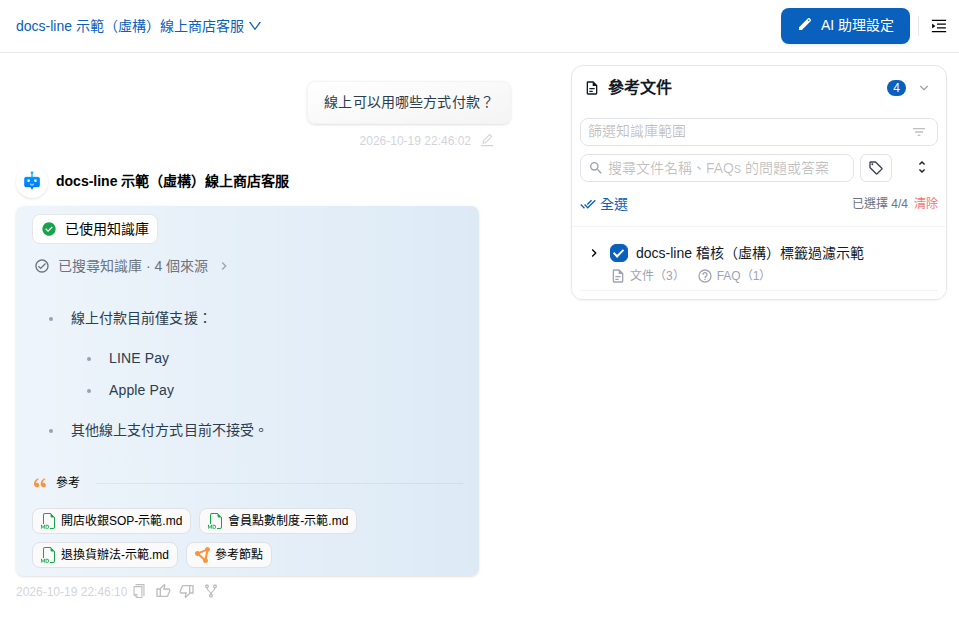
當客戶問及線上支付方式相關的問題，LLM 將根據 FAQ 內容回應：

<figure><img src="https://1593648278-files.gitbook.io/~/files/v0/b/gitbook-x-prod.appspot.com/o/spaces%2Fmzb5NG9GDzFP2YDKeYVl%2Fuploads%2Fgit-blob-122f7a28387d0b7a76bc531d15baab0d85ec3528%2Ffaq-agent-reply.png?alt=media" alt="使用者詢問線上可以用哪些方式付款，Agent 依 FAQ 回答僅支援 LINE Pay 與 Apple Pay"><figcaption><p>Agent 依 FAQ 內容回答</p></figcaption></figure>

如此就能夠限制 Agent 的回答範圍，避免其回答不正確、不符合企業規範的內容。

{% hint style="info" %}
使用者的問法不必和 FAQ 的問題一字不差：FAQ 和知識庫文件一樣以語意檢索，換個說法提問也可能找到同一筆 FAQ。以上方的付款方式為例，「可以刷卡嗎？」「有哪些付款方式？」都可能檢索到這筆 FAQ。上線前可以用[搜尋測試](/build/knowledge-base/test-search-result.md)輸入幾種常見問法，確認都找得到。
{% endhint %}

## 用 Excel 批量匯入 FAQ <a href="#bulk-import-faq-excel" id="bulk-import-faq-excel"></a>

問答數量多時，可以用 Excel 一次匯入。每一列會建立成一筆 FAQ，和逐筆建立的 FAQ 一樣出現在列表中、可個別編輯。

{% stepper %}
{% step %}

### 下載範本 <a href="#faq-excel-download-template" id="faq-excel-download-template"></a>

在知識庫的「<mark style="color:blue;">FAQ 常見問題</mark>」頁面，點選右上方的「<mark style="color:blue;">批量匯入 FAQ</mark>」，在「<mark style="color:blue;">上傳</mark>」分頁點選「<mark style="color:blue;">下載 FAQ 範本檔案</mark>」。下載的 Excel 第一列是以 `[EXAMPLE]` 開頭的範例，之後是這個知識庫現有的 FAQ。
{% endstep %}

{% step %}

### 填寫問題與答案 <a href="#faq-excel-fill" id="faq-excel-fill"></a>

在 `question` 欄填問題、`answer` 欄填答案，欄位名稱不可修改。範例列與既有 FAQ 可以保留，匯入時會自動略過。
{% endstep %}

{% step %}

### 上傳並匯入 <a href="#faq-excel-upload" id="faq-excel-upload"></a>

把檔案拖曳到上傳區或點選上傳（支援 `.xlsx`、`.xls`），再點選「<mark style="color:blue;">上傳並新增</mark>」。匯入在背景進行，可以先關閉視窗，完成後會通知新增與略過重複的筆數。
{% endstep %}

{% step %}

### 查看匯入結果 <a href="#faq-excel-history" id="faq-excel-history"></a>

到「<mark style="color:blue;">匯入紀錄</mark>」分頁查看每次匯入的狀態、進度、已建立筆數、略過重複筆數與錯誤。問題或答案空白的列不會匯入，會以「第 N 列」列在錯誤中。
{% endstep %}
{% endstepper %}

{% hint style="warning" %}

* 匯入只會**新增** FAQ，不會更新既有問答的答案。問題與既有 FAQ 相同（或在同一個檔案中重複）的列會略過，計入「<mark style="color:blue;">略過重複</mark>」；要修改既有 FAQ 的答案，請直接在列表中編輯。
* 同一個知識庫一次只能進行一個匯入；匯入進行中時，「<mark style="color:blue;">上傳並新增</mark>」無法點選。
  {% endhint %}

## 其他應用 <a href="#other-use-cases" id="other-use-cases"></a>

### 產品操作指導類問答 <a href="#product-operation-qa" id="product-operation-qa"></a>

以 **MaiAgent 平台使用** 舉例，假設您需要協助新用戶了解如何開始使用 MaiAgent 系統，您可以在 FAQ 區段中加入以下問答：

**問題：** 我不會用 MaiAgent 怎麼辦？

{% hint style="info" %}
答案過長時，可以點選預覽確認完整內容
{% endhint %}

<div><figure><img src="https://1593648278-files.gitbook.io/~/files/v0/b/gitbook-x-prod.appspot.com/o/spaces%2Fmzb5NG9GDzFP2YDKeYVl%2Fuploads%2Fgit-blob-da584d4c0f0186f33bf1d91c1deb22e6af87d89e%2Fimage%20(147).png?alt=media" alt=""><figcaption></figcaption></figure> <figure><img src="https://1593648278-files.gitbook.io/~/files/v0/b/gitbook-x-prod.appspot.com/o/spaces%2Fmzb5NG9GDzFP2YDKeYVl%2Fuploads%2Fgit-blob-d7c3c8f4afb6da16d4dd0e9b1a73c2a6b82b14f0%2Fimage%20(150).png?alt=media" alt=""><figcaption><p>答案預覽畫面</p></figcaption></figure></div>

Agent 將根據您提供的回答，說明 MaiAgent 的可用資源及入門步驟，並且提供您答案中的連結讓使用者參考。

***

### 知識介紹 <a href="#knowledge-introduction" id="knowledge-introduction"></a>

以 **LLM 技術介紹** 舉例，假設您經營一個科技教育平台，需要向一般大眾解釋什麼是大型語言模型（LLM），您可以在 FAQ 區段中加入以下問答：

**問題：** LLM 的運作原理是什麼？

{% hint style="info" %}
提供影片連結可以鍵入答案內
{% endhint %}

<div><figure><img src="https://1593648278-files.gitbook.io/~/files/v0/b/gitbook-x-prod.appspot.com/o/spaces%2Fmzb5NG9GDzFP2YDKeYVl%2Fuploads%2Fgit-blob-8c3ec8de860a3c41e9d54549a2d2524ebaa2e34c%2Fimage%20(153).png?alt=media" alt=""><figcaption><p>點選插入/編輯媒體</p></figcaption></figure> <figure><img src="https://1593648278-files.gitbook.io/~/files/v0/b/gitbook-x-prod.appspot.com/o/spaces%2Fmzb5NG9GDzFP2YDKeYVl%2Fuploads%2Fgit-blob-860ef22a1a3b9e0de2da94fac5f0a1ea0b825b45%2Fimage%20(154).png?alt=media" alt=""><figcaption><p>鍵入連結示意圖</p></figcaption></figure></div>

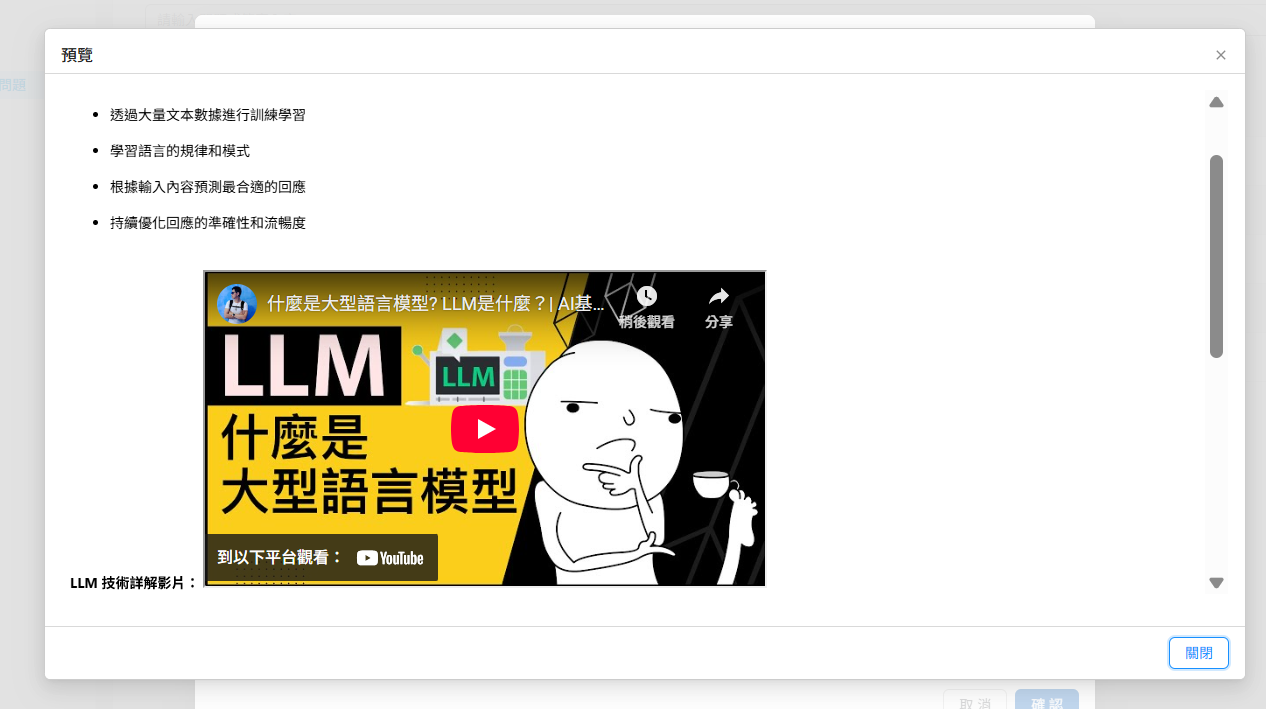
<figure><img src="https://1593648278-files.gitbook.io/~/files/v0/b/gitbook-x-prod.appspot.com/o/spaces%2Fmzb5NG9GDzFP2YDKeYVl%2Fuploads%2Fgit-blob-c53a1ddf17ba9a071cf2bcb39b475b10adccc1a3%2F%E8%9E%A2%E5%B9%95%E6%93%B7%E5%8F%96%E7%95%AB%E9%9D%A2%202025-08-28%20122508.png?alt=media" alt=""><figcaption><p>媒體插入預覽</p></figcaption></figure>

Agent 將根據您設定的答案回覆，並且提供影片的參考連結讓使用者訪問。

***

## FAQ 管理維護要點 <a href="#faq-maintenance-tips" id="faq-maintenance-tips"></a>

**內容時效性管理**

* **活動資訊更新**：促銷活動、限時優惠結束後立即移除或更新相關內容
* **政策同步修正**：當公司政策（如退換貨條件、服務條款）異動時，確保 FAQ 內容同步更新
* **產品資訊維護**：新產品上架、規格變更、停產商品等資訊需即時反映在相關問答中

**數據驅動優化**

* **回答品質提升**：針對高頻問題優化答案內容，提供更詳細和實用的資訊
* **gap 分析**：透過客戶反饋和客服紀錄，發現 FAQ 未涵蓋的常見問題

**品質控制機制**

* **內容正確性檢查**：定期驗證 FAQ 中的連結、聯絡資訊、技術資料是否正確
* **語調一致性**：確保所有 FAQ 內容符合品牌語調和溝通風格
* **多語言版本同步**：如有多語言需求，確保各語言版本內容保持同步更新

{% hint style="info" %}
您可以透過查看 FAQ 的命中次數，確認最常被使用者詢問的問題類別，定時更新。

命中次數的說明請見：[搜尋測試](/build/knowledge-base/test-search-result.md)
{% endhint %}

<figure><img src="https://1593648278-files.gitbook.io/~/files/v0/b/gitbook-x-prod.appspot.com/o/spaces%2Fmzb5NG9GDzFP2YDKeYVl%2Fuploads%2Fgit-blob-169fdace8672126bd716e283852b2476d9328279%2Fimage%20(157).png?alt=media" alt=""><figcaption></figcaption></figure>

這樣的管理機制讓 Agent 能夠始終提供準確、及時且符合用戶需求的回應，提升整體客戶服務體驗。


---

# Agent Instructions
This documentation is published with GitBook. GitBook is the documentation platform designed so that both humans and AI agents can read, navigate, and reason over technical content effectively. Learn more at gitbook.com.

## Querying This Documentation
If you need additional information that is not directly available in this page, you can query the documentation by asking a question.

Perform an HTTP GET request on the following URL with the `ask` and `goal` query parameters:

```
GET https://docs.maiagent.ai/build/knowledge-base/faq.md?ask=<question>&goal=<user_goal>
```

`ask` is the immediate question: it should be specific, self-contained, and written in natural language.
`goal` is what the user is ultimately trying to achieve, the reason they need the answer. Sharing it helps GitBook give you a better, more relevant answer. A goal is most helpful when it describes the outcome the user wants rather than restating the question. For example, with `ask=how do I create an API token`, a goal like `automate deployments from our CI pipeline` lets GitBook tailor the answer to that use case.

The response will contain a direct answer to the question and relevant excerpts and sources from the documentation.

Use this mechanism when the answer is not explicitly present in the current page, you need clarification or additional context, or you want to retrieve related documentation sections.