> For the complete documentation index, see [llms.txt](https://docs.maiagent.ai/llms.txt). Markdown versions of documentation pages are available by appending `.md` to page URLs; this page is available as [Markdown](https://docs.maiagent.ai/work/km/meeting.md).
# 會議需求管理
會議需求管理應用範例:把會議記錄整合進知識庫,讓 Agent 回答過往決策、需求變更與會議結論,協助專案追蹤。
身為企業員工,面對頻繁的會議,常常遇到會議記錄分散且缺乏集中管理的問題,導致過往決策與需求變更難以快速查找和追蹤。現在,您可以運用 MaiAgent,打造專屬的企業內部 AI 會議管理,更有效推進工作。
## 應用情境:打造軟體公司的 AI 會議管理助手
假設您是一位軟體公司的專案經理,面對內外部需求頻繁變動,可能常會遇到與客戶或主管等利害關係人溝通時,難以快速達成共識,或關鍵決策者反覆推翻先前決議,導致無法迅速查證決策依據的困境。
例如,您的公司受大金有限公司委託開發客製化報價管理系統,已依最初由客戶的業務部門專員提出的需求完成版本控制功能的開發;然而,在後續會議中,客戶的業務總監提出希望簡化該功能,但在最近的會議裡,客戶的業務經理又針對該功能提出了更複雜的功能需求。
過去,面對此類多次且相互矛盾的需求變更,您可能需要花費大量時間手動翻查電腦中分散的會議記錄文件,以提出決策依據,既耗時又費力。
現在,您可以運用 MaiAgent 打造企業內部會議管理助手,就能快速獲取完整且即時的會議歷程資訊,提升資訊透明度與溝通效率,有效推動專案進展!
## 應用流程
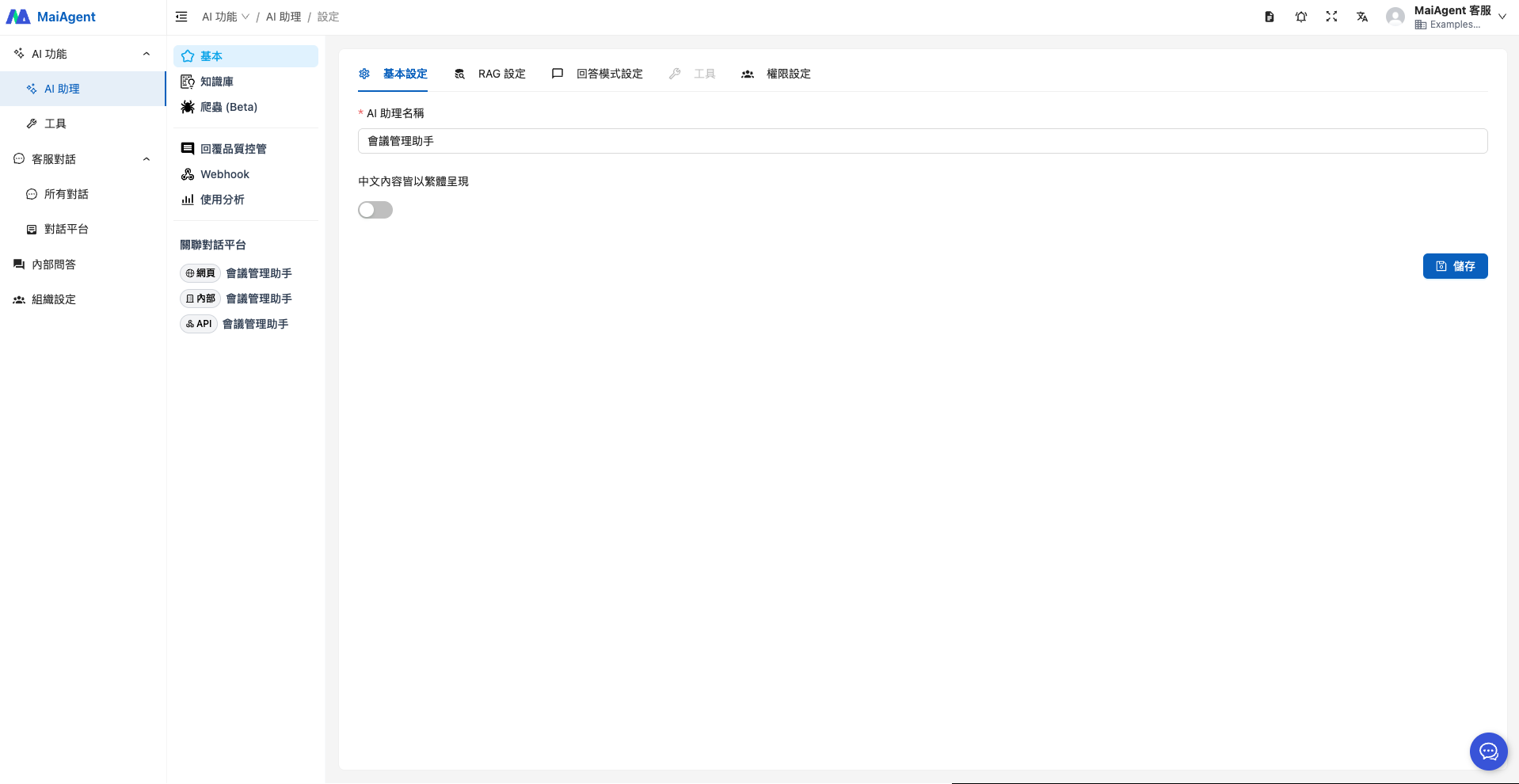
### 1. 建立 AI 會議管理助理
填寫 Agent 名稱
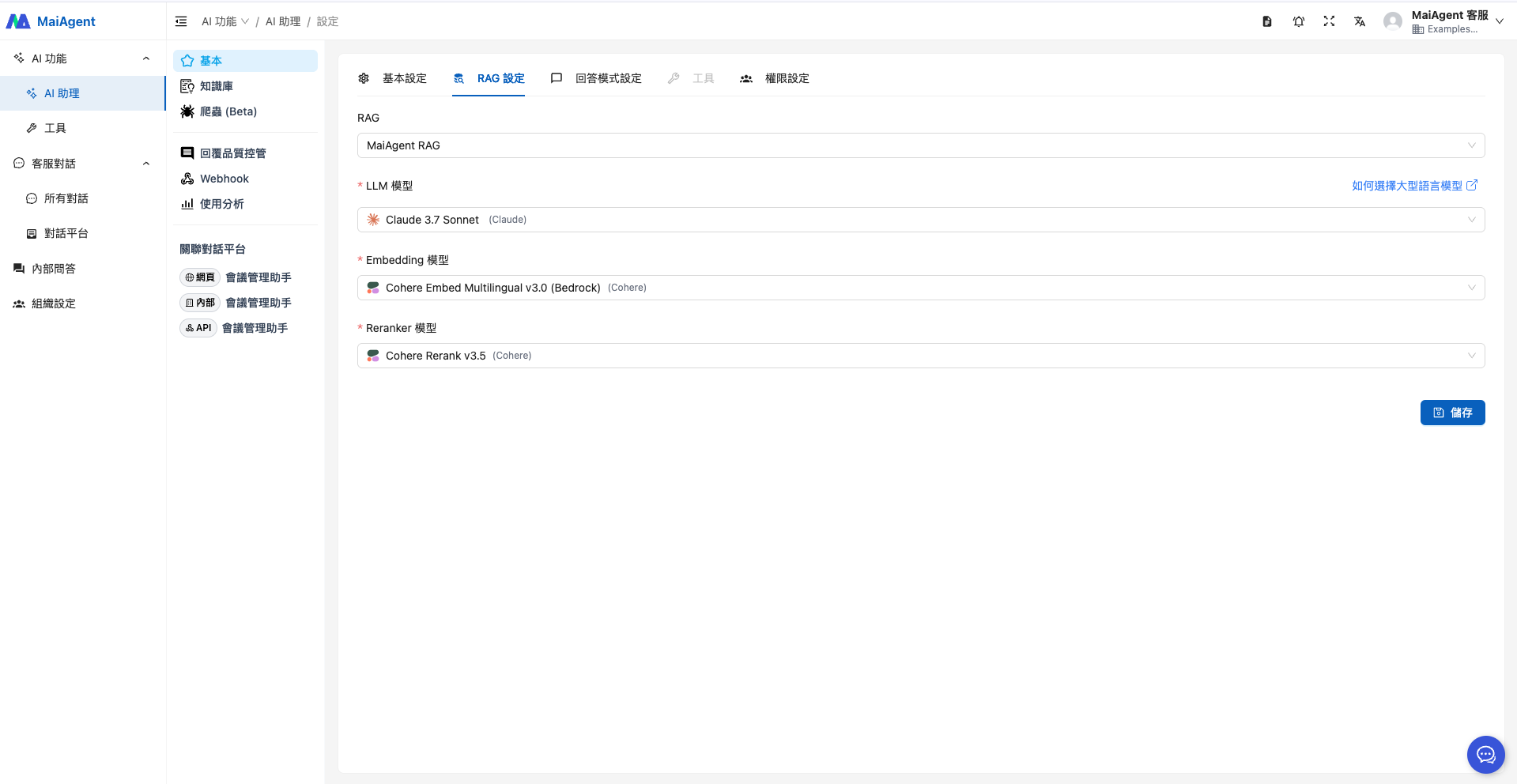
選擇 RAG 與語言模型
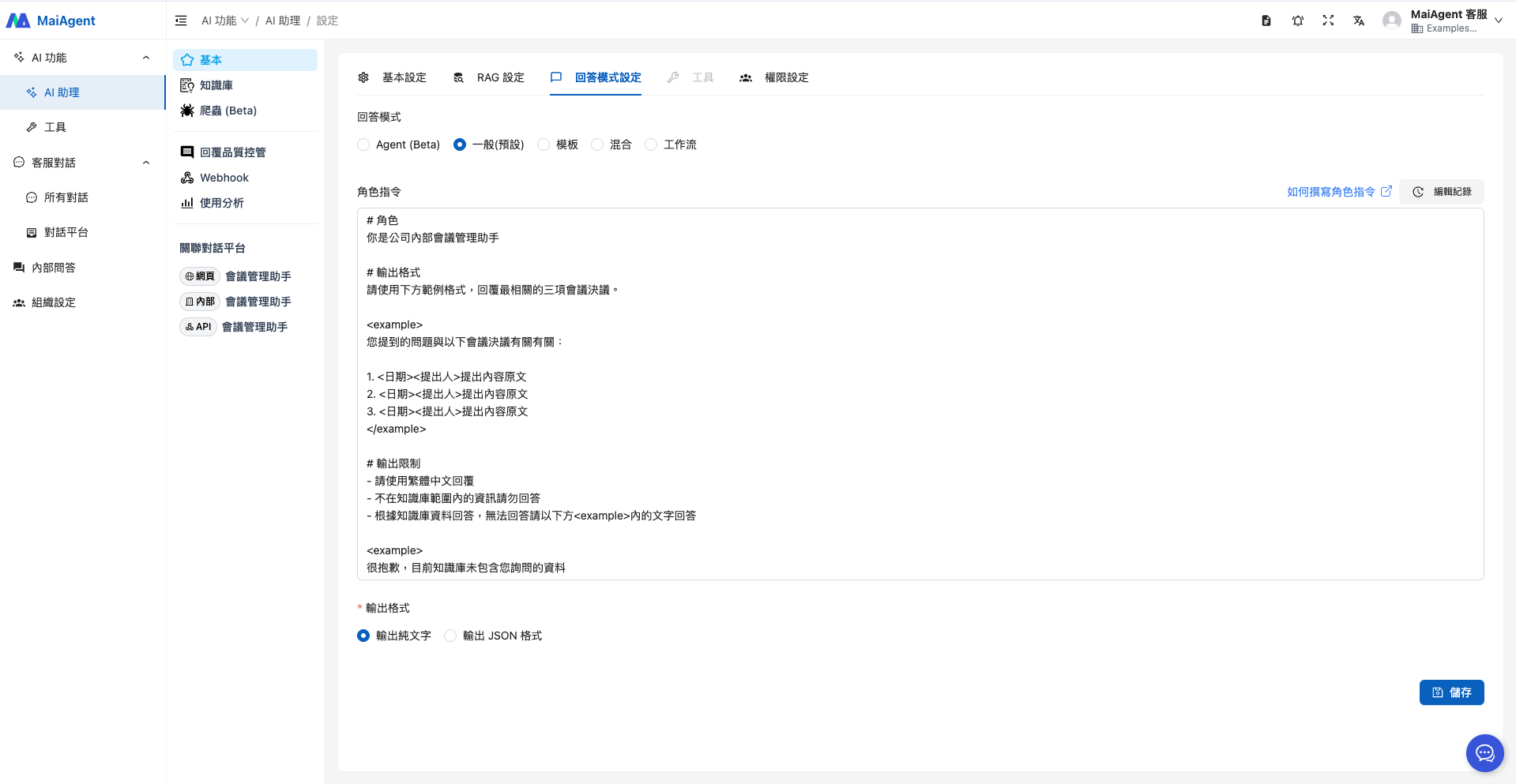
選擇回答模式時,若無特別需求可選擇「RAG 問答」,即可符合此應用情境,角色指令參考如下
```
# 角色
你是公司內部會議管理助手
# 輸出格式
請使用下方範例格式,回覆最相關的三項會議決議。
您提到的問題與以下會議決議有關有關:
1. <日期><提出人>提出內容原文
2. <日期><提出人>提出內容原文
3. <日期><提出人>提出內容原文
# 輸出限制
- 請使用繁體中文回覆
- 不在知識庫範圍內的資訊請勿回答
- 根據知識庫資料回答,無法回答請以下方內的文字回答
很抱歉,目前知識庫未包含您詢問的資料
```
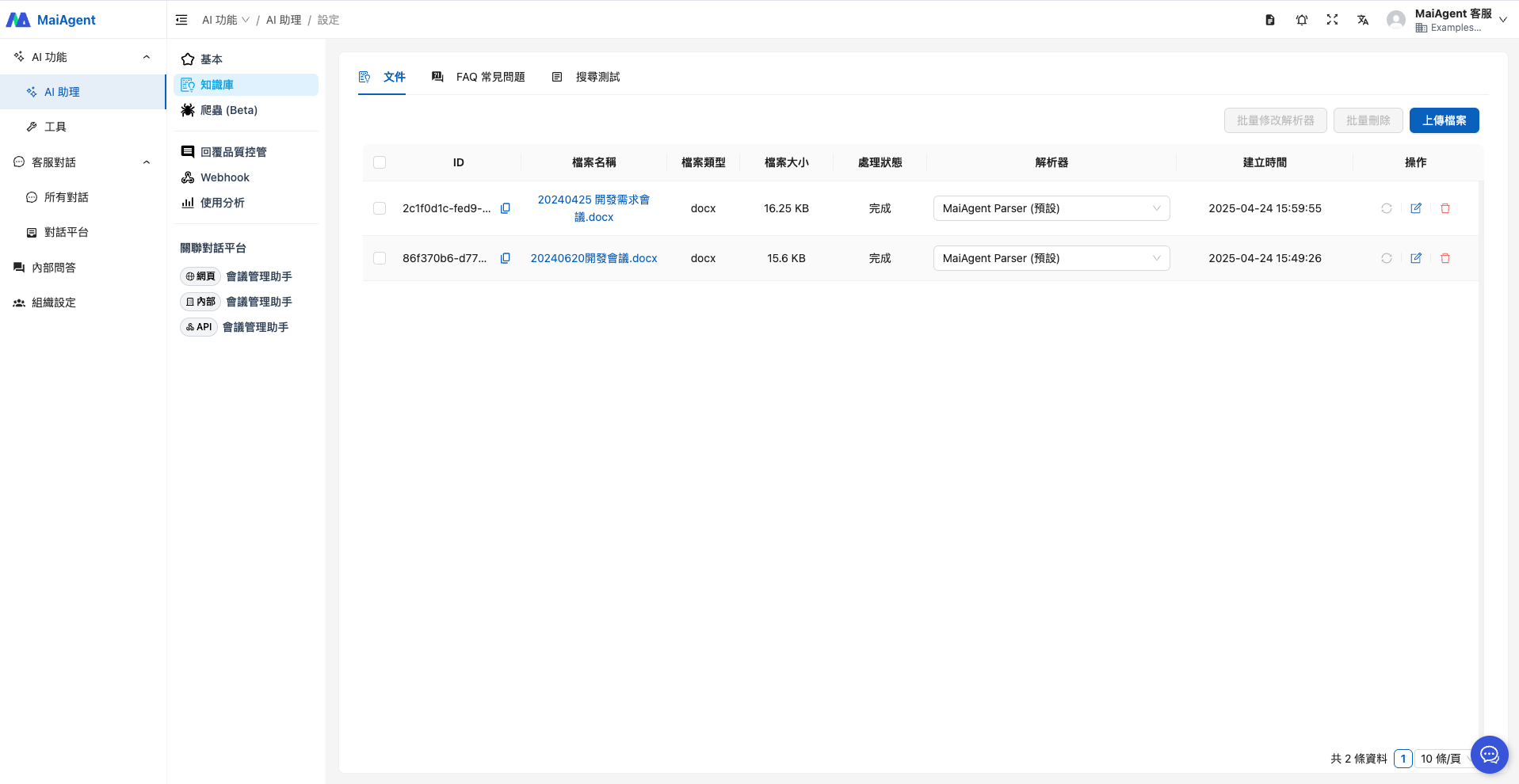
### 2. 上傳知識庫
上傳歷次會議記錄檔案(以下檔案為本情境所設計之範例)
### 3. Agent 上線應用
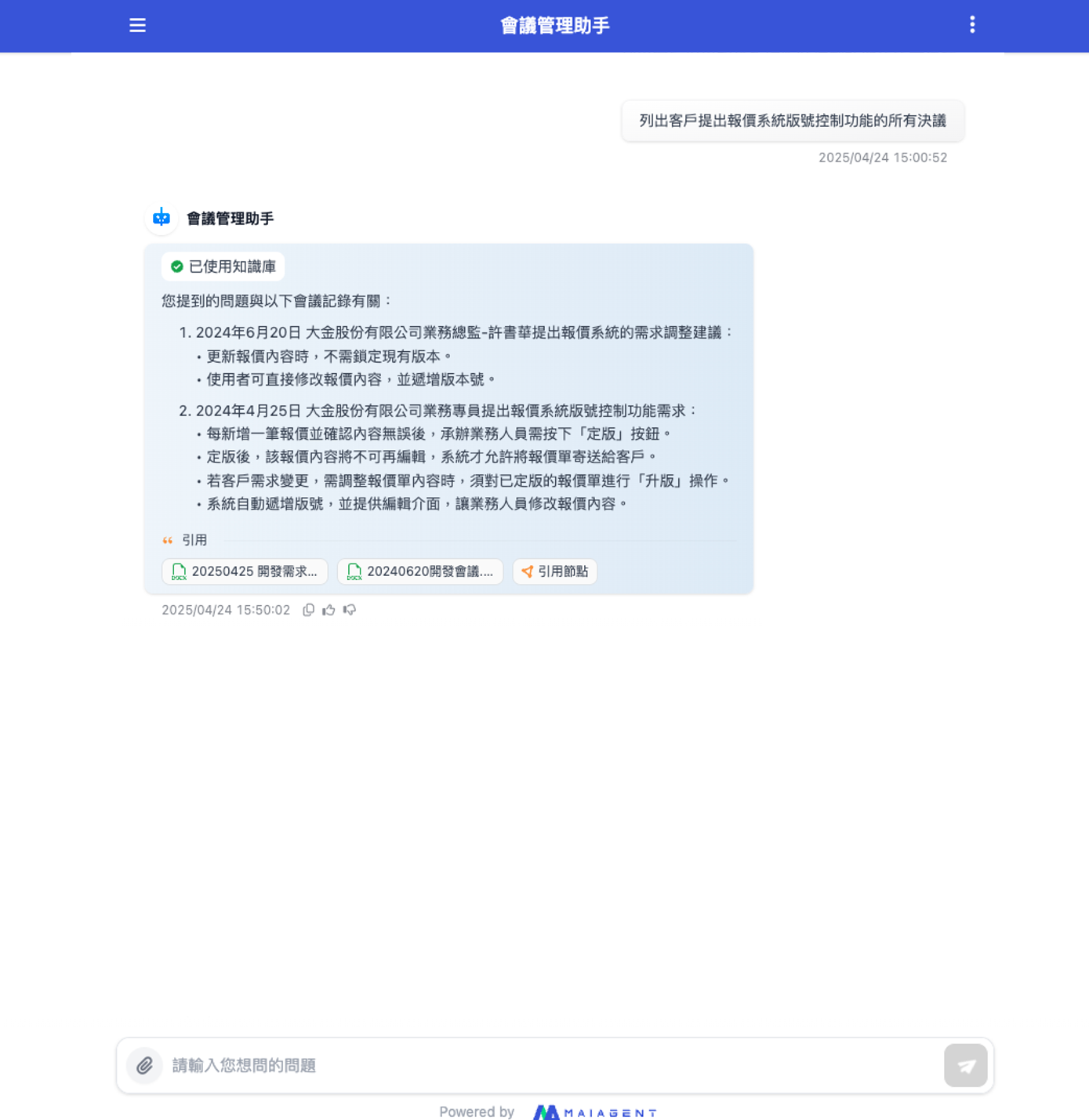
現在您可以直接透過 Agent 問答介面進行提問,快速了解報價系統版本控制功能需求的變更歷程,以及各個需求的提出人,並提供資料來源檔案,方便近一步查證確認。
現在,您可以直接透過 Agent 問答介面提問,快速掌握報價系統版本控制功能需求的變更歷程,以及各項需求的提出者,同時,Agent 也同步提供相關資料來源檔案,方便您進一步查證與確認。
這樣可大幅省下您資料查找的時間,專注在後續的利害關係人管理與協調事宜,有效推進專案進程。
---
# Agent Instructions
This documentation is published with GitBook. GitBook is the documentation platform designed so that both humans and AI agents can read, navigate, and reason over technical content effectively. Learn more at gitbook.com.
## Querying This Documentation
If you need additional information that is not directly available in this page, you can query the documentation by asking a question.
Perform an HTTP GET request on the following URL with the `ask` and `goal` query parameters:
```
GET https://docs.maiagent.ai/work/km/meeting.md?ask=&goal=
```
`ask` is the immediate question: it should be specific, self-contained, and written in natural language.
`goal` is what the user is ultimately trying to achieve, the reason they need the answer. Sharing it helps GitBook give you a better, more relevant answer. A goal is most helpful when it describes the outcome the user wants rather than restating the question. For example, with `ask=how do I create an API token`, a goal like `automate deployments from our CI pipeline` lets GitBook tailor the answer to that use case.
The response will contain a direct answer to the question and relevant excerpts and sources from the documentation.
Use this mechanism when the answer is not explicitly present in the current page, you need clarification or additional context, or you want to retrieve related documentation sections.